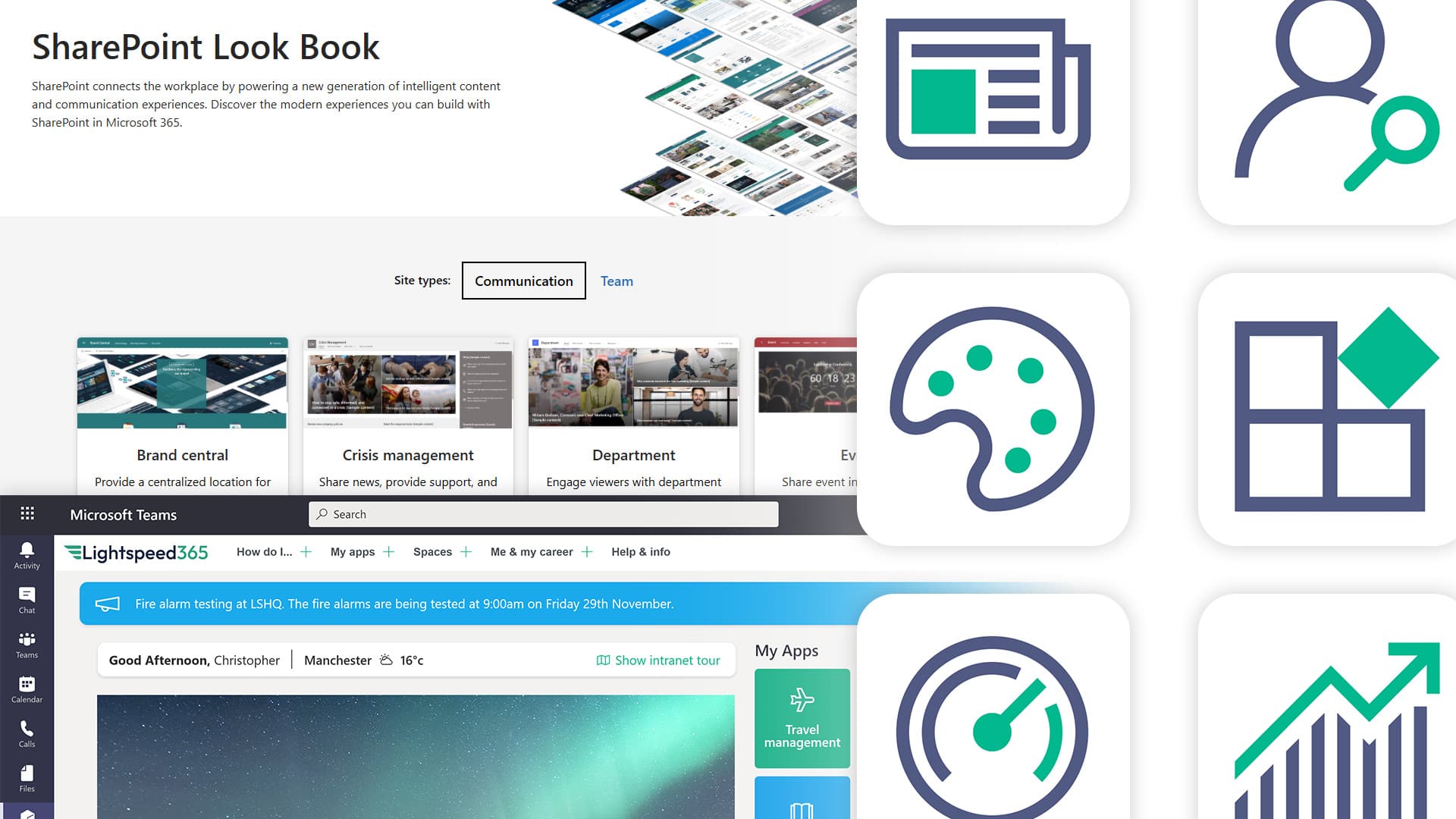
Your SharePoint intranet went live, the numbers looked healthy for a month, and then they started sliding. Leadership asks how it's performing and the honest answer is that nobody is quite sure, because the only number anyone can produce is page views.
That is where most intranet teams are, and it is why adoption work stalls. Not because the tactics are unknown, but because adoption is treated as a campaign rather than what it is - a system with parts that hold each other up. What we consistently hear from clients is that four things decide whether an intranet gets used: whether employees see day-to-day value in it, whether content operations work without a bottleneck, whether the experience sits inside the tools people already have open, and whether the implementation was scoped so anyone could prove it was worth doing. Weaken one and the others struggle to compensate.
In summary: SharePoint intranet adoption is the level and pattern of usage across your intranet - not just how many people visit, but how they use it and whether that use generates value. Adoption is a system problem rather than a technology one: employee value, content operations, workflow integration and implementation economics reinforce each other, which is why a launch campaign on its own rarely shifts the numbers. The tactics that work are making the intranet the place people get things done, keeping content current and owned by the teams who write it, embedding the experience where people already work, and personalising what each person sees. Measure it before you change anything, and sustain it through continual improvement.
What is intranet adoption?
Intranet adoption is the level and pattern of usage of your intranet. It covers not just how many people use it, but the way they use it. Adoption covers visits, content views, feature uptake, reactions and user-generated contributions.
Good adoption is not just about maximising the numbers. It is about the intranet being used in a way that generates value. If you are starting further back than this, we have set out what an intranet is and what it does separately. An intranet where 90% of employees log in weekly to read one news article is doing less for the organisation than one where 60% log in to complete tasks they would otherwise raise a ticket for.
Why does intranet adoption matter?
The more people use the intranet, the more value it generates - in internal communications reach, efficiency, productivity, risk reduction and support for core organisational processes.
The reverse matters more. Where adoption is low, people are not doing nothing - they are emailing, asking a colleague, guessing, or building a workaround in Teams. Those routes are slower, less consistent and invisible to anyone trying to govern them. Low adoption is rarely a standalone problem; it is the visible symptom of issues with content, findability or relevance.
When adoption slides, the work does not stop. It moves. People ask the person next to them instead of searching, they keep a private copy of last year's policy, or they stand up a Teams channel that nobody else can find. That looks cheaper in the moment and costs you twice: once in duplicated effort, and again when the official source of truth is no longer trusted. The intranet did not fail loudly. People simply stopped using it as the place to look.
John Scott, UX director and Lightspeed365 product owner
Ten ways to improve intranet adoption
There is no single magic ingredient. Intranet teams need to work across a range of activities, most of which are the fundamentals of good intranet management. The note under each one is a rough guide to effort: quick wins take days, a quarter means a piece of work with a beginning and an end, and a programme is something you commit to.
1. Make sure the intranet helps employees get things done
Programme. Highest impact of the ten.
News and messaging matter, but the reason most employees visit an intranet is to complete a task. Getting the balance right between news content and reference content is what underpins adoption.
That means how-to reference content, access through to the applications people use, integrations that let common tasks be completed without leaving the intranet, and all of it on the homepage rather than three clicks down.
Across our projects this is the single most reliable predictor of whether an intranet gets used. Make it the place people get things done and news readership rises as a side effect. Our intranet case studies show what this looks like in organisations that got the balance right.

A homepage that surfaces launchers, how-to content and everyday tasks - the pattern that most reliably drives return visits.
2. Keep content purposeful and up to date
Programme, with quick wins available immediately.
Adoption depends on content more than on any feature. Out-of-date or contradictory content erodes trust quickly, and once it goes people stop believing the good content too. What we see repeatedly is that intranets which get replaced have usually reached this state rather than any technical one. The platform was fine. The content had been left.
Content governance is the answer: clear ownership, automated review cycles, and SharePoint intranet templates that let content owners produce good pages without design skills.
What we consistently hear from clients is that publishing is too dependent on IT. Comms teams raise a ticket and wait, so content ages in a queue belonging to people who cannot judge whether it is still correct. Owners need three things: responsibility for their area, permissions to act without a technical team, and a review routine that prompts them. Where one is missing, content decay is predictable rather than a failure of effort.
We used to advise clients to launch with as much content as possible, on the basis that a fuller intranet looks more credible. We now advise launching with a smaller, focused set of pages that are genuinely maintained. A smaller intranet where all of it is current beats a comprehensive one where half is stale - and that is doubly true now AI is reading it.

Pre-built page templates so content owners can publish without waiting on design or IT.
3. Avoid site sprawl
A quarter to put controls in, ongoing after that.
Too many pages and sites and the experience degrades quickly - duplication, half-finished areas, and no way to tell which version is current. Team sites and Teams spaces holding content that should have been published properly do the same damage. The fix is control over provisioning, so new sites require approval and every one has a purpose and an owner from day one.

An approval workflow for new sites, so every area has a purpose and a named owner from day one.
4. Make the intranet reachable from Microsoft Teams
Quick win. Usually days, not weeks.
Many employees now spend most of their day inside Teams. If the intranet is an extra step away from where people already are, that alone suppresses adoption more than most teams expect.
Viva Connections is Microsoft's route to this, bringing the intranet into the Teams experience natively.

The intranet inside Teams on desktop and mobile, so it sits in the same place people already work.
5. Make everything findable
A quarter or more. Depends on the state of the content.
The most common complaint about any intranet is that people cannot find anything. Findability builds trust, and trust drives usage. There is no single fix: it takes content governance to reduce the noise, metadata to improve filtering and relevance, and a search experience designed around how people look for things rather than how the content is organised internally. There is more on the underlying causes in our guide to Microsoft 365 intranet options, which covers what each route means for search and governance.

People search by name, department and skill - findability that goes beyond document search.
6. Use personalisation to drive relevance
A quarter, assuming your Entra ID data is sound.
Workforces are diverse and their information needs are not. A one-size-fits-all intranet delivers content that is irrelevant to large parts of the organisation, and irrelevance is what drives people away. SharePoint's use of Entra ID data and Microsoft 365 groups gives you a lot to work with, but accurate profile data is the prerequisite - personalisation built on incomplete records produces confidently wrong targeting, which is worse than none.

Subscription options so people choose the updates they actually need, rather than seeing everything.
7. Make the homepage a personalised app launcher
Quick win. Disproportionate return for the effort.
Believe us, making the intranet homepage a personalised app launcher really does work in driving adoption. Giving people one place that holds the tools, apps and links they use every day turns the intranet into the entry point for the whole digital workplace rather than another destination competing for attention.
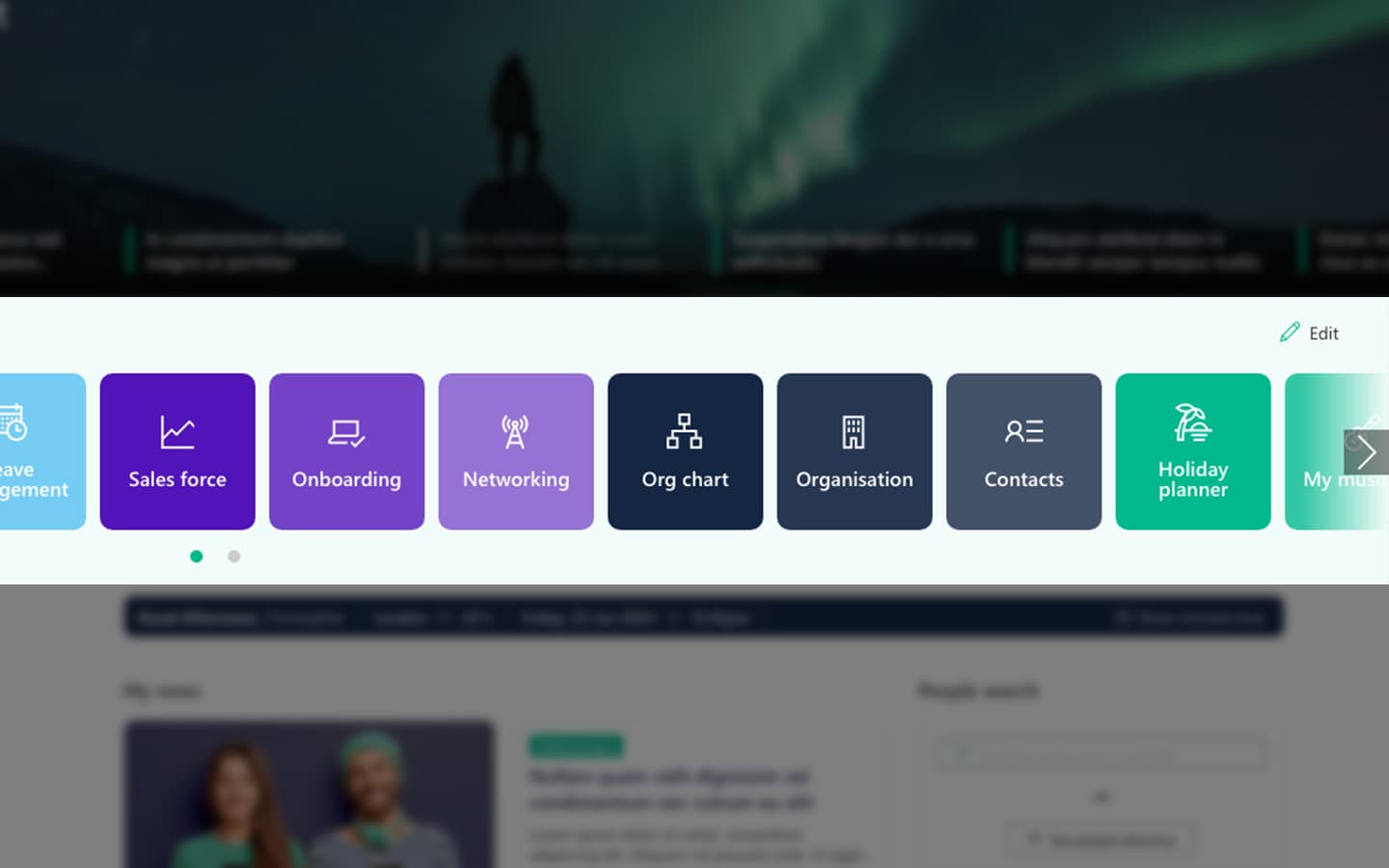
A personalised app launcher on the homepage - one place for the tools people use every day.
8. Keep the design modern and easy to use
A quarter, or longer if it triggers a wider redesign.
An intranet that looks dated or cluttered is less likely to be used even when the content is good. Design is not decoration - it is what makes the useful content reachable. Our SharePoint intranet examples show what current design looks like.
Accessibility belongs in the same conversation, and accessible design widens the audience for everything else on this list.
Modern SharePoint is a capable starting point and configuring it well goes a long way. Organisations needing tighter brand alignment reach the limits of configuration alone, and that is when an in-a-box product becomes worth evaluating.

Brand-aligned pages with extended styling options, including support for sub-brands.
9. Run a programme of continual improvement
Ongoing. Start the quarter after launch, not the year after.
Adoption responds to visible progress. When people see the intranet getting better - new content areas, features they asked for, things that were broken now fixed - they keep coming back. SharePoint suits this because it is modular, which makes quarterly improvement realistic.
How the intranet was scoped matters more than most teams expect. Heavily customised builds are costlier to change, so improvement becomes an annual project - and under-building on basic SharePoint leaves nothing much to improve. Keep bespoke development to a minimum and prove value through a few measurable use cases.

Modular web parts that can be added over time, so the intranet can improve every quarter without a rebuild.
10. Keep working at it
Ongoing, and the one most often dropped.
Adoption is never finished. Change management, local champions, intranet awareness in onboarding and periodic campaigns to reintroduce forgotten features all sustain what the other nine build. A launch campaign alone will not do it - the causes sit across four connected areas and a campaign addresses none of them directly.
What sustained work produces is a loop that feeds itself. Customers report the same sequence: an intranet designed around what employees need, supported through change management, gets used - and usage you can demonstrate makes the case for the next investment, which improves the experience, which deepens the usage. Each turn makes the next easier.
It runs in reverse too, which is the real risk of treating launch as the finish line. Stakeholders stop maintaining their areas, alternatives spring up elsewhere in the tenant, and the intranet becomes something people work around rather than with. Restarting a stalled flywheel costs considerably more than keeping one turning.
What does good intranet adoption look like?
This is the question we are asked most often. Three things tell you more than any single percentage:
- A baseline you trust. Measure before you change anything, including on your legacy intranet if you are replacing one. Without a before, the after means nothing.
- Segmentation. An overall figure of 65% hides head office at 90% and field teams at 20%. The average is the least useful view of your own data.
- Pattern, not just volume. Are people completing tasks or bouncing off the homepage? A stable visit count with rising task completion is the healthier intranet.
There is no universal benchmark, and anyone offering one without qualification is guessing. What counts as good depends on your workforce, whether the intranet is the only route to essential information, and whether frontline staff are in your denominator. An organisation where most people sit at a desk and one where most are on shift will produce completely different numbers from identical intranets.
So the proof point worth building is not that the intranet is used, but that it helps employees complete important tasks faster, find information they trust, and receive communications they would otherwise have missed. That is what a leadership team recognises as value, and what makes the case for continued investment.
How do you measure adoption?
You cannot improve what you cannot see, and this is where most adoption programmes fall over before they start.
How you measure depends on three things:
- What adoption means to you. It is a broad term, and you need to decide which aspects reflect value in your organisation before choosing metrics.
- What your analytics package can actually do. SharePoint's out-of-the-box reporting is rarely sufficient on its own, and it carries a 90-day limit on the data, which makes year-on-year comparison impossible.
- What you intend to do with the numbers. Measuring takes time, so prioritise the numbers you will act on or need to show stakeholders.
Microsoft Clarity is what we recommend to most intranet owners. It is free, considerably better than standard SharePoint reporting, and it gives you heatmaps and session recordings alongside the numbers - which matters, because most adoption questions are answered by watching what people do rather than counting what they did.
One caution on interpretation. More time on a page can mean people found the content interesting, or that they could not find what they came for. Numbers tell half a story; qualitative feedback tells you which half.
The metrics our clients tell us they wish they had are consistently the same handful:
- Search success rate, and how long it takes to find key information
- Repeat usage, not just first visits
- Adoption by employee group, particularly frontline, remote and distributed staff
- Content freshness and publishing turnaround - how current the estate is, and how long a content owner waits to get something live
- Task completion for the handful of things people come to the intranet to do
- Reach through the intranet versus email, which is the comparison internal communications teams are actually judged on
- Employee-reported ease of finding information and completing common tasks
This is not administrative work. Customers report that once usage is easy to demonstrate, the intranet stops being the first line item questioned in a budget round - and the investment that follows funds the next improvement. Measurement is what makes adoption work self-sustaining rather than something you argue for annually.
For the full picture, we have set out 25 intranet metrics worth tracking, covering usage, content, performance and business impact. If you are building the case for investment rather than reporting on it, our SharePoint intranet business case checklist covers the cost and benefit lines to include.
What changed in 2026?
AI assistants are changing what a visit means, and it has already started. If an employee asks an assistant for the parental leave policy and gets a correct answer sourced from your intranet, they never open the page. Your page views fall. Your intranet did its job perfectly.
We are already seeing this in client environments: traffic to a policy area dropping while helpdesk queries on the same topic also fall. That is the pattern you get when people receive the answer without opening the page. Intranet teams often read the traffic drop as a problem first, before they see that the content is doing more work, not less.
Most measurement advice has not caught up. It still treats page views as a proxy for value, and intranet teams still report them as though a decline is automatically bad news - which is going to produce some awkward board conversations about falling numbers on an intranet working better than it ever has. The shift is from measuring visits to measuring use of the content: not how many people came to the page, but whether your content was the source of the answer, wherever it was asked. Teams that baseline it now will be able to show what happened. Teams that do not will be arguing from memory.
One caution, so you read your own data correctly. If your numbers are falling this quarter, check the ordinary causes first - stale content, poor findability, an experience that has not moved on. AI is real and growing, but it should be what you conclude after ruling those out.
There is a governance consequence too. An assistant reading an out-of-date policy will restate it confidently, in front of the employee who asked, which raises the value of tactic 2 whatever happens to your visit numbers. We have covered what this means in six realistic use-cases for AI on your intranet.
What if the numbers are already falling?
If the numbers are heading in the wrong direction, work out which problem you have before applying tactics. The causes are fairly predictable and each has a different remedy - we have set out the pattern in eight key reasons no one uses the intranet.
The one thing not to do is nothing. It is far cheaper to address at the point you notice it than eighteen months later.
Frequently asked questions
About the author

John Scott
UX director
John is Head of UX at Content Formula, shaping the experience behind Lightspeed365. He writes about SharePoint intranets, UX, and digital workplace design, grounded in real-world delivery.