SharePoint is an amazing platform that is both very flexible and scalable and can help your organisation and employees achieve multiple goals, including delivering a strong intranet. However, SharePoint can also be complicated, and its sheer versatility and flexibility means that it is easy to fall into traps that mean you're not using SharePoint to its full potential.
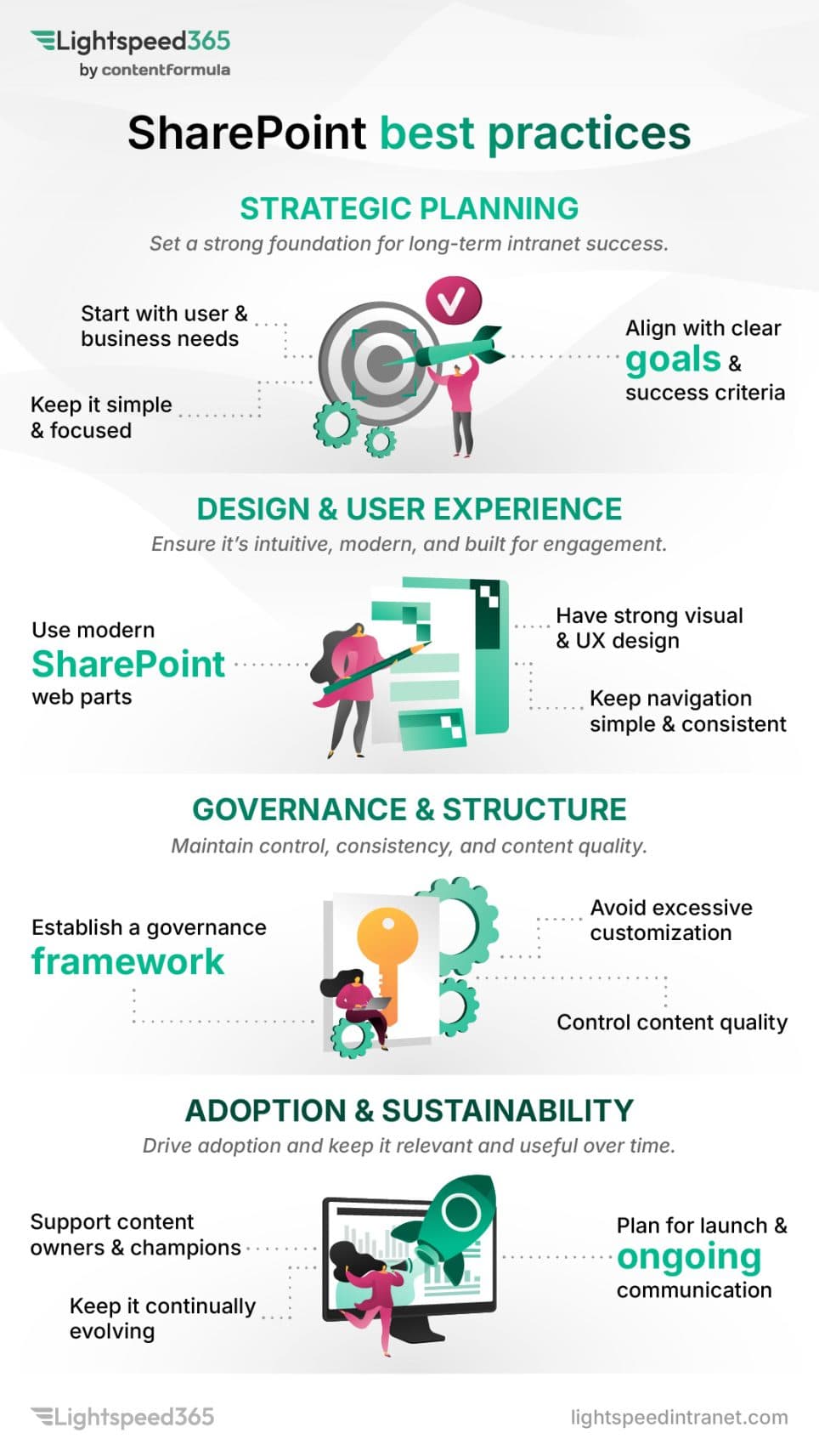
In this post we're going to explore twelve SharePoint best practices that help you get the best value out of SharePoint, particularly in terms of using it as an intranet. Most of them come down to intranet governance in one form or another - deciding who owns what, who can do what, and what happens when nobody is paying attention. Of course, there are many other SharePoint best practices to follow, and some will be more relevant to particular organisations. Note that in this article we're following more best practices on the business side of using SharePoint rather than the technical side.
Twelve SharePoint best practices for 2026
Here's our view of 12 key SharePoint best practices to follow.
Brand your SharePoint site or intranet to your organisational needs
Many SharePoint sites look similar with a relatively standard look and feel. However, a SharePoint intranet sometimes doesn't meet the full branding requirements that organisations need or expect. In our view, a SharePoint intranet and its sites are important sources of information, and a central intranet team should be able to brand them how they want.
A SharePoint intranet is an official corporate channel so internal communications or the core intranet team might want to:
- emphasise this by applying appropriate corporate branding
- provide a particular look and feel to ensure there is a continuity of experience across other digital channels
- apply different designs to a number of sites in more complex organisations that cover a range of brands, so there are effectively a number of separate intranets or sub-sites.
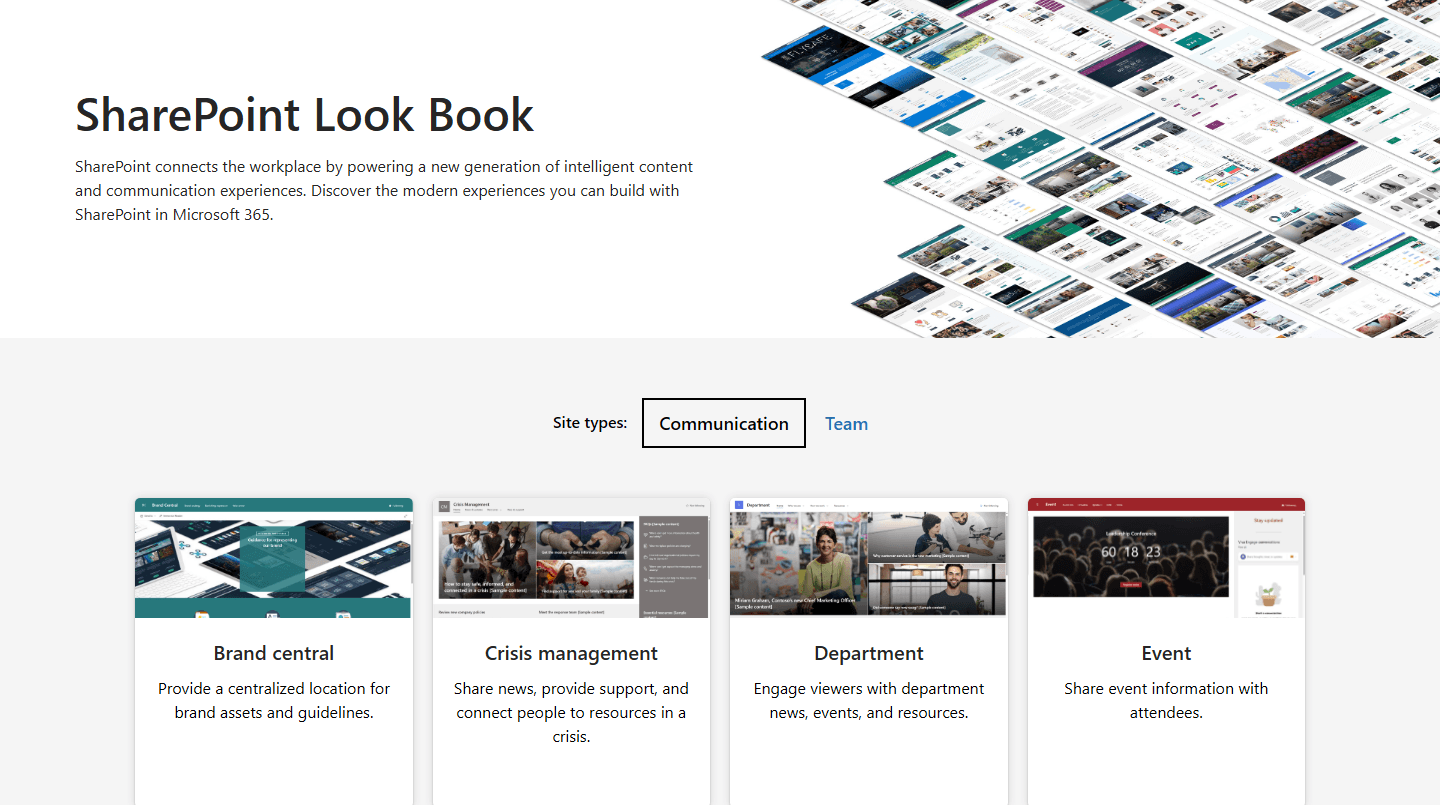
SharePoint comes with some flexibility on branding, with options increasing with the release of the SharePoint brand center functionality. Using templates from the SharePoint lookbook can also help teams to explore the art of the possible with design. Our SharePoint intranet designs page shows branded layouts and page templates applied to communication sites, and there are 12 real SharePoint intranet examples with commentary from our UX team.
If branding flexibility is still not quite to your needs or is difficult to implement, using Lightspeed365's popular Branding customiser feature provides a simple way to customise your SharePoint design and theme options by extending what you can do with your corporate font and colour palette. Many of the other Lightspeed365 features also have configurable design options that extend beyond what can be achieved out of the box.
Integrate SharePoint with other Microsoft 365 tools
One of the most powerful aspects of SharePoint is how directly it integrates with other tools across the Microsoft 365 suite. This means you can access data and interact with tools through web parts without having to leave SharePoint. For an intranet, this has several advantages in:
- Providing a more integrated, consistent and frictionless digital employee experience.
- Helping employees to get things done more quickly.
- Encouraging better adoption of Microsoft 365 tools.
- Increasing the ROI of Microsoft 365.
In particular, just using web parts that are out of box you can embed:
- Viva Engage conversations.
- Viva Connections feed and dashboard.
- Group calendars.
- Microsoft Forms.
- Microsoft PowerApps with custom functionality created within your organisation.
- Power BI reports
- Stream (Classic) videos.
We have gone through the ones worth prioritising in 15 must-have SharePoint web parts for intranets.
Make your SharePoint intranet feel less corporate and more personal
SharePoint intranets can end up feeling more formal than the organisations they serve. A few practical things help:
- Using imagery which shows real photos of your employees (with their consent), rather than bland stock photography or silly AI-generated pictures.
- Having a feed of people-centred stories that feature inspiring and positive stories about employees both in and outside work.
- Surfacing user-generated content on the homepage, for example using a Viva Engage web part that surfaces discussions and conversations - this is available out of the box with SharePoint.
Personalisation and targeting are the other half of this, and they belong to a wider conversation about relevance - see ten ways to improve SharePoint intranet adoption. For what this looks like in practice, our SharePoint intranet examples show how other organisations have handled tone.
Make your SharePoint intranet available through Microsoft Teams

Surfacing the intranet inside Teams is standard practice now, and the usual route is Viva Connections, which is included in most subscriptions. Content can also be surfaced through the Viva Connections dashboard. The case for doing it - and what it does to usage - is covered in ten ways to improve SharePoint intranet adoption.
Put SharePoint site approval processes in place to avoid site sprawl
SharePoint site sprawl is a major issue for many organisations. Because it is so easy to create a SharePoint communication or team site, inevitably:
- many sites get set up and then don't ever get used
- get abandoned after limited use or a site owner leaves
- are duplicates of sites already set up that have similar aims already set up.
The result of this is far too many SharePoint sites that take up more space, are hard for admins and IT teams to manage, cause confusion for users and makes it difficult for users to search for what they need. A similar process happens with the creation of Microsoft Teams spaces and Viva Engage groups.
A good practice is to ensure there is a proper approval process in place for creating a new SharePoint site. The request can then get reviewed to ensure the space is being set up for the right purpose, is not a duplicate and has proper ownership.
This is not available out of the box with SharePoint and is best done through using a request form with approval workflow which can be sent to the right people. With Lightspeed365 there is also a powerful site provisioning feature which has a form which guides the requestor through the right type of site to request (SharePoint, Teams or Viva Engage) and then triggers the necessary approval workflow and then even automatic site provisioning, making the entire process far more efficient. Where provisioning approval already exists in your tenant, it can be reused rather than replaced - there is more on how this works alongside existing governance on our SharePoint intranet for IT page.
Reduce the need for SharePoint customisation through configuration or alternative web parts

SharePoint is an exceptionally flexible platform where you can build multiple different sites and pages that support communication, collaboration, business processes and more. This is partly down to the numerous web parts that can be arranged on every single page. Despite its enormous flexibility and scalability, sometimes SharePoint or one of its constituent web parts doesn't quite do what organisations want, in terms of the way it looks, or what it can deliver. There may also be some missing functionality in terms of what is available out of the box; this is certainly the case, including some popular features of modern intranets.
When this happens, there can be a temptation to use customisation to tweak an existing web part or build a new one from scratch. Most IT functions try to avoid customisation as far as possible because it is costly and also creates technical debt; it can become increasingly complicated with upgrades.
One good practice with SharePoint for organisations who want to avoid customisation is to look to other options to deliver what they need:
- Many of SharePoint's web parts are surprisingly configurable and some very versatile, and there are always options to explore here, so it's always important to see if configuration provides an alternative path.
- SharePoint's wide set of native features and direct integration with other Microsoft 365 tools means there is often more than one way to achieve the same result - for example SharePoint Lists are remarkably versatile, so turning to alternative web part options may be the answer.
- There are products that integrate directly into SharePoint and provide the extra design options or functionality a business needs, avoiding custom development. Lightspeed365 works this way - a set of additional web parts and features that extend what SharePoint provides natively, maintained by our team rather than becoming your technical debt.
Investigating all three of these options can reduce the need for costly customisation that you may regret later down the line. The wider version of this decision - native SharePoint, custom build, or a product on top - is set out with the trade-offs of each in SharePoint build or buy, and Microsoft 365 intranet options covers what each route means for cost and governance.
Plan for effective SharePoint site lifecycle management
As well as putting in a SharePoint approval process in place you also need to have effective ongoing lifecycle management in place to prevent site sprawl and avoid a cluttered SharePoint environment.
This can be achieved in several ways, including:
- Establishing clear policies for when SharePoint sites or pages need to be retired, archived, or removed, ensuring that content owners understand and agree to these criteria.
- Ensure your policies are aligned with any security, regulatory or legal obligations, for example how long you need to keep data.
- Review usage at regular intervals to identify abandoned or redundant sites or pages.
- Where possible automate reporting to help monitor your environment.
- Ensure there are named owners for each site who understand their commitment to keeping their SharePoint pages up to date.
- If a site or page owner leaves the organisation or moves to a new role, always appoint a replacement owner - not doing this is a key reason for why sites get abandoned.
Keeping site sprawl under control helps to ensure you can maintain good findability across your SharePoint environment.
Define the right metadata strategy
Good findability is essential for any intranet and SharePoint environment. However, it is often an area where many teams struggle, resulting in employees complaining that they can't find the items they need.
There are multiple elements that contribute to strong findability including a good navigation, effective governance to reduce site sprawl, content management practices so that content is up to date, and more.
Having an effective metadata strategy is also critical and underpins findability. This involves:
- Defining the metadata that needs to be associated with an item covering areas such as content type, owner, any associated groups or divisions within your organisation, project and so on.
- Using the right custom terms (through SharePoint managed properties) for each type of data, helping to support filtering within search.
- Matching terms to organisational taxonomies where appropriate.
- Defining which metadata should be mandatory and non-mandatory.
- Using automation where feasible to define and add metadata, for example automatically tagging an item with a division or function name based on the person creating the item.
Following all these can help to improve search and also encourages good information management.
Work to improve SharePoint search

SharePoint's search capabilities are powerful, but there is always room for improvement. A best practice is to actively work to improve search by having an intentional process in place that seeks to make incremental improvements based on data.
Improving SharePoint search needs a multi-pronged approach taking in elements such as:
- Reviewing search analytics to make informed decisions and target improvements.
- Revisiting the use of metadata and SharePoint managed properties to improve search performance and enable custom filters
- Enforcing site and content governance to reduce unnecessary noise in search
- Getting user feedback on search to identify particular issues
AI search changes what is possible here, and we have set out where it genuinely helps in six realistic use-cases for AI on your intranet.
Depending on the products you use, there may also be improvements you can make to the SharePoint search experience by introducing new features. For example, within Lightspeed365 additional search and findability features include:
- A flexible, floating search facility that can be placed anywhere on any page and configured to search particular content.
- A powerful people search that makes finding people easy via multiple criteria including name, department and skills.
- A versatile Site Index feature that provides a searchable index of collaboration spaces covering Teams, Viva Engage and more.
Ensure strong governance around SharePoint external collaboration to prevent oversharing
One of the most valuable elements of SharePoint beyond the use for an intranet is the ability to use it for external collaboration. This can be exceptionally useful when working with third parties on projects.
However, external collaboration does come with some risks in staff inadvertently oversharing sensitive documents and information beyond the firewall. You also want to ensure that people with external access have robust security in place. For all these reasons, organisations in regulated industries sometimes disable external collaboration.
If you are using external collaboration, then it is good practice to have robust governance in place:
- Limit external collaboration to only where it is needed.
- Have a strict approval process in place to enable it on a particular SharePoint site.
- Insist that those accessing information have multi-factor authentication turned on.
- Regularly review guest access to mitigate against the risk of content being overshared.
- Ensure that any SharePoint sites with external access are clearly identified to users to lessen the risk of oversharing
- Use sensitivity labels on SharePoint items again to reduce oversharing.
- Use platforms like Microsoft Purview to support governance over external collaboration.
Where an intranet product is involved, this should not add a second governance model - our SharePoint intranet for IT page covers how sensitivity labels, retention and DLP continue to apply.
Use feedback and data to drive continual improvement of your SharePoint intranet
An intranet is never done. Every intranet manager will tell you that there are always improvements and changes to make. One of the advantages of a SharePoint intranet is that it is highly flexible so you can keep on making incremental changes that result in a process of continual improvement.
The best way to drive continual improvement is through a data-driven approach that is informed by user feedback and analytics. Knowing what works and what doesn't is critical to make the right real-world decisions to improve SharePoint. The practice worth adopting is simply that improvement decisions are made from evidence rather than opinion - a mix of analytics and direct user feedback, reviewed on a schedule rather than when someone complains. Which metrics to track, and what to measure them with, is covered in 25 intranet metrics to track success and improve and ten ways to improve SharePoint intranet adoption.
Use intranet champions to launch and improve your intranet
Intranets and digital workplaces tend to be managed by small central teams. This can make rolling out new features to a large workforce challenging. A great SharePoint best practice is to use a network of voluntary digital or intranet champions from right across the organisation. Champions matter most at launch and in the months afterwards, and the practicalities of running a network are covered in ten ways to improve SharePoint intranet adoption.
Frequently asked questions
About the author

John Scott
UX director
John is Head of UX at Content Formula, shaping the experience behind Lightspeed365. He writes about SharePoint intranets, UX, and digital workplace design, grounded in real-world delivery.