Why Lightspeed365 is the best Origami Connect alternative

Blog

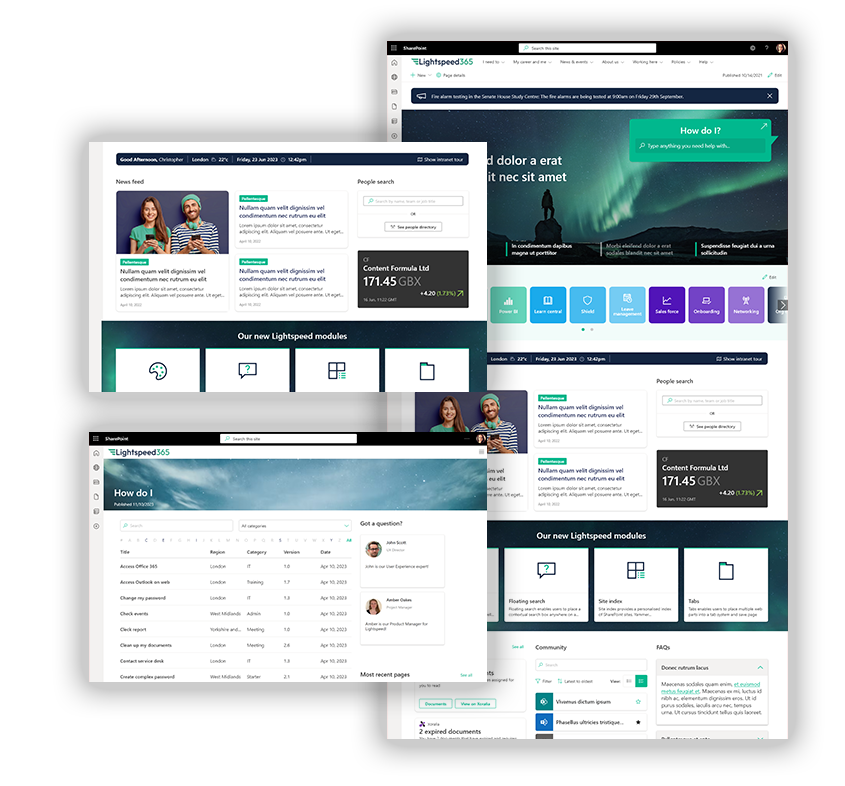
Intranets have now been around for thirty years, so the market for intranet software is now very mature. This means there are solutions to suit every budget and need, but it can feel a little overwhelming trying to figure out which product is the best fit for your organisation. In this post, we’re going to explore the merits of the Origami intranet product (previously called Origami Connect), and how Lightspeed365 provides a great Origami Connect alternative for organisations looking to get more from their SharePoint intranet.

The intranet software market is different to some other types of enterprise software because Microsoft SharePoint dominates intranet solutions. SharePoint is by far the most popular base technology for intranets. It is possible to use SharePoint Online straight out of the box to deliver your intranet, but often teams find it hard to set-up, costly to manage and that there are some major gaping holes in terms of functionality and features.

While some “in a box” intranet products are completely standalone, other solutions including Origami Connect and Lightspeed365 are designed to work alongside SharePoint. They increase the capabilities and ROI of your SharePoint intranet, usually by filling some of the gaps found in native SharePoint alone.

Origami Connect alternative

What is Origami (Origami Connect)?

Origami is a SharePoint add-on product that organisations with SharePoint intranets can use to extend the power of their SharePoint-based intranet.  The product is provided by Sharemuch Holdings, a company registered in Canada.

What do Origami and Lightspeed365 have in common?

Origami and Lightspeed365 have some things in common:

  • They are both products that enhance SharePoint intranets by extending the number of features (web parts) available, allowing you to work with all the existing SharePoint web parts and functionality.
  • Both tick most of the security and compliance boxes relating to SharePoint intranets, with all data kept within your Microsoft 365 tenant.
  • Both products are designed to plug the gaps in SharePoint and provide extra functionality and missing features, as well as support more flexibility around intranet design.
  • Both Lightspeed365 and Origami are designed to provide a cost-effective approach that helps you to deliver an enterprise intranet at significantly less cost than a fuller intranet “in-a-box” product.

Seven reasons to consider Lightspeed365 as an alternative to Origami

However, there are several differences between the products and the companies behind them, and it is critically important to select the product that’s best for your requirements. Below we outline some of the differences between the products and why Lightspeed365 represents an excellent alternative to Origami, and for some teams may well be the preferred choice.

More tools for internal communicators

Internal communications teams are often the product owners of a SharePoint intranet. They are also frequently frustrated by the limitations of SharePoint out of the box in supporting flexible internal communications, so they turn to intranet products like Origami and Lightspeed365 to provide more features.

Both Origami and Lightspeed365 have a number of additional web parts for internal communicators that extend options for presenting news, for example. However, Lightspeed365 specialises in supporting internal comms teams, with a number of specific features that are consistently requested by communicators, including:

  • Push communications: The ability to send push notifications to specific Teams channels including on mobile devices, an essential feature to support frontline communications.
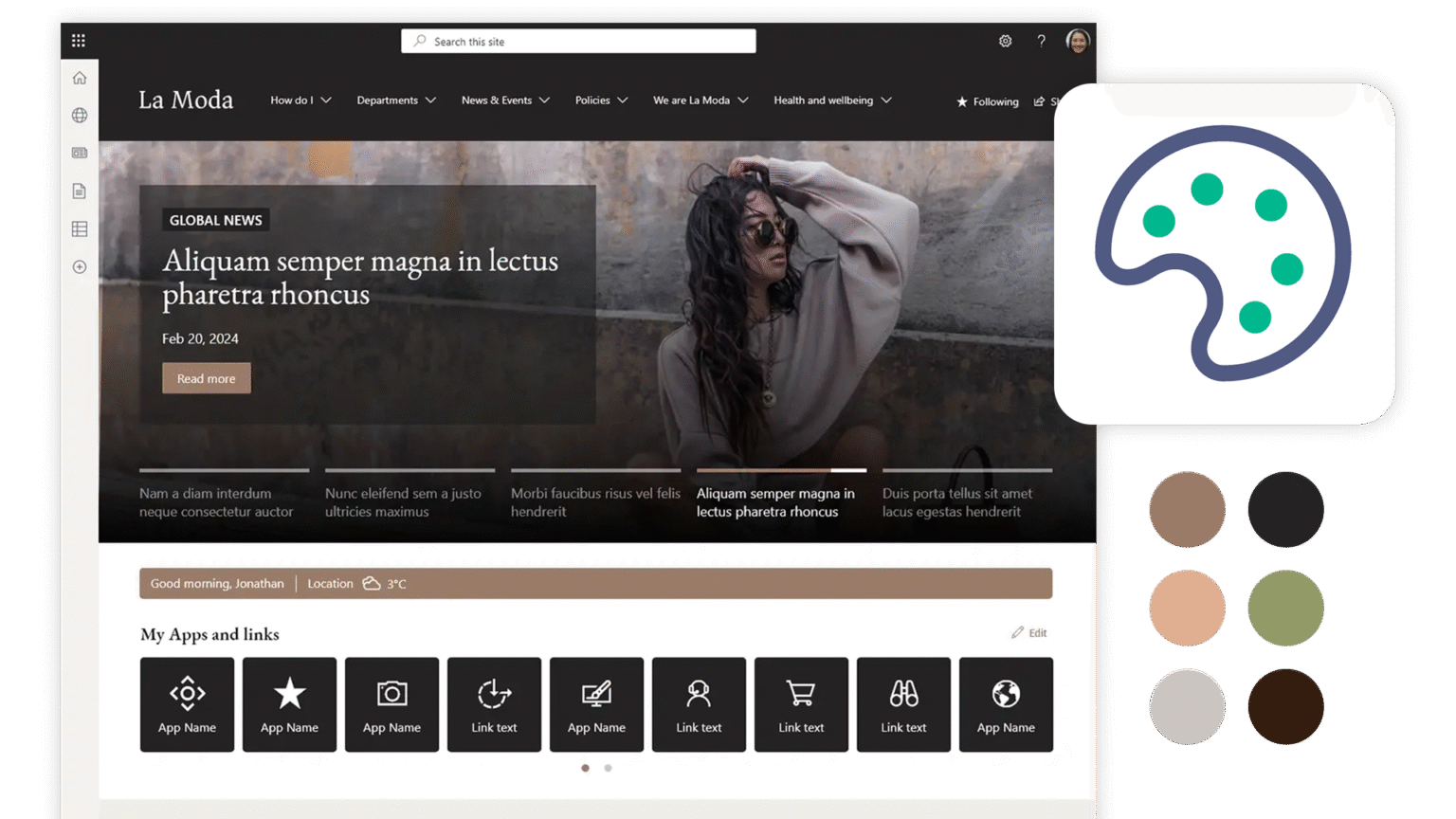
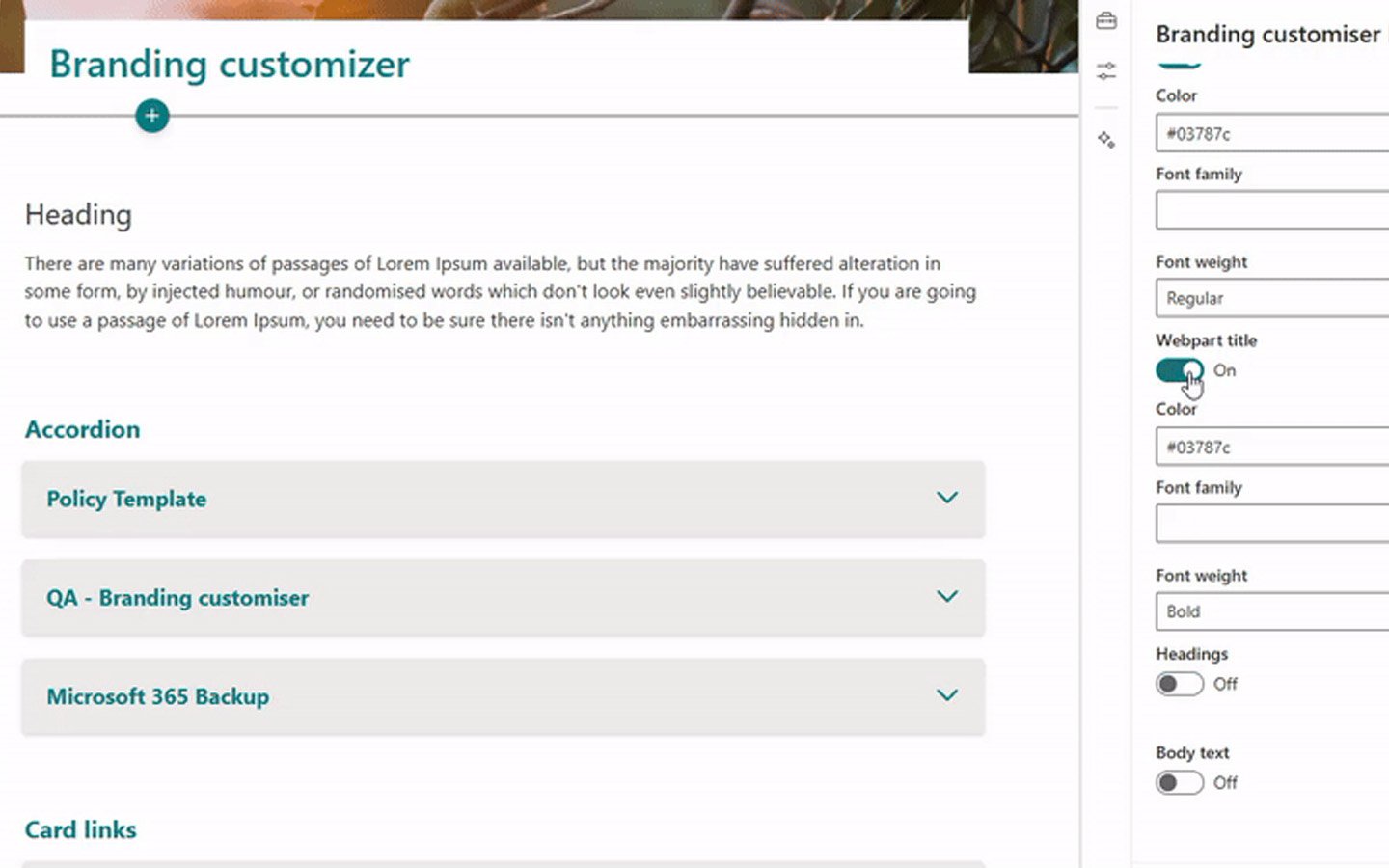
  • Branding tools: The branding customer enhances your intranet’s look and feel, allowing you more flexibility to deploy specific colours and fonts, so your intranet can be more on-brand.
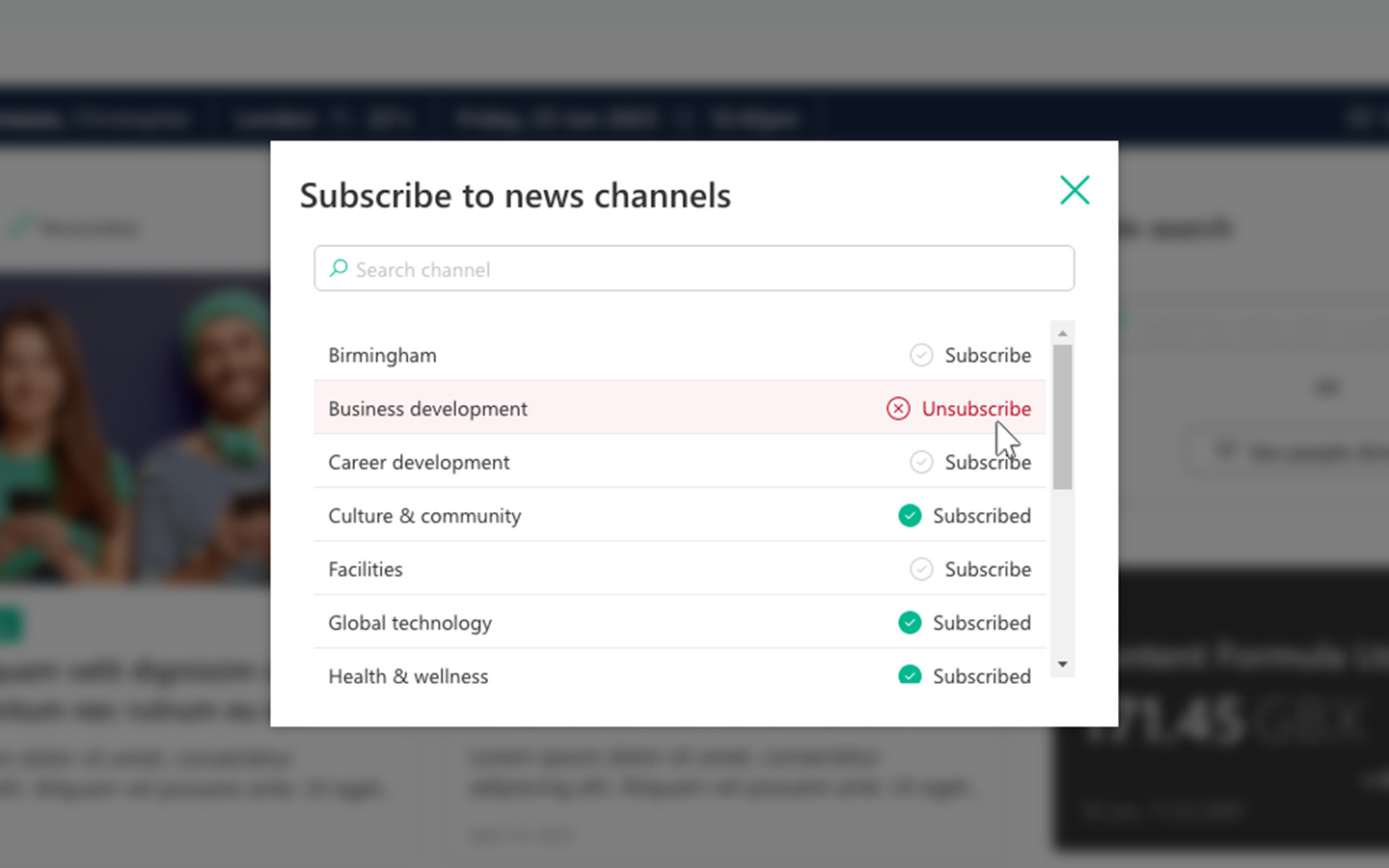
  • Subscriptions: The ability for users to subscribe to different news topics to create a more relevant and personalised intranet experience.

Note that these three popular intranet features are not available in Origami at the time of writing.

Lightspeed365 was built with Internal Comms teams in mind—no workaround required.

Popular employee-focused web parts that make a big difference

A successful intranet is firmly focused on the needs of users, and both Lightspeed365 and Origami have a number of features that are particularly popular with employees. These features can make a big difference to your intranet experience and provide a good foundation for adoption.

Origami has a number of additional engagement features including a “kudos” web part to promote shout-outs and also another to support discussion boards. At Lightspeed365 we believe these can be delivered successfully through Microsoft Viva Engage, and then embedded easily into a SharePoint page, so we try to focus on employee-focused web parts which will not duplicate core functionality.

For example:

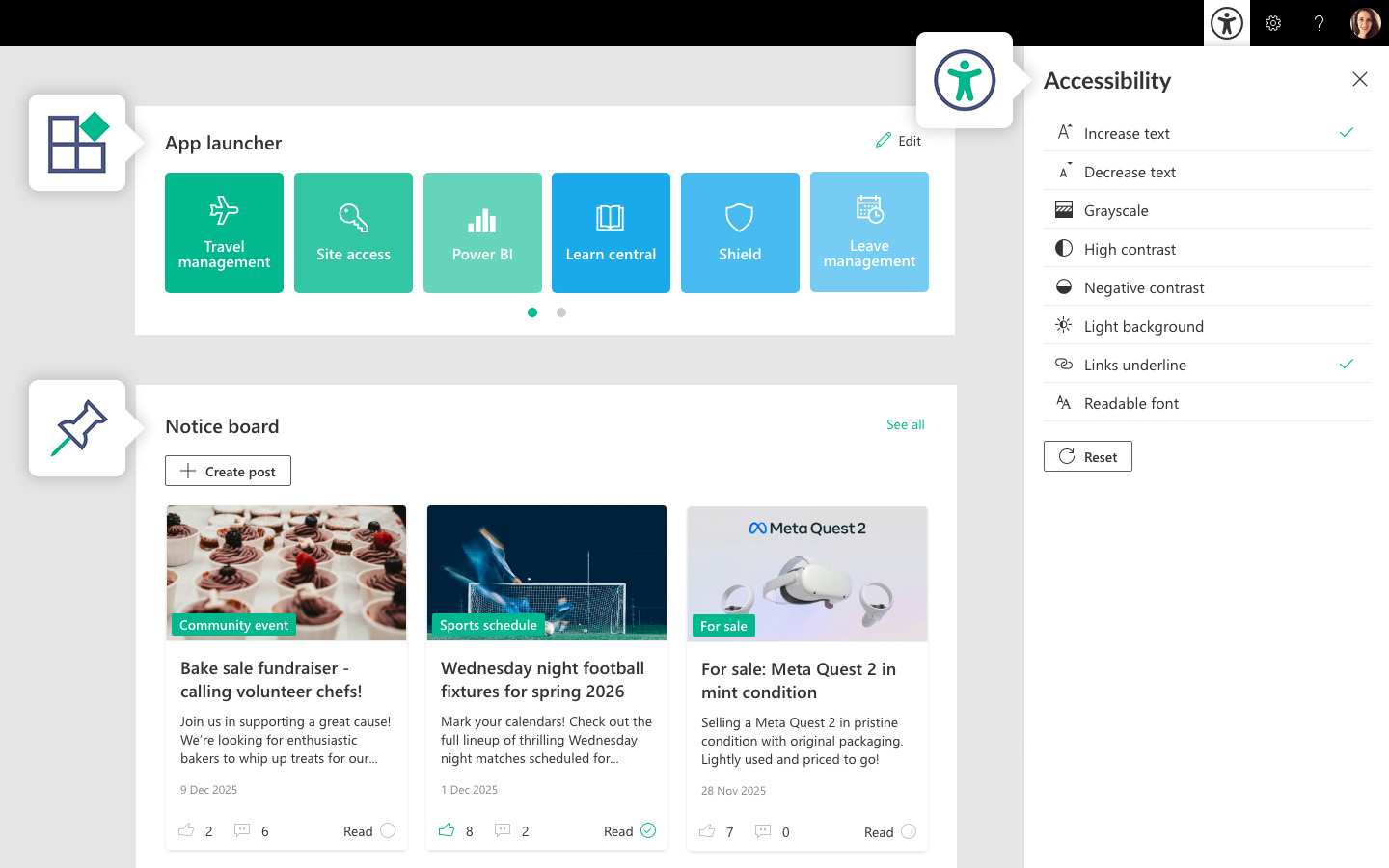
  • Our highly popular Noticeboard feature allows employees to post classified adverts and announcements in a more fit-for-purpose format than Viva Engage.
  • Our accessibility tools enable employees to configure their display options around text-size, colour and contrast, to support a more inclusive and accessible intranet.
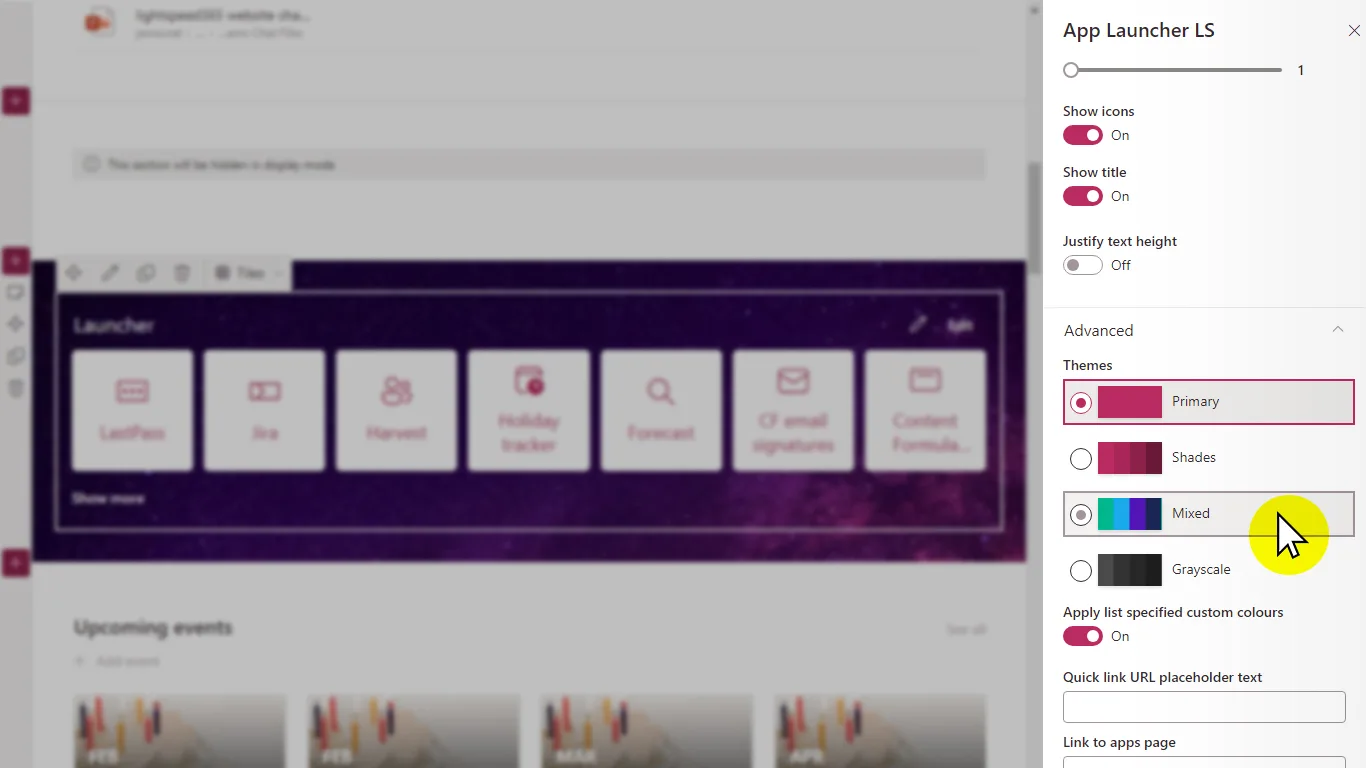
  • The App launcher is popular with employees as it gives them a useful daily work tool for accessing company apps and services
LS Employee focused
We focus on features your employees will actually use—no bloat, no duplication.

Deeper integration with the rest of the digital workplace

A SharePoint intranet provides excellent opportunities to integrate Microsoft 365 tools into the experience to drive value and adoption, creating a more integrated digital workplace. The features that come out of the box with SharePoint already support this, for example with Viva Engage web parts, but there are some limitations around flexibility.  Lightspeed365 has two powerful features that provide deeper integration with a M365-powered digital workplace:  

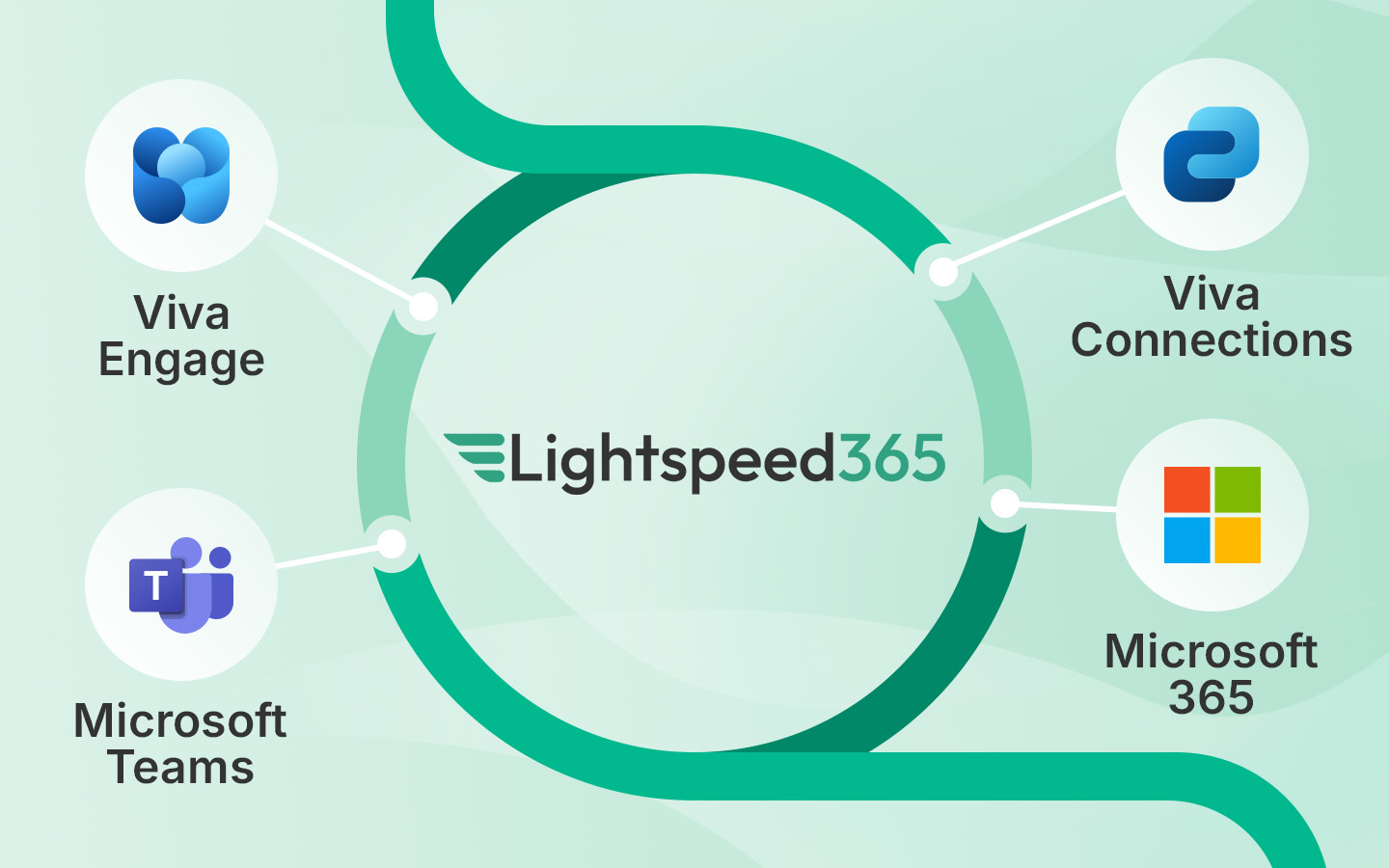
  • The Microsoft Viva Connections dashboard provides an opportunity to create a focused integrated dashboard, focused on task completion. Lightspeed365 comes with ready-built integrations and corresponding cards to give you a huge head start and minimise IT involvement.
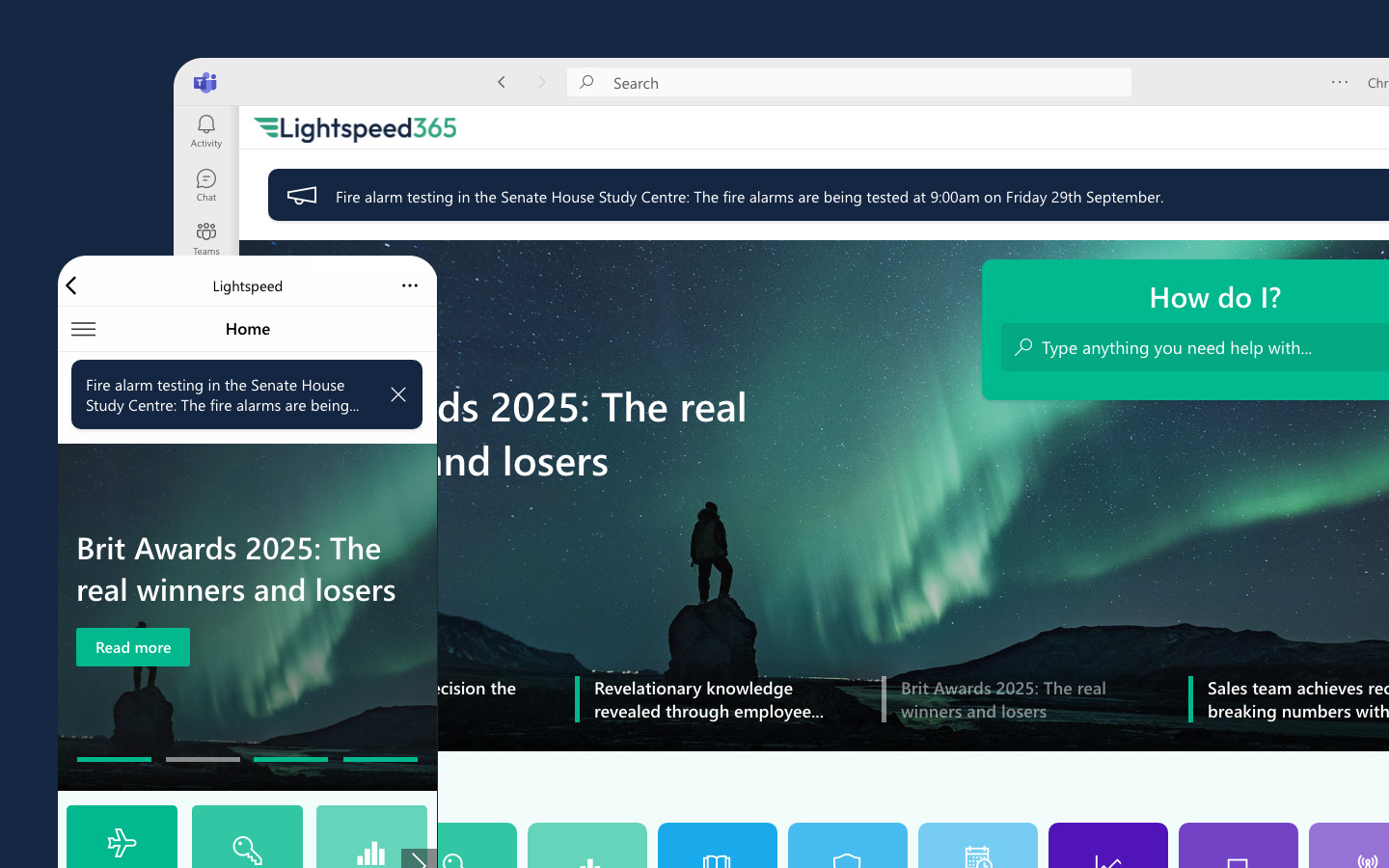
  • Microsoft Teams integration allows you to access your intranet from a branded app that sits in your Microsoft Teams toolbar, offering easy employee access. The fact that the app can be branded makes a significant difference, above and beyond what is available with Viva Connections out of the box.

Note that Origami does not feature either of these features that support a more integrated digital workplace experience.
LS Diagram MS365 LS365
Out-of-the-box Viva Connections doesn’t cut it. Lightspeed365 closes the integration gap.

Intranet management tools

We’ve been working in close partnership with intranet teams for over two decades and the same pain points around managing intranets come up again and again. One major area where Lightspeed365 and Origami differ is that we have a number of dedicated tools which enable easier management and continual improvement of the intranet.

  • Site provisioning: This incredibly useful feature allows you to triage requests, create approval workflow and automatically provision SharePoint sites – as well as Teams and Viva Engage groups – to avoid site sprawl and effectively manage your intranet.
  • Admin centre: This feature enables you to fully manage all your Lightspeed365 features from a user-friendly dashboard that is embedded right within the intranet, but only visible to admins.
  • Intranet tour: This popular web part introduces the intranet to new users with a custom walk-through of features or introduces employees about updates – doing some of the heavy lifting to help promote the use of the intranet to new hires, as well as supporting overall adoption and continuous improvement.

Feedback: This feature helps collect user feedback to support improvement – unlike the three web parts mentioned above, a similar feature is available in Origami too.
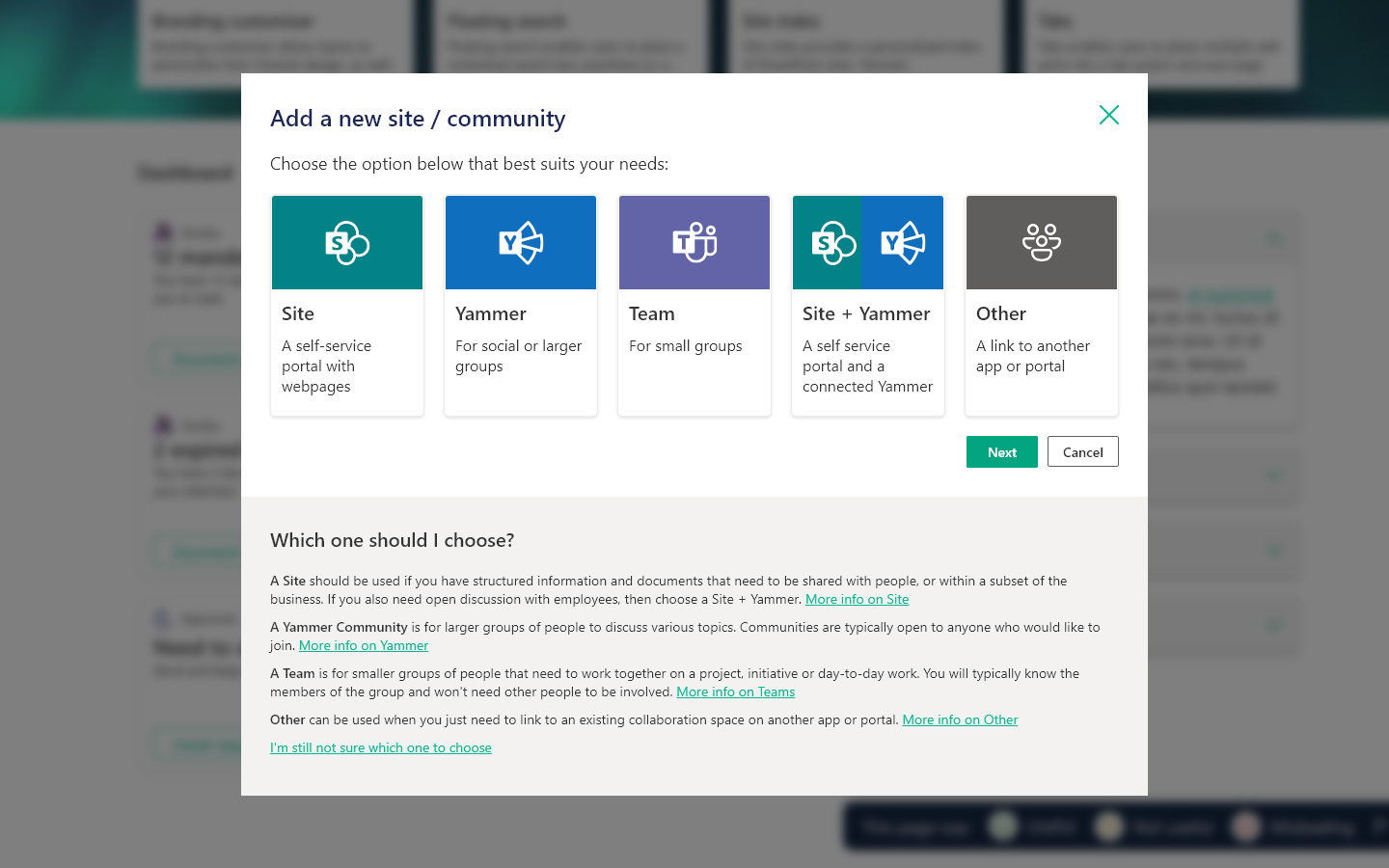
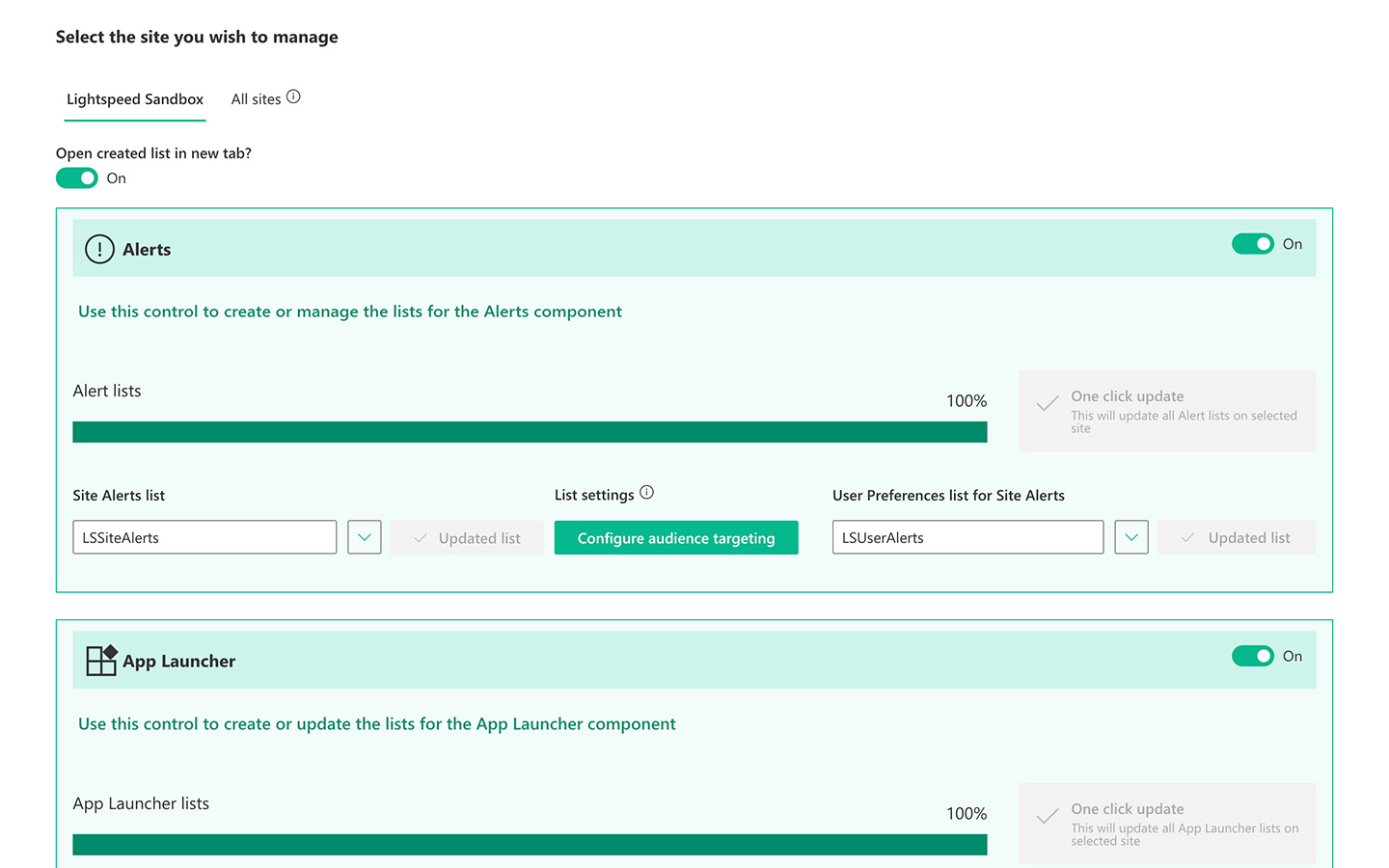
No more SharePoint sprawl. Manage everything from a single intranet console.

Focus on findability and search

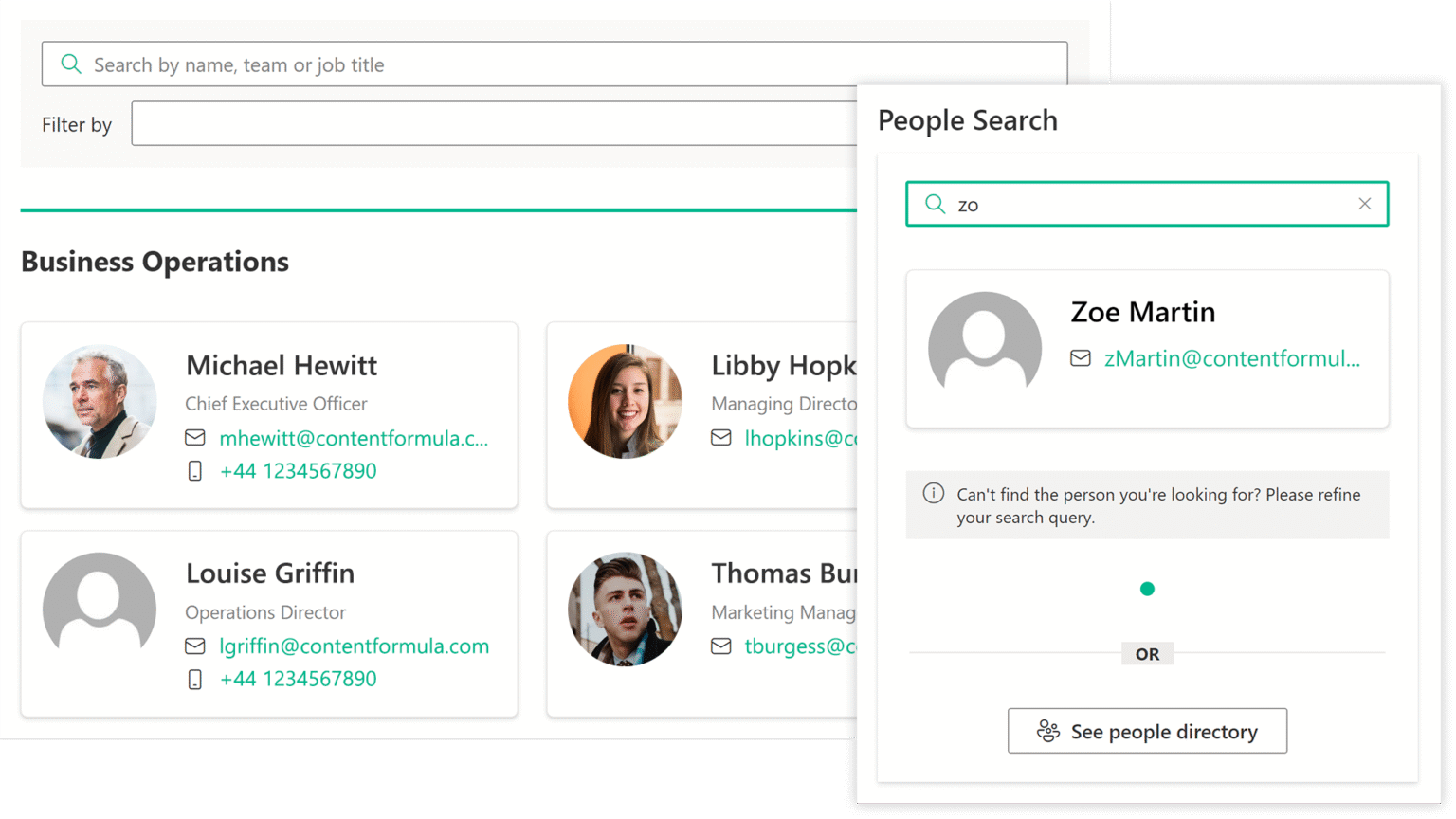
One of the key roles of an intranet is to help employees find that they need to get things done and stay informed. SharePoint and Microsoft search capabilities are advanced, but not perfect. Both Lightspeed365 and Origami recognise this and add some more capabilities to improve the search experience, with slightly different but overlapping capabilities. For example, Lightspeed365 has an advanced People Search web part that provides type-ahead capabilities to find colleagues from your employee directory.

Lightspeed365 also has a popular Floating Search web part that allows you to place a scoped search (with the parameters of the search defined) anywhere on any page, providing a prominent place to start searches from. Origami also has a similar web part to provide a more flexible search experience.
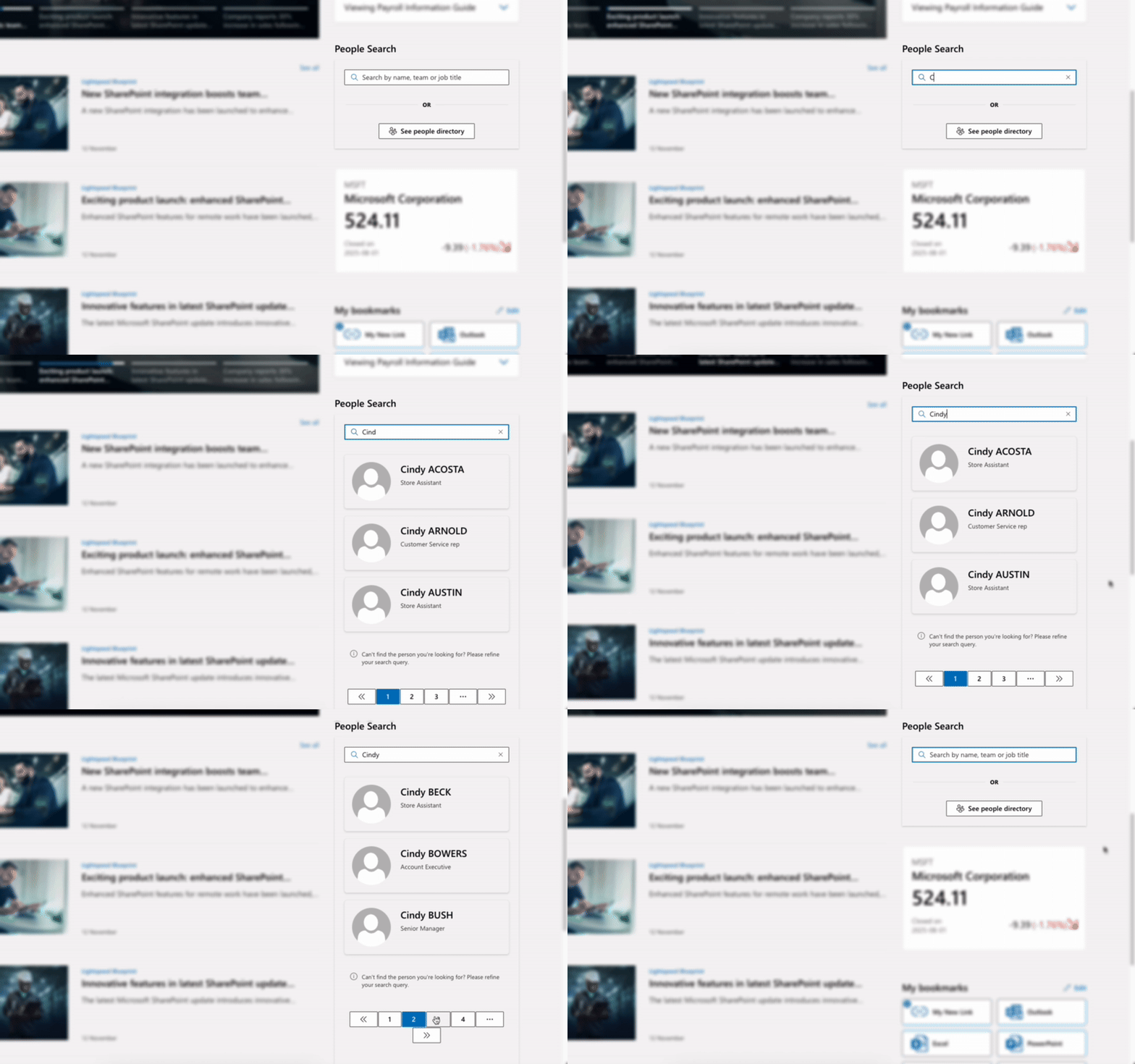
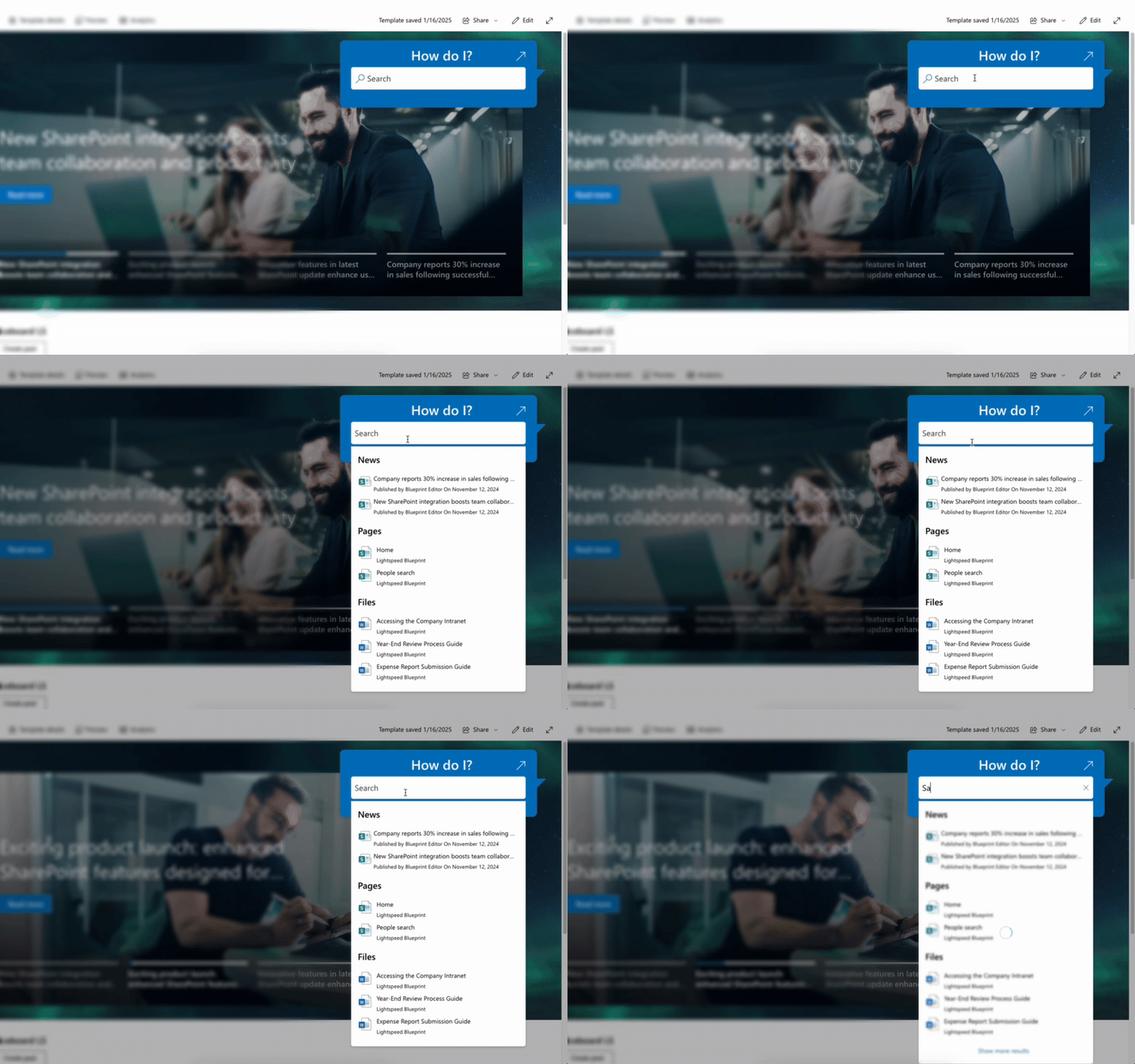
Type-ahead People Search. Scoped Search on every page. Done.

Backed by intranet knowhow and expertise

Selecting the right intranet product is not always just about meeting functional requirements. It is also essential to have the right vendor too. One of the strengths of Lightspeed365 is that is that it is created by Content Formula, an independent UK-based digital agency that has fully focused on the SharePoint and intranet space for nearly two decades.

With a long-term stable leadership team with deep business and technical knowledge, Lightspeed365 has been crafted by genuine intranet and SharePoint experts. We’ve lived and breathed SharePoint intranets for a LONG time and this is reflected in the product design and features, that are ruthlessly optimised around employee needs, user experience and reducing the pain associated with managing a SharePoint intranet.

Our stand-out track record with SharePoint intranets is also reflected in the appearance of Lightspeed365 as a leader in the ClearBox Intranet and Employee Experience Report, recognised by many as the definitive guide to intranet software. At the time of writing Origami has yet to feature in the ClearBox guide. 

LS CF 20 years
Built by Content Formula, SharePoint experts since 2005.

Implementation support and additional professional services

Every organisation and its employees have different needs – that’s why no two intranets are quite the same. The flexibility of SharePoint and the additional features (web parts) that come with a product like Lightspeed365 or Origami make a real difference. However, we know that there are often also additional challenges that can often be required with an intranet project:

  • A slight tweaking of a web part that needs custom development
  • Technical and administrative challenges that require in-depth knowledge of SharePoint
  • Support on migrating content from an existing legacy system
  • Unexpected last-minute challenges and hurdles
  • And more!

One of the strengths of Lightspeed365 is that we can provide additional implementation and professional services backed by decades of real-world intranet experience and deep technical knowledge, to implement the world-class intranet that your employees and stakeholders want to see. The global experience of Content Formula – the owners and creators of Lightspeed365 – in the SharePoint intranet space is recognised within the industry and professional intranet community.
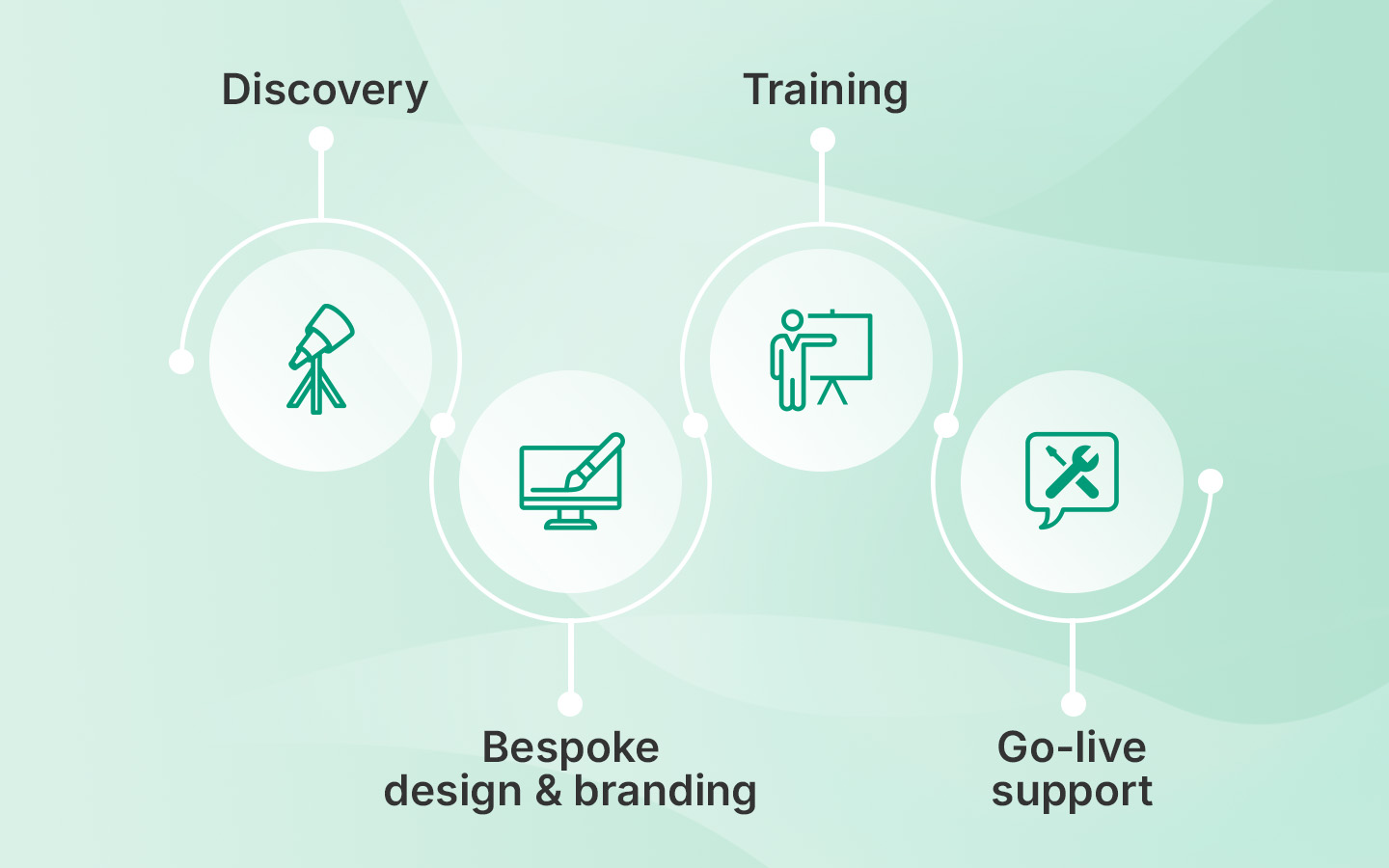
LS Workflow diagram
Need more assistance than just installing the product? Our consultants are ready to help.

Organise a free demo

The intranet software market is mature with a lot of choice, and that’s great news for intranet teams. If you are looking at a product like Origami then you should definitely check out Lightspeed365, which in our view, has several advantages. Why not organise a demo and experience Lightspeed365 for yourself?

Ready for a faster, more engaging intranet?

YT thumb - Unlock SharePoint

Not sure where your intranet needs improving? Take our assessment to find out

30+ additional feature-packed web parts

Intranet designs & case studies

ieepr book cover

2025 ClearBox intranet report

25 intranet metrics to track success and improve

Blog

LS Intranet metric director

Track what matters. Improve what counts.

Intranet measurement best practices

When you are using intranet metrics there are some best practices to keep in mind:

As every intranet team knows, an intranet is never complete. Much of the value of the intranet is gained after it is launched and generated through continual improvement.

Thankfully intranets lend themselves very well to improvement because they are generally flexible, configurable and modular, so you can make changes and add content and features that make a difference, without having to completely change the intranet. SharePoint intranets in particular – and products like Lightspeed365 – also support improvement, with the easy ability to add a large library of different web parts (features).

Intranets are also measurable, so teams can take a data-driven approach to improvement. We are often asked what the best metrics to use for intranet improvement are? This is actually not as straightforward it seems because:

  • There are multiple ways to measure intranets relating to different areas, including adoption and usage, search, usability, content quality, engagement with content, productivity and time saved, performance and so on.
  • Different analytics packages and systems will allow you to measure some things effectively and not others.

In this post we’re going to explore 25 different types of metrics that you can use to track intranet success and drive improvement.

25 types of intranet metrics to consider

Ready to explore intranet metrics? Here’s our view of some of the ones you can use. And this list is not complete! We didn’t cover areas such as environmental footprint, readability of content and a raft of other measures.

Usage & Engagement Metrics

Understand how often people come to the intranet and how they interact with it.

Intranet metrics - Dashboard

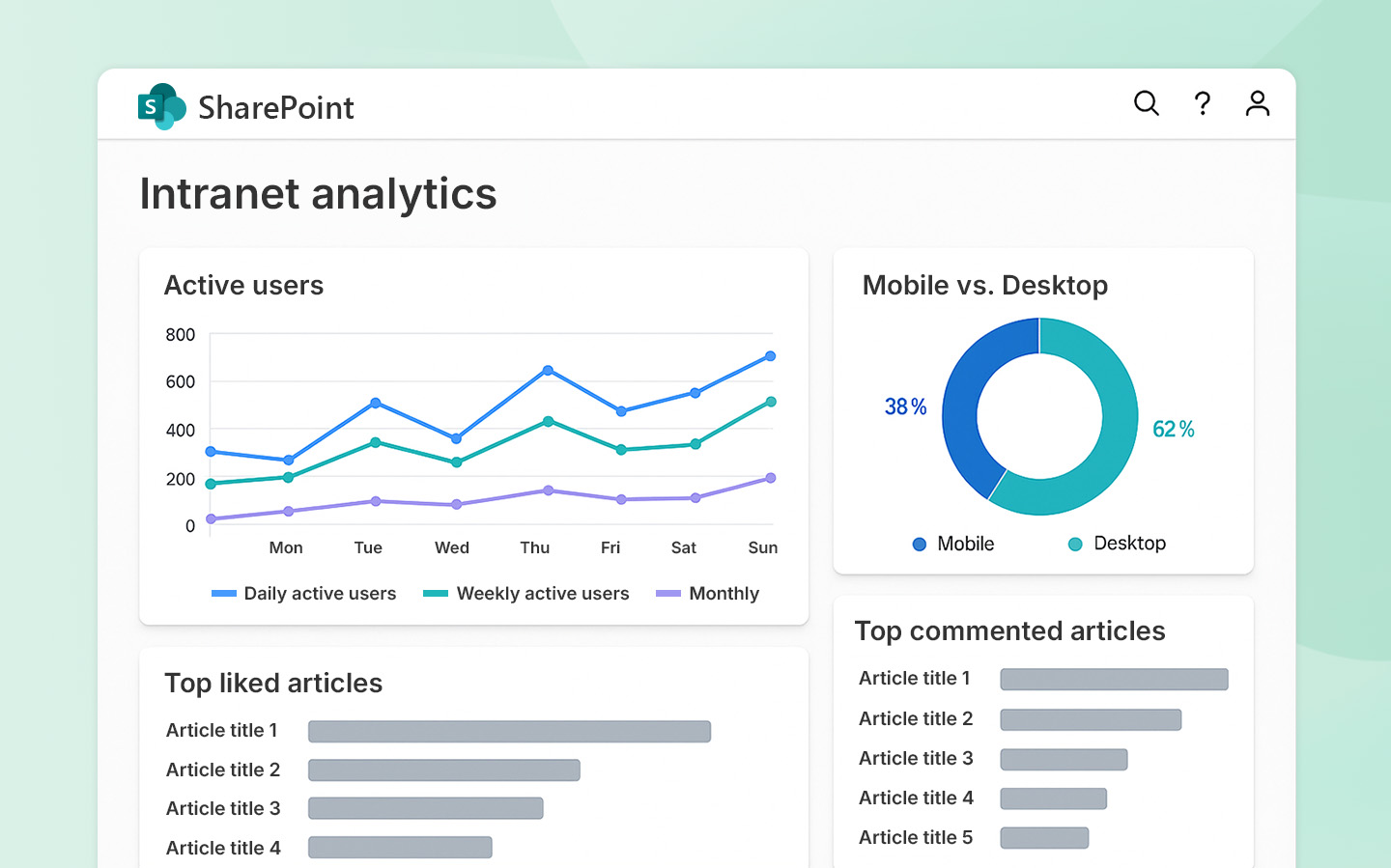
Unique active users – daily, weekly, monthly

Adoption is an overused metric, but it is important. Many intranet teams like to record the number of unique, active users (with the criteria for “active” usually defined within your analytics package) who visit on a daily, weekly or monthly basis. This might be expressed as a percentage of users across your workforce, or as a percentage of those who have access to the intranet.

Page views

Page views can show you the most visited pages of your site, including news items. (See also reaches.)

Time on page and site

The time on a page or on the site within a session can be an indication of rising interest and engagement. However, it can also indicate that people are taking too long to find things and, on some pages, you may actually want to reduce the time spent on a page. Usually, an increase or decrease in the time on page or site needs some qualitative information to fully understand the reasons for it.

Bounce rate

A bounce rate shows the percentage of visitors who leave a single page without taking any action such as clicking on a link or interacting with content. It can be an indication of high or low engagement with a page, so a high bounce rate on your homepage might indicate people aren’t particularly engaging with your intranet overall.  Again, a high or low bounce rate may require context and qualitative information to explain it.

Mobile usage

If you have an intranet which is optimised for mobile and you have a high frontline proportion of staff, you may be wanting to track the proportion of users accessing the intranet using mobile devices if your analytics package indicates this.

Content engagement – shares, likes, comments and ratings

Depending on the reactions available on your intranet, there are different ways to measure content engagement at the page level including the number of likes and comments and sometimes shares. Some packages also have opportunities to rate a page out of five, for example.

Content and messaging reach

Many intranet metrics are also internal comms metrics, so views of different messages mean you can track the reach of different pieces of intranet content and news. This can be harder to calculate when the same content is distributed across multiple channels.

Intranet newsletter open rates

A keyway to drive intranet traffic is through an email newsletter – often weekly – which arounds up key recent stories and provides links back to the individual stories. Many internal communicators will want to measure open rates for the newsletter as well as the click-throughs to different intranet stories.

Calls to action conversation rate

Different pages will have certain calls to action (CTAs) on them such as clicking through a link, completing a form or perhaps signing up for an event. Tracking the conversion rate for calls to action can provide insights into how to best present calls to action for greater success, as well as reflect on the success of the intranet compared to using other digital channels such as email.

User satisfaction scores

Many intranet teams choose to conduct user surveys about the intranet to gauge levels of satisfaction with it and the value it brings. Running a “before” and “after” survey before a major upgrade or running an annual satisfaction survey can help track success.

Net Promoter Score

The NPS is a very popular way to measure user satisfaction with a particular application and is derived from users providing a score between 0 and 10 based on the likelihood they would recommend an intranet to a colleague. As a metric, it’s by no means perfect, but its widely used and easy to work out. 

Personalisation or subscription adoption

Most modern intranets have personalisation options, some of which might provide opportunities for users to personalise their experience. For example, Lightspeed365 features allow users to configure the apps including in their homepage apps launcher, as well as subscribe to topics of interest for news. Metrics can track the percentage of users who have actually gone out of their way to personalise their experience.

Content & Governance

Focus on quality, freshness, and how effectively your content is being produced and managed.

Intranet metrics - Lifecycle
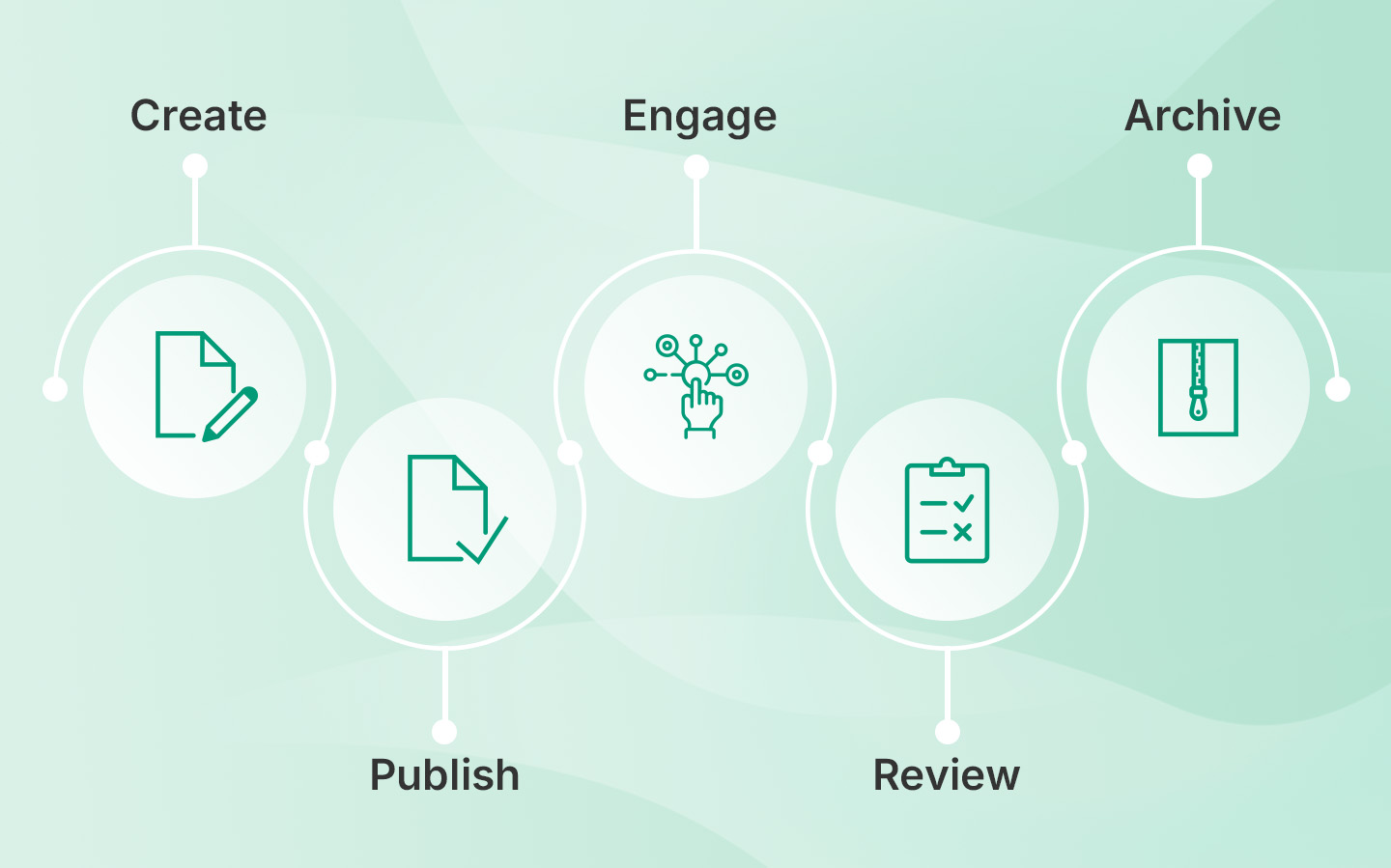
From first draft to governance check – track the full journey of your intranet content.

Content pipeline – published content

Depending on what you are trying to achieve with a new or improved intranet, some teams measure the volume of new content coming through and being published, particularly from a distributed or decentralised group of publishers. This might be a temporary measure if you have an initiative to introduce more evergreen, reference pages or a collection of “How Do I” instructional content. If you are encouraging distributed publishers or communicators to contribute news, then measurement might be ongoing, and part of your set of internal communications metrics.

User-generated content

Most intranets encourage user-generated content – this can come in many different forms including blogs, shout-outs to colleagues, even classified adverts which can be achieved through Lightspeed365’s Noticeboard feature.  User-generated content helps to balance out more corporate content, drives adoption and underpins engagement, so measuring the volume of contributions over time can be useful.

Content governance – various metrics

You may be introducing some content governance which might be leading to a reduction in out-of-date pages or an increase in items being updated to certain standards. You may be looking increase the number of pages which are being reviewed by a certain date or reduce pages which don’t have a recognised owner. Whatever you are hoping to achieve, appropriate metrics can help you to track the progress.

Usability testing

Usability testing comes in different shapes and sizes, but it is an essential part of improving your intranet. You might be comparing two different content approaches (A/B testing), the success rate of your navigation, and so on. It’s often carried out when improving a particular aspect of your intranet and as part of a project, but the metrics can contribute to overall improvement.

System Usability Score SUS

The System Usability Score (SUS) is a popular measure that is used to score a user’s perception of their experience in using a system and is based on ten questions that use the Likert scale. The score then gives you a number out of 100. This could be used to track an improvement in perceptions of user experience before and after some design changes, for example.

Search success

Search and findability are a critical part of any intranet so measuring search success can also be important. There are a range of different search metrics that can be used, for example relating to search relevancy, search frequency, the number of searches with zero returns, and so on.

Performance & Technical Health

Monitor the intranet’s stability, speed, and accessibility.

Intranet metrics - Vital
Just like a heartbeat, your intranet’s performance needs constant monitoring.

Intranet performance: page load times

There are a number of intranet metrics that relate more to technical areas and focus on performance. Average page load times are particularly important, as a very slow intranet can impact adoption and also shed a light on patterns of usage. They may also differ across your network and can be down to local connectivity issues.

Intranet performance: uptime

The uptime of your intranet is also an important measure, although this is usually seldom an issue as outages should be highly unusual.

Accessibility

The accessibility of your intranet and its content is critical. There are number of paid-for and free tools which can help you measure levels of accessibility, sometimes in relation to the WCAG 2 standards.

Intranet related queries

Keeping track of the intranet related queries which are logged is also a way to track issues an overall intranet performance. What you measure depends a little on how you log queries – either via the IT helpdesk or ticketing system, directly to the intranet team, via feedback to content owners etc., or a combination of all of these.

Business Impact Metrics

Go beyond usage to show the real-world effect on business operations and efficiency.

Intranet metrics - Ripple
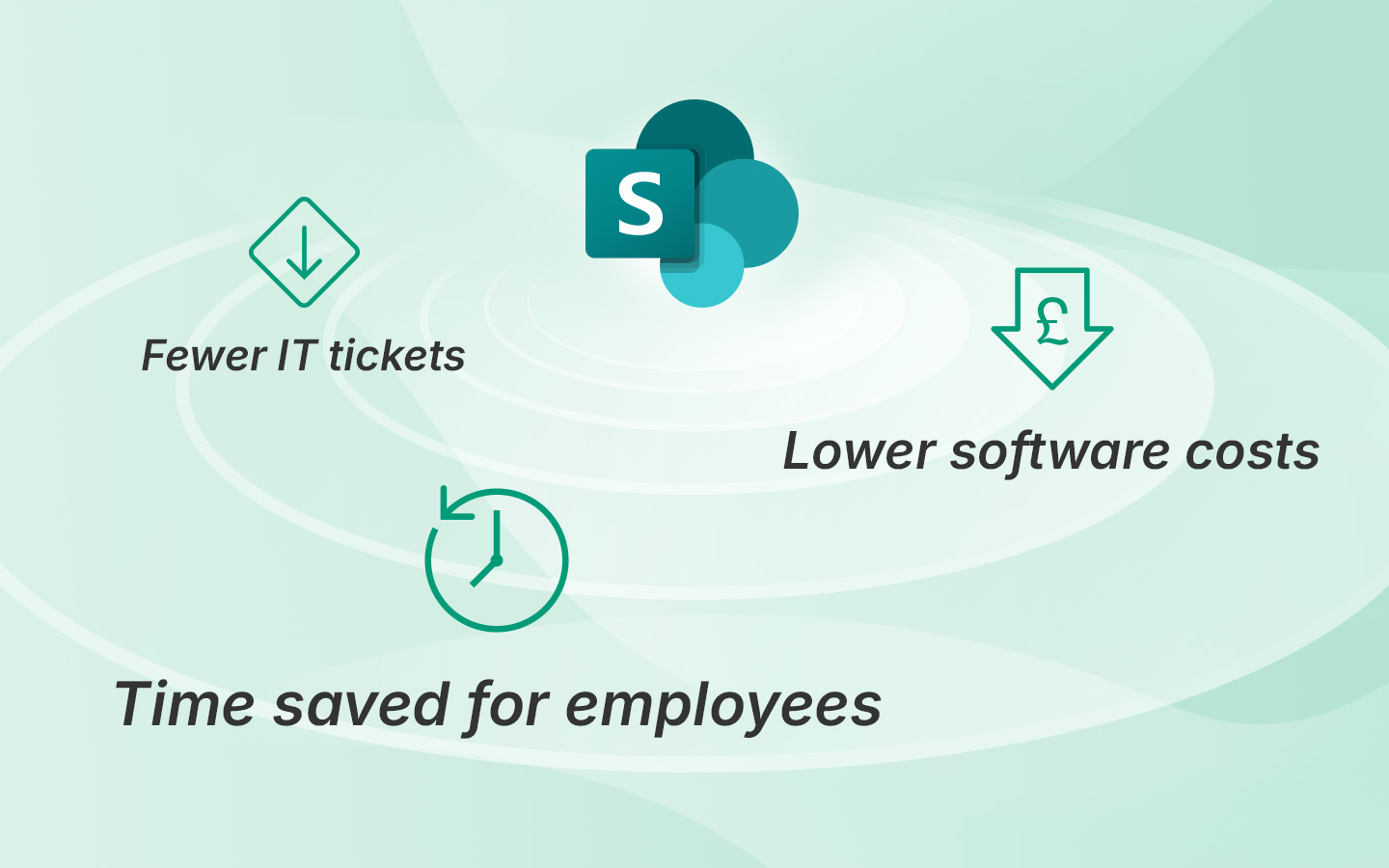
Real impact happens outside the intranet – in productivity, cost savings and efficiency.

Time saved

Intranets help drive efficiency. Some teams attempt to measure the time saved by an intranet, which can be shown as a way to demonstrate intranet value. This is quite difficult to track and in practice usually involves some guess work, but usually is derived through controlled testing relating to a particular task carried out (such as finding some HR information), users keeping diaries and recording their time, analysis of a particular business process, or estimates by users of time saved. Sometimes time saved will relate to the work specifically of intranet admins.

Reduced usage in a related system

Successful intranets can lead to efficiencies which then trigger the reduced usage of a related system. For example, more efficient internal communications should lead to fewer communications emails. Employee self-service information can also trigger fewer queries to the HR or IT helpdesk. Measuring these can be an effective way to track the real-world impact of intranets.

Reduced costs

Intranets can lead to reduced costs, for example the need for less resourcing due to improved processes or reduction in software costs due to the ability to sunset legacy tech or streamline the application landscape. Reducing costs is a great metric, when its genuinely reduced costs. However, estimating cost savings based on saved time is often unconvincing and does not really stand up to scrutiny.

Choose your intranet metrics wisely

Intranet metrics come in all shapes and sizes, and it is important to pick ones that you are going to act upon and areas that you are going to improve. You’ll also need to ensure you can measure them effectively based on the metrics package you have, and the information you have access to. Good luck on your intranet measurement journey!

Ready for a faster, more engaging intranet?

YT thumb - Unlock SharePoint

Not sure where your intranet needs improving? Take our assessment to find out

30+ additional feature-packed web parts

Intranet designs & case studies
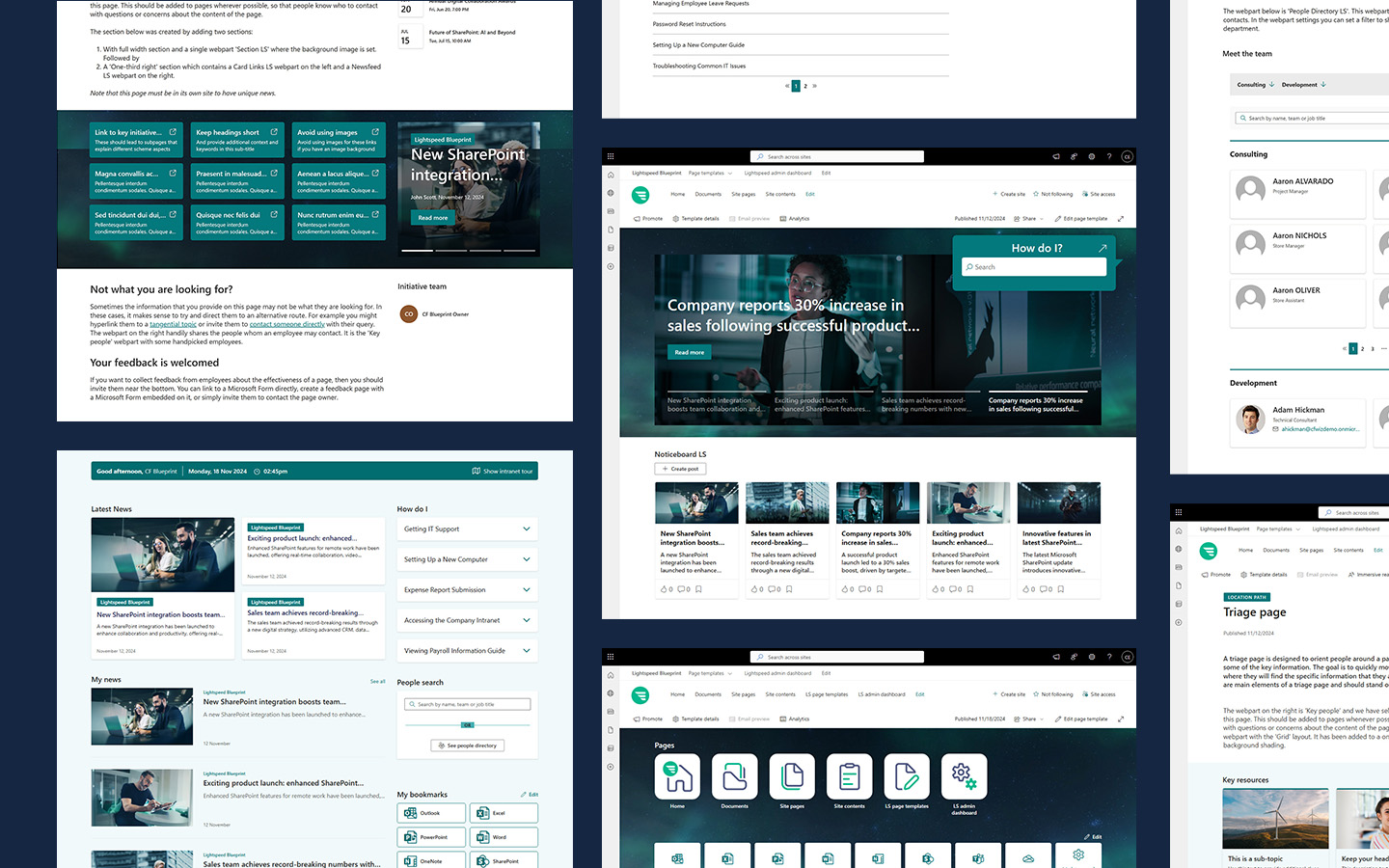
ieepr book cover

2025 ClearBox intranet report

10 ways to improve SharePoint intranet adoption

Blog

As an Internal Comms Manager, there’s nothing worse than pouring effort into your SharePoint intranet only to find no one’s reading the news or engaging with the tools you provide. You’re not alone.

LS is the answer
Intranet adoption has long been a preoccupation of intranet teams who spend both time and effort in improving adoption. It’s often said that adoption is not necessarily a good measure of the impact or value of a SharePoint intranet. This is true up to a point, but adoption is important in helping to deliver and sustain the value of an intranet. An intranet with good adoption means more internal communications with greater reach. It means more employees enjoying the productivity gains an intranet supports. Good adoption is also not just about the numbers of people using an intranet – it’s also about the way it is used. Conversely, an intranet with low adoption is in danger of not being taken seriously and is usually an indication of underlying issues. There is no single magic ingredient to increasing intranet adoption. Usually, intranet teams need to focus on a range of activities and tactics, most of which are a reflection of the fundamentals of good intranet management covering areas such as governance. In this post we explore ten ways to improve adoption which almost always work.

What is intranet adoption?

Intranet adoption can be regarded as the level and pattern of usage of your intranet.  It refers to not only the numbers and proportion of users that are interacting and engaging with your intranet and its content, but also the way they are using it. Adoption covers areas such as number of visits, views of content, uptake of features, reactions to content, contributions of user-generated content and more. Good adoption is not just about maximising the numbers, but also ensuring the intranet is being used in a way that generates value.

Why is intranet adoption so important?

Up to 75% of employees report disengagement due to underperforming intranets.

Intranet teams often focus on adoption because generally the more people are using the intranet, then the more value it can generate in terms of supporting internal communications, delivering efficiencies, driving productivity, minimising risk and underpinning key organisational processes. Generally, if there is low adoption is usually means people are using email for communicating or adoption other systems, which may be less efficient and effective. Intranet teams will also be keen to show adoption to show the success of the team and argue the business case for further investment.

Ten ways to improve intranet adoption

Let’s explore some of the ways that intranet teams can improve intranet usage.

Ensure the intranet helps employees to get things done

Intranets deliver a range of different capabilities and support a number of core processes, such as internal communications. News and messaging are an extremely important part of any intranet, but the real reason most employees visit an intranet is to be able to complete tasks and get things done.  Getting the right balance between news content and reference content is essential to underpin adoption. There are several ways to ensure this happens:

  • Provide essential “how to” reference content on the intranet
  • Include easy access with links through to applications (see below for more on this)
  • Use specific integrations that help employees complete common tasks
  • Highlight these features and content on the homepage and in your navigation.

By making the intranet the essential place where employees get things done, you’ll not only drive good adoption but also increase the views of news too.

Lightspeed365 templates and integrations help you build action-oriented homepages, with launchers, how-to panels, and embedded tasks—no custom coding required.

Ensure the content is purposeful and up to date

The success of an intranet and its level of adoption will depend very much on its content. If employees regard content as not useful, neither authoritative nor up to date, then adoption will generally suffer. Most unsuccessful intranets have way too much out of date content that clogs up the search and generally erodes trust in the intranet as a useful and authoritative channel; many intranets that get replaced have reached this state.

Applying content governance to ensure that content has purpose, is up to date, findable and meets defined publication standards helps to support adoption. There are multiple ways to achieve this, including establishing clear ownership for each piece of content, using automation and workflow to ensure regular reviews of content, and establishing SharePoint intranet templates that help content owners create excellent pages.

Sharepoint intranet adoption - content up to date
Lightspeed365 gives content owners tools like pre-built templates, search tools, and usage analytics—making it easier for non-technical contributors to keep content fresh.

Avoid site sprawl

Another key aspect of intranet governance that supports good adoption is avoiding site sprawl. When you get too many pages and sites, an intranet gets cluttered and the experience can degrade rapidly with duplication of content, incomplete areas and more. Site sprawl that happens outside the intranet estate in terms of additional SharePoint sites or Team spaces that end up duplicating or being used for content sharing which should be on the intranet, also undermines intranet value.

The best way to avoid site sprawl is to have control over the site provisioning process so approval is required for any new site to avoid duplication or misuse. The Lightspeed365 Site Provisioning feature is an excellent way to avoid site sprawl, providing approval workflow and the automatic creation of any SharePoint site or intranet area, Teams space or Viva Engage group, as appropriate.

Sharepoint intranet adoption - avoid site sprawl
Site sprawl kills intranet usability. Lightspeed365 stops this at the source, with approval workflows that ensure every site or area has a clear purpose and owner.

Make your intranet accessible through Microsoft Teams

In Microsoft 365-powered digital workplaces, many employees spend much of their time working in Microsoft Teams. Making the intranet available through Teams where employees spend their working day is not only convenient for users but also helps drive adoption.

Making your intranet accessible through Teams can be carried out using Viva Connections. Even better, use the Lightspeed365 feature that helps you create a branded intranet app that sits within your Teams toolbar.  If you’re using the Viva Connections dashboard, we also have custom cards that can integrate other platforms to support task completion.

Intranet in MS Teams
Your users already live in Teams. With Lightspeed365, your intranet lives there too—branded, visible, and accessible in one click.

Make everything findable

One of the most common complaints about an intranet is that users cannot find anything or the search is not up to scratch. Having a strong search experience where people can find what they need quickly will drive trust in the intranet and support higher usage and adoption.

Improving search and making everything more findable usually involves multiple tactics from increased content governance to using metadata to improve search results and filtering options. Lightspeed365 features also actively supports better findability and an improved search experience, for example through:

  • A powerful people search and accompanying people directory
  • A popular “floating search” web part with attractive design options that can deploy a scoped search on any part of page
  • A site index that provides an invaluable directory of collaboration spaces.
Sharepoint intranet adoption - make everything findable
Lightspeed365 makes finding people easy – by name, department, skill and more.

Use personalisation to drive relevance

Workforces in most organisations are highly diverse. They have different needs in terms of the content they that need and want to see. A modern intranet should always deliver a personalised experience, so content is relevant and valuable; personalisation is now a cornerstone for having decent intranet adoption. SharePoint’s ability to use Entra ID data and leverage Microsoft 365 groups provides many opportunities to drive a more personalised experience to ensure good adoption.

Lightspeed365 features can also enhance a more personalised experience to support adoption, for example by providing subscription options so users can subscribe to the updates that they want to view. The Welcome bar feature also delivers a friendly personalised message to a user and includes useful contextual extras such as the local weather forecast.

Sharepoint intranet adoption - personalisation
Why show everyone everything? Lightspeed365 lets users subscribe to the content they care about—meaning fewer ‘I didn’t see that’ complaints.

Drive a programme of continual improvement

Improving intranet adoption is often based on a programme of continual improvement with a series of iterative changes and enhancements spread over the year.  When employees can see and sense that an intranet keeps on getting better and better, then they will continue to want to use it, especially if it is meeting their emerging needs.

SharePoint lends itself to a programme of continual improvement because it is modular in terms of it being easy to add a new content area, feature or integration. Lightspeed365 also supports continual improvement in a number of ways, including offering a new wide set of additional features (web parts) to continue to improve the intranet. The feedback feature also makes it easy for teams to gather input from users in order to identity and prioritise specific improvements.  

Sharepoint intranet adoption - continual improvement
Lightspeed365’s modular webparts and built-in feedback tools mean you can evolve your intranet every quarter without going back to IT.

Make the intranet homepage a personalised app launcher

One popular use of the intranet that almost always drives adoption is allowing the intranet to provide personalised bookmarks to key tools and applications, making it the entry point into the wider digital workplace. Believe us, making the intranet homepage a personalised app launcher really does work in driving adoption! Surprisingly, the ability to do this properly in SharePoint out of the box is missing.

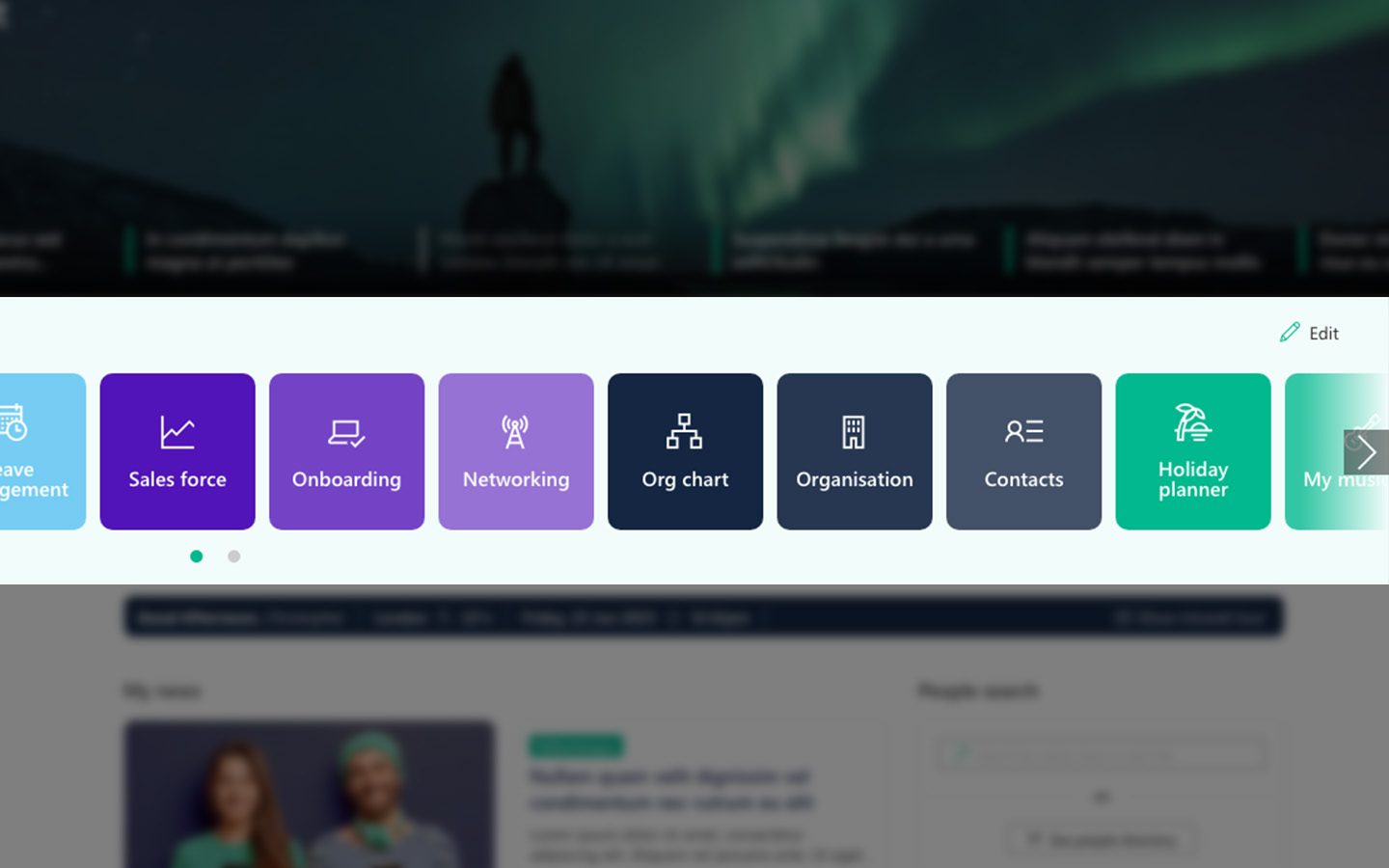
Using the Lightspeed365 app launcher feature provides a convenient interface for employees to access the tools, apps and links they use every day. Users can personalise the apps they see, but intranet teams can also mandate certain apps to be included too. 

LS app launcher
Imagine an intranet homepage that knows what each employee needs to access and surfaces it instantly. That’s what Lightspeed365 delivers.

Ensure the site is modern, eye-catching and easy to use

Intranet design is another important component of successful intranet adoption. Having a clean, modern and uncluttered design that is attractive but also ensures the intranet is easy to use is much more likely to get employees to come and use it. An intranet that is overwhelming, confusing and looks out of date is simply less likely to attract users, even if the content is useful. An intranet also must be accessible to those with disabilities – up to one in four employees can have disabilities, some of which are not always visible.

Ensuring there is a good design which also aligns with your corporate branding and is accessible is not always easy to achieve. Modern SharePoint is quite effective but it not enough; there are compromises you make in terms brand alignment, user experience and accessibility. We designed Lightspeed365 to bridge those gaps in SharePoint with a range of different features that ensure your intranet looks great, is accessible and better aligns with your corporate brand in order to sustain strong adoption. These features include:

  • The accordion, helping to improve the layout of different pages.
  • The Section+, enabling to use enhanced imagery as background to create eye-catching pages.
  • Branding tools, to extend your range of styling options to stay on-brand and even support sub-brands.
  • Accessibility tools to drive usability and underpin inclusivity.
  • And more!
LS card Branding
Align every intranet page with your brand—even sub-brands. Lightspeed365 extends SharePoint’s styling options and improves accessibility out of the box.

Keep on working on adoption

Achieving good intranet adoption is never a given and is often an ongoing process. Creating the foundations of a powerful intranet provides the opportunity to drive excellent levels of adoption and value, but you still need to keep up the effort and let people know about the intranet and its benefits.

There are multiple ways to do this including ongoing change management and communications, leveraging local champions to act as ambassadors, using competitions and initiatives to invite participation, and ensuring intranet use and awareness is part of onboarding for new employees. Using these techniques should help you to improve and sustain great adoption on your SharePoint intranet.

Improving SharePoint intranet adoption

Improving the adoption of your intranet requires a lot of different tactics. We’ve covered some of the major ones in this article, so give them a try! An intranet solution such as Lightspeed365 can also make a significant difference in driving adoption. Why not arrange a free demo to see how it can help?

Lightspeed365 was built to solve these exact challenges—boosting SharePoint intranet adoption by making it more engaging, usable, and manageable.

Want to see it in action?

Ready for a faster, more engaging intranet?

YT thumb - Unlock SharePoint

Not sure where your intranet needs improving? Take our assessment to find out

30+ additional feature-packed web parts

Intranet designs & case studies
ieepr book cover

2025 ClearBox intranet report

12 SharePoint best practices

Blog

SharePoint is an amazing platform that is both very flexible and scalable and can help your organisation and employees achieve multiple goals, including delivering a strong intranet. However, SharePoint can also be complicated, and its sheer versatility and flexibility means that it is easy to fall into traps that mean you’re not using SharePoint to its full potential.

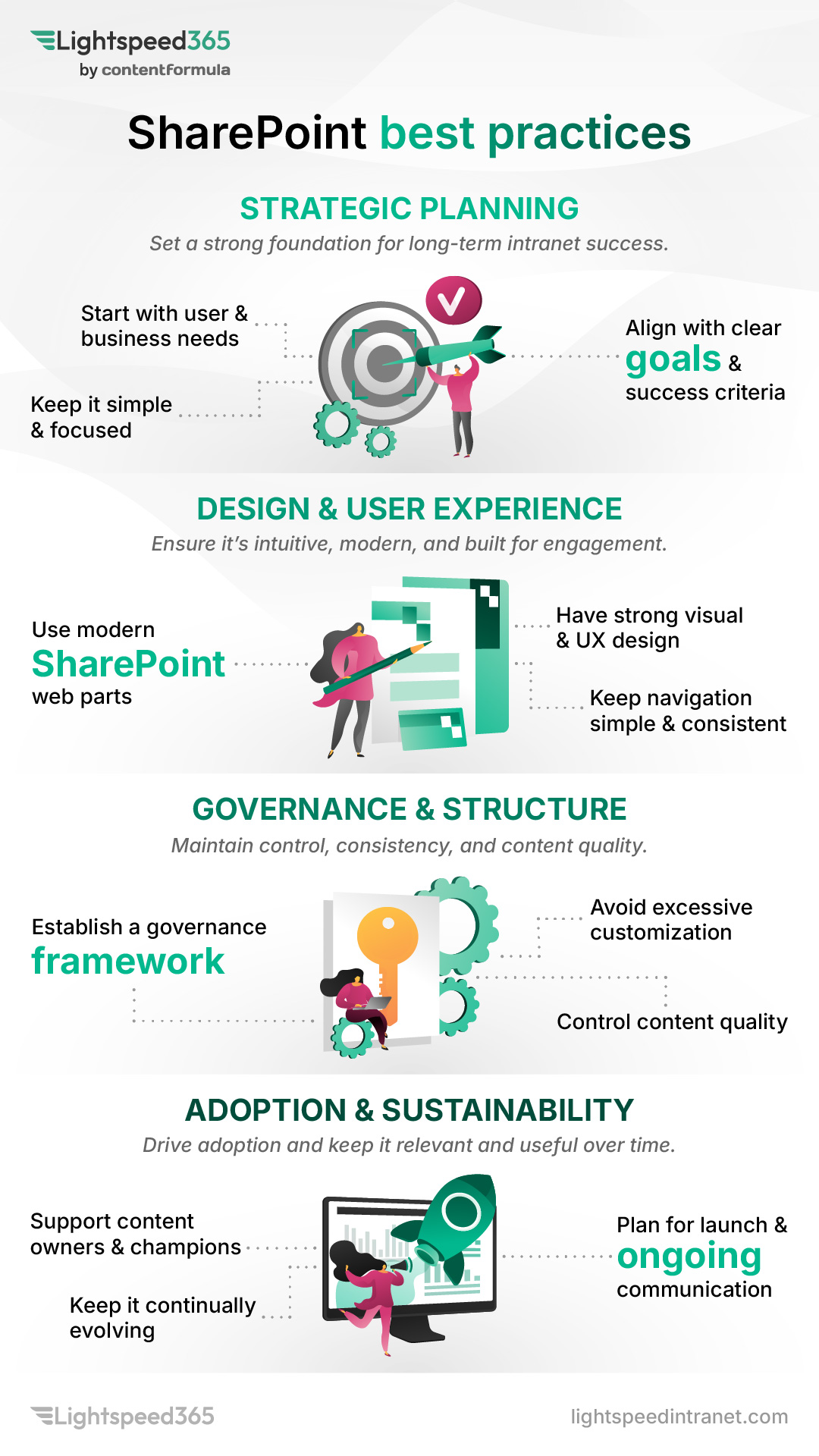
In this post we’re going to explore twelve SharePoint best practices that help you get the best value out of SharePoint, particularly in terms of using it as an intranet. Of course, there are many other SharePoint best practices to follow, and some will be more relevant to particular organisations. Note that in this article we’re following more best practices on the business side of using SharePoint rather than the technical side.

LS SP best practices infographic

Twelve SharePoint best practices for 2025

Here’s our view of 12 key SharePoint best practices to follow!

Brand your SharePoint site or intranet to your organisational needs

SharePoint best practice - branding

Many SharePoint sites look similar with a relatively standard look and feel. However, a SharePoint intranet sometimes doesn’t meet the full branding requirements that organisations need or expect. In our view, a SharePoint intranet and its sites are important sources of information, and a central intranet team should be able to brand them how they want. 

A SharePoint intranet is an official corporate channel so internal communications or the core intranet team might want to:

  • emphasise this by applying appropriate corporate branding
  • provide a particular look and feel to ensure there is a continuity of experience across other digital channels
  • apply different designs to a number of sites in more complex organisations that cover a range of brands, so there are effectively a number of separate intranets or sub-sites.

SharePoint comes with some flexibility on branding, with options increasing with the release of the “SharePoint brand center” functionality. Using templates from the SharePoint lookbook can also help teams to explore the art of the possible with design.

If branding flexibility is still not quite to your needs or is difficult to implement, using Lightspeed365’s popular Branding customiser feature provides a simple way to customise your SharePoint design and theme options by extending what you can do with your corporate font and colour palette. Many of the other Lightspeed365 features also have configurable design options that extend beyond what can be achieved out of the box.

Integrate SharePoint with other Microsoft 365 tools

One of the most powerful aspects of SharePoint is its seamless integration with other tools across the Microsoft 365 suite. This means you can access data and interact with tools through web parts without having to leave SharePoint. For an intranet, this has several advantages in:

  • Providing a more integrated, consistent and frictionless digital employee experience.
  • Helping employees to get things done more quickly.
  • Encouraging better adoption of Microsoft 365 tools.
  • Increasing the ROI of Microsoft 365.

In particular, just using web parts that are out of box you can embed:

  • Viva Engage conversations.
  • Viva Connections feed and dashboard.
  • Group calendars.
  • Microsoft Forms.
  • Microsoft PowerApps with custom functionality created within your organisation.
  • Power BI reports
  • Stream (Classic) videos.

Make your SharePoint intranet feel less corporate and more personal

Many organisations have SharePoint intranets that aim to be an essential resource to help employees get things done, stay informed. find what they need and feel engaged. However, many SharePoint intranets can feel too corporate and formal, which can ultimately impact adoption and value.

There are lots of ways to make your SharePoint intranet less corporate and more personal, helping to support engagement and adoption. For example:

  • Using imagery which shows real photos of your employees (with their consent), rather than bland stock photography or silly AI-generated pictures.
  • Having a feed of people-centred stories that feature inspiring and positive stories about employees both in and outside work.
  • Surfacing user-generated content on the homepage, for example using a Viva Engage web part that surfaces discussions and conversations – this is available out of the box with SharePoint.
  • Adding a personalised greeting to the intranet homepage that names the user accessing the intranet, not only making the homepage feel more welcome, but also reminding users it is a personalised experience – this is available with Lightspeed365.
  • Adding personalisation to the homepage not only so content is targeted and relevant to the individual but also features such as the ability to add personalised links to tools (again available with Lightspeed365).

Make your SharePoint intranet available through Microsoft Teams

SharePoint best practice - MS Teams

Today many employees spend much of their working day in and out of Microsoft Teams. It’s the place they communicate, collaborate, access documents and more. It also makes sense for your SharePoint intranet to be available within Microsoft Teams – not only is this convenient for users, but it is also helps bring the intranet into the flow of work and supports adoption.

Given the ubiquity of Teams, it’s surprising that not all organisations choose to make their SharePoint intranets available within Teams. The usual way to achieve this is through using Viva Connections which is included in subscriptions. There are also additional ways that intranet content can be surfaced within Teams, for example through the Viva Connections dashboard.

Put SharePoint site approval processes in place to avoid site sprawl

SharePoint site sprawl is a major issue for many organisations. Because it is so easy to create a SharePoint communication or team site, inevitably:

  • many sites get set up and then don’t ever get used
  • get abandoned after limited use or a site owner leaves
  • are duplicates of sites already set up that have similar aims already set up.

The result of this is far too many SharePoint sites that take up more space, are hard for admins and IT teams to manage, cause confusion for users and makes it difficult for users to search for what they need. A similar process happens with the creation of Microsoft Teams spaces and Viva Engage groups.

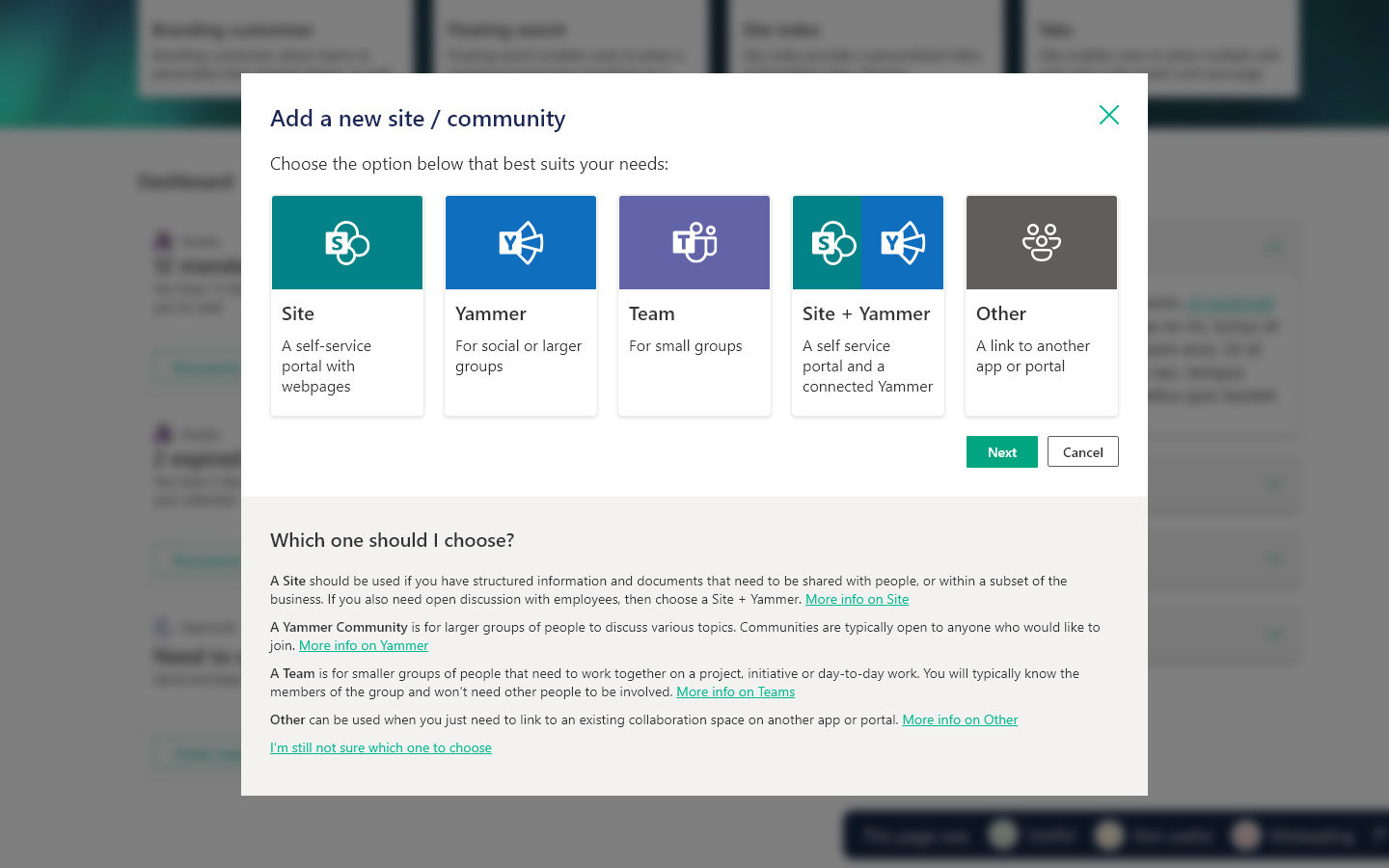
A good practice is to ensure there is a proper approval process in place for creating a new SharePoint site. The request can then get reviewed to ensure the space is being set up for the right purpose, is not a duplicate and has proper ownership.

This is not available out of the box with SharePoint and is best done through using a request form with approval workflow which can be sent to the right people. With Lightspeed365 there is also a powerful site provisioning feature which has a form which guides the requestor through the right type of site to request (SharePoint, Teams or Viva Engage) and then triggers the necessary approval workflow and then even automatic site provisioning, making the entire process far more efficient.

Reduce the need for SharePoint customisation through configuration or alternative web parts

SharePoint best practice - configuration & web parts

SharePoint is an exceptionally flexible platform where you can build multiple different sites and pages that support communication, collaboration, business processes and more. This is partly down to the numerous web parts that can be arranged on every single page. Despite its enormous flexibility and scalability, sometimes SharePoint or one of its constituent web parts doesn’t quite do what organisations want, in terms of the way it looks, or what it can deliver. There may also be some missing functionality in terms of what is available out of the box; this is certainly the case, including some popular features of modern intranets.

When this happens, there can be a temptation to use customisation to tweak an existing web part or build a new one from scratch. Most IT functions try to avoid customisation as far as possible because it is costly and also creates technical debt; it can become increasingly complicated with upgrades.

One good practice with SharePoint for organisations who want to avoid customisation is to look to other options to deliver what they need:

  • Many of SharePoint’s web parts are surprisingly configurable and some very versatile, and there are always options to explore here, so it’s always important to see if configuration provides an alternative path.
  • SharePoint’s wide set of native features, variety of options and seamless integration with other Microsoft 365 tools means there is often more than one way to achieve the same result – for example SharePoint Lists are remarkable versatile, so turning to alternative web part options may be answer.
  • There are a variety of different products that can integrate seamlessly into SharePoint that can bridge the gaps and provide the extra design or functionality a business needs, avoiding the need for customisation or development. This is exactly what Lightspeed365 delivers – a rich set of additional web parts and features that fill all the main gaps within SharePoint to give you the ability to deliver a world-class intranet, that are also maintained by the Lightspeed365 team.

Investigating all three of these options can reduce the need for costly customisation that you may regret later down the line.

Plan for effective SharePoint site lifecycle management

As well as putting in a SharePoint approval process in place you also need to have effective ongoing lifecycle management in place to prevent site sprawl and avoid a cluttered SharePoint environment.

This can be achieved in several ways, including:

  • Establishing clear policies for when SharePoint sites or pages need to be retired, archived, or removed, ensuring that content owners understand and agree to these criteria.
  • Ensure your policies are aligned with any security, regulatory or legal obligations, for example how long you need to keep data.
  • Review usage at regular intervals to identify abandoned or redundant sites or pages.
  • Where possible automate reporting to help monitor your environment.
  • Ensure there are named owners for each site who understand their commitment to keeping their SharePoint pages up to date.
  • If a site or page owner leaves the organization or moves to a new role, always appoint a replacement owner – not doing this is a key reason for why sites get abandoned.

Keeping site sprawl under control helps to ensure you can maintain good findability across your SharePoint environment.

Define the right metadata strategy

Good findability is essential for any intranet and SharePoint environment. However, it is often an area where many teams struggle, resulting in employees complaining that they can’t find the items they need.

There are multiple elements that contribute to strong findability including a good navigation, effective governance to reduce site sprawl, content management practices so that content is up to date, and more.

Having an effective metadata strategy is also critical and underpins findability. This involves:

  • Defining the metadata that needs to be associated with an item covering areas such as content type, owner, any associated groups or divisions within your organisation, project and so on.
  • Using the right custom terms (through SharePoint managed properties) for each type of data, helping to support filtering within search.
  • Matching terms to organisational taxonomies where appropriate.
  • Defining which metadata should be mandatory and non-mandatory.
  • Using automation where feasible to define and add metadata, for example automatically tagging an item with a division or function name based on the person creating the item.

Following all these can help to improve search and also encourages good information management.

Work to improve SharePoint search

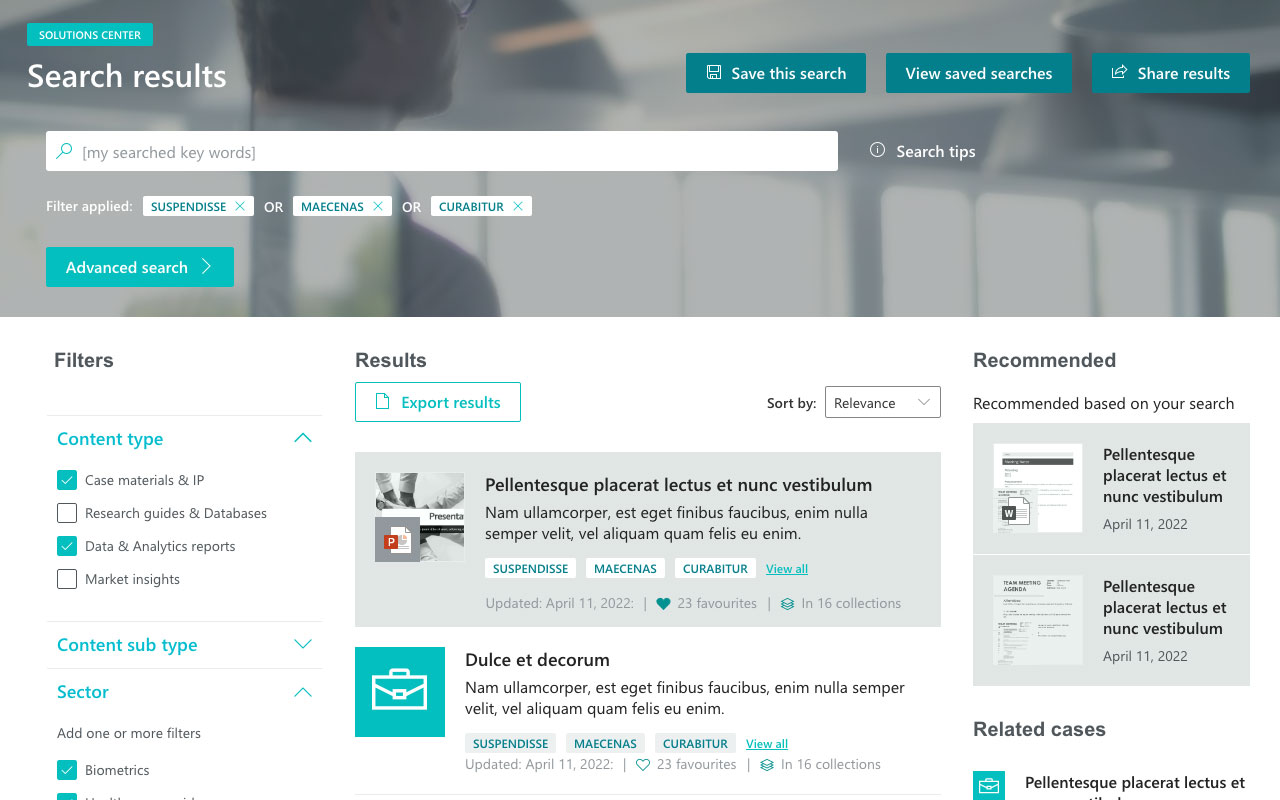
Solution center Search results

SharePoint’s search capabilities are powerful, but there is always room for improvement. A best practice is to actively work to improve search by having an intentional process in place that seeks to make incremental improvements based on data.

Improving SharePoint search needs a muti-pronged approach taking in elements such as:

  • Reviewing search analytics to make informed decisions and to target improvements,
  • Revisiting the use of metadata and SharePoint managed properties to improve search performance and enable custom filters
  • Enforcing site and content governance to reduce unnecessary noise in search
  • Getting user feedback on search to identify particular issues

Depending on the products you use, there may also be improvements you can make to the SharePoint search experience by introducing new features. For example, within Lightspeed365 additional search and findability features include:

  • A flexible, floating search facility that can be placed anywhere on any page and configured to search particular content.
  • A powerful people search that makes finding people easy via multiple criteria including name, department and skills.
  • A versatile Site Index feature that provides a searchable index of collaboration spaces covering Teams, Viva Engage and more.

Ensure strong governance around SharePoint external collaboration to prevent oversharing

One of the most valuable elements of SharePoint beyond the use for an intranet is the ability to use it for external collaboration. This can be exceptionally useful when working with third parties on projects.

However. external collaboration does come with some risks in staff inadvertently oversharing sensitive documents and information beyond the firewall. You also want to ensure that people with external access have robust security in place. For all these reasons, organisations in regulated industries sometimes disable external collaboration.

If you are using external collaboration, then it is good practice to have robust governance in place:

  • Limit external collaboration to only where it is needed.
  • Have a strict approval process in place to enable it on a particular SharePoint site.
  • Insist that those accessing information have multi-factor authentication turned on.
  • Regularly review guest access to mitigate against the risk of content being overshared.
  • Ensure that any SharePoint sites with external access are clearly identified to users to lessen the risk of oversharing
  • Use sensitivity labels on SharePoint items again to reduce oversharing.
  • Use platforms like Microsoft Purview to support governance over external collaboration.

Use feedback and data to drive continual improvement of your SharePoint intranet

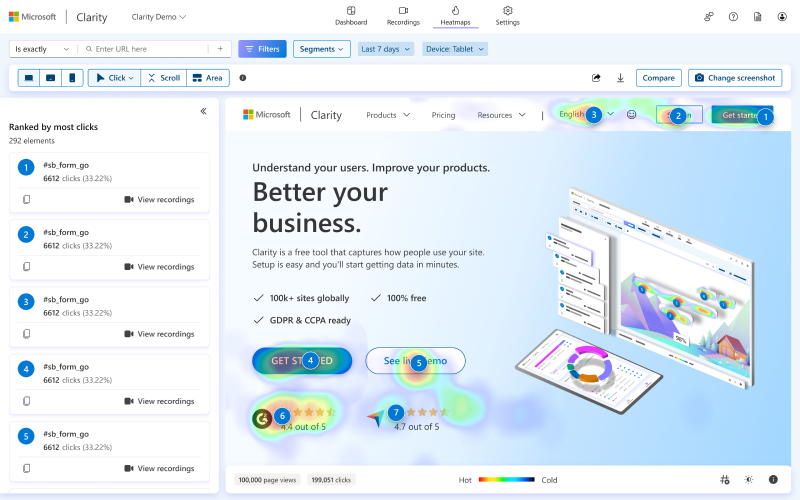
Microsoft Clarity Heatmaps
© Microsoft

An intranet is never done. Every intranet manager will tell you that there are always improvements and changes to make. One of the advantages of a SharePoint intranet is that it is highly flexible so you can keep on making incremental changes that result in a process of continual improvement.

The best way to drive continual improvement is through a data-driven approach that is informed by user feedback and analytics. Knowing what works and what’s doesn’t is critical to make the right real-world decisions to improve SharePoint. You can:

  • Use SharePoint analytics and other data from packages like Microsoft Clarity, or any other analytics package.
  • Gain data from user testing.
  • Get complementary data from other areas such as IT help desk calls.
  • Create a feedback form on the intranet for users to make suggestions and request improvements.
  • Get focused feedback from groups of users and stakeholders, for example through workshops or in more focused testing.
  • Use surveys to gain wider input from the business.
  • Work with local champions to provide feedback from their relevant sections of the business.
  • And more!

Leverage digital and intranet champions to launch and improve a SharePoint intranet

Intranets and digital workplaces tend to be managed by small central teams. This can make rolling out new features to a large workforce challenging. A great SharePoint best practice is to use a network of voluntary digital or intranet champions from right across the organisation to:

  • Promote a SharePoint intranet and any ongoing improvements to their local office, team or function, with the additional context of how that local area works.
  • Answer any questions from local users and stakeholders.
  • Provide ongoing feedback from local users back to the central team helping drive improvement
  • Participate in user testing.
  • And more!

Using digital champions is particularly important in launching a new intranet but can also continue to be of high value after launch and beyond.

Following SharePoint best practices

SharePoint is highly flexible – you can do so much with it. Follow these best practices to help drive business value and adoption, achieve an excellent intranet, and set yourself up for longer-term success. If you’d like to discuss any of these SharePoint best practices or any others,  and the contribution that Lightspeed365 can make, then get in touch!

Ready for a faster, more engaging intranet?

YT thumb - Unlock SharePoint

Not sure where your intranet needs improving? Take our assessment to find out

30+ additional feature-packed web parts

Intranet designs & case studies
ieepr book cover

2025 ClearBox intranet report

Using and customising the SharePoint lookbook

Blog

Modern SharePoint is an extremely flexible tool that can meet multiple use cases to support communication and collaboration inside an organisation. This means intranet teams and site owners have a lot of choice in how they structure and design individual sites and pages.

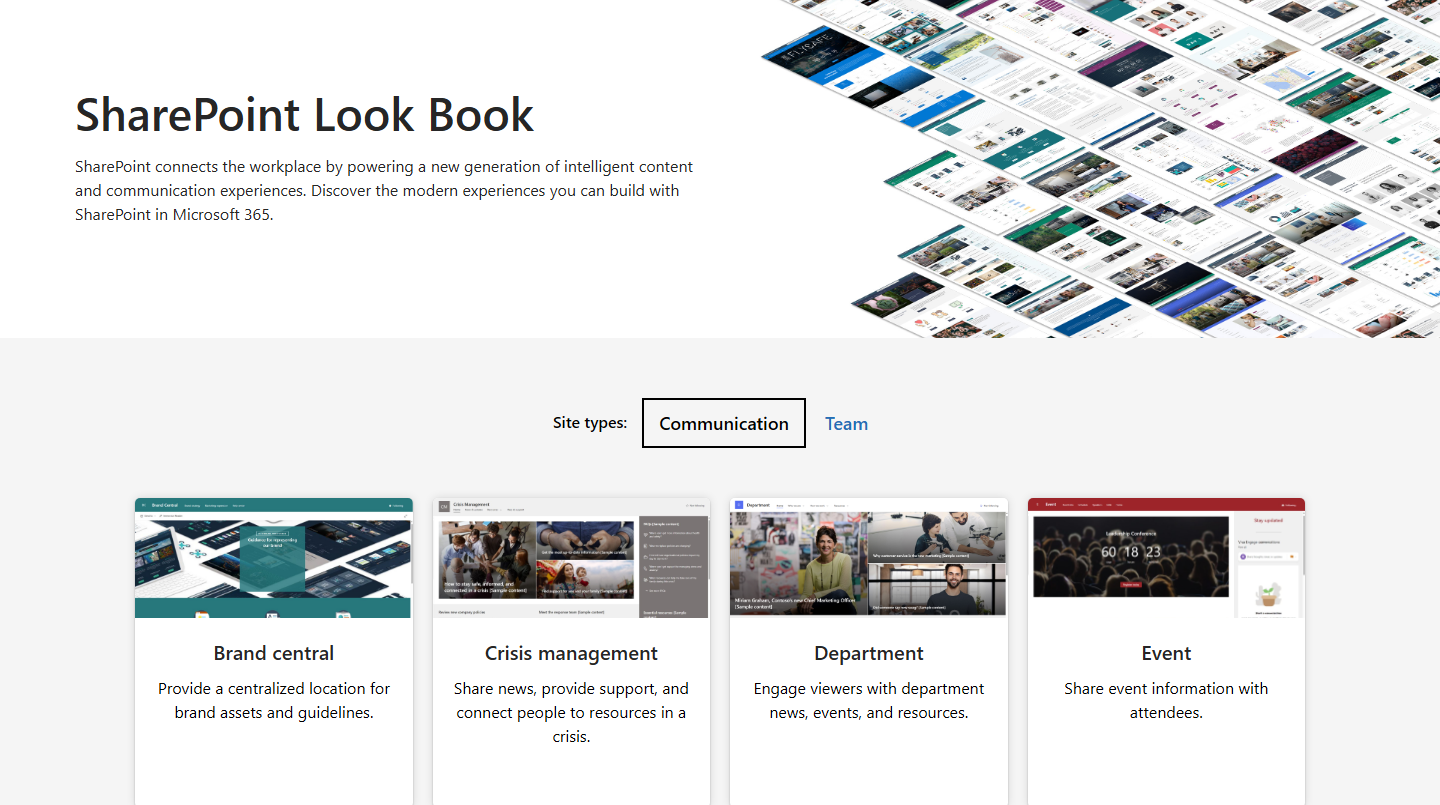
Recognising this, Microsoft has created the SharePoint Lookbook, a collection of site templates and designs that can be viewed and then actually deployed on to your SharePoint tenant. The Lookbook is an extremely useful resource that both provides inspiration and a way to give teams a head start in setting up a site.

The Lookbook can help you get the best out of SharePoint, although sometimes this is still not enough for teams who want more flexibility and control over how their site looks in order for it to be fully compliant.  

In this post we’re going to explore what the SharePoint Lookbook is, why it is useful, the kind of templates it contains, what to consider when using it, and how to use the Lookbook in conjunction with Lightspeed365 features.

How is SharePoint so flexible?

One of the strengths of SharePoint is its flexibility and versatility to support multiple use cases, usually as part of a wider intranet. A strategy page for leadership communications, a departmental site for the sales function, a site for onboarding employees, a place for your volunteering community to come together. All these and more can be achieved using modern SharePoint.

One of the reasons for this flexibility is the ability to add, arrange and configure multiple web parts – the basic “building blocks” of SharePoint – on any given site and page. This means you can have multiple combinations on a page to create different experiences that meet various needs. It also gives intranet teams and individual site owners a lot of choice in how they design and structure individual sites, which are either standalone or sit within a wider intranet structure.

This flexibility can leave some teams wondering what the best structure and design is for their site. This is where the SharePoint Lookbook can act as a useful resource for both reference and deployment.

What is the SharePoint Lookbook?

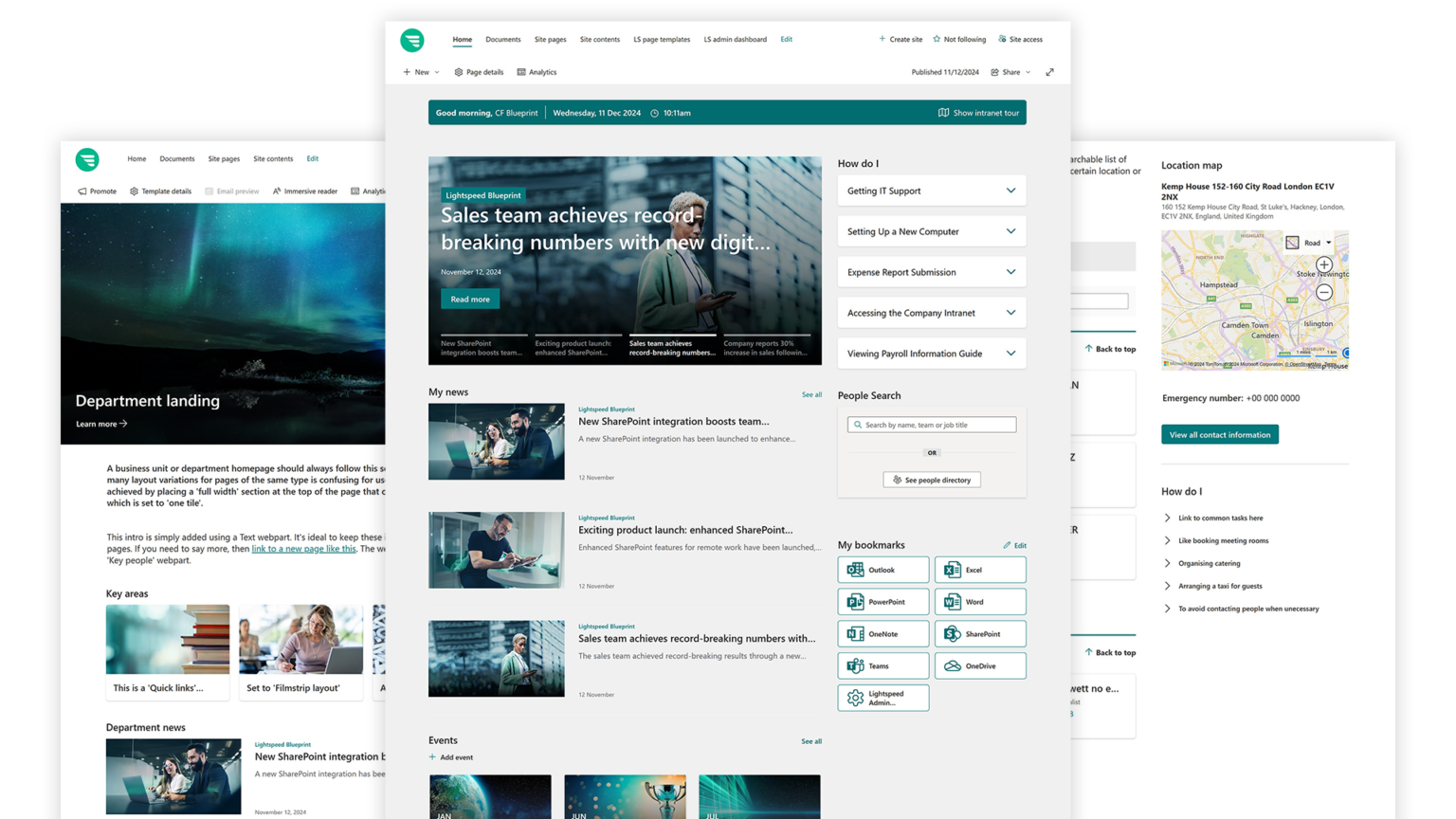
The SharePoint Lookbook is a publicly available site provided by Microsoft that can be reached at https://adoption.microsoft.com/en-us/sharepoint-look-book/.  As Microsoft itself describes it, it provides an opportunity to “create beautiful, fast sites and pages” and “get inspired with these designs or add them to your tenant to start building your next stunning site with them.”

SharePoint lookbook

What’s in the SharePoint Lookbook?

Within the Lookbook there is a:

  • A gallery of SharePoint templates covering major use cases and scenarios.
  • Information about the design of each template including site features, web parts used, and content included.
  • A call to action for administrators with the correct permissions to deploy a Lookbook template to their tenant.

Which communication site templates are available in the SharePoint Lookbook?

The SharePoint Lookbook has downloadable templates that cover both communication and team sites. The following use cases are covered for communication sites:

  • Brand Central (brand assets)
  • Crisis management
  • Department
  • Event
  • Human resources (HR information)
  • Leadership connection
  • Learning central
  • New employee onboarding
  • Organisation home (cross over with intranet homepage)
  • Showcase (for a product, event etc.)
  • Standard communication
  • Volunteer centre.

Which team site templates for collaboration are available in the SharePoint Lookbook?

There are also several team site templates that cover some useful collaboration scenarios:

  • Event planning
  • IT Help Desk
  • Project management
  • Retail management team
  • Training course
  • Training design team.

You will almost certainly find some templates more useful than others, depending on your needs. But they all provide a starting point and also a great way to kickstart a few ideas.

What are the benefits of using a SharePoint Lookbook template?

Using templates from the SharePoint Lookbook has a number of benefits:

  • Providing inspiration: The Lookbook provides tangible and achievable examples of site designs across multiple use cases and scenarios; it’s a great starting point to stimulate ideas.
  • Increasing speed to market: Site owners can get a huge head start in providing a template that can be deployed in minutes and then modified to suit your needs, reducing the time needed to get a site up and running.
  • Supporting new and busy site owners: Some site owners who are not trained communicators can lack confidence in using SharePoint or can be very time-stretched; the head start provided by a Lookbook theme provides confidence and resourcing.
  • Encouraging good use cases and adoption: Lookbook templates reflect good practices and showcase the best of what SharePoint has to offer; this can help encourage good use of SharePoint, in turn leading to good adoption and high value use cases.
  • No costs involved: The use of the SharePoint Lookbook is completely free so does not come at any additional cost on top of your normal Microsoft 365 subscription.

Four challenges associated with using SharePoint Lookbook templates

However, there are some considerations in using the SharePoint Lookbook and its templates.

Sharepoint intranet solution - templates

1. A template is not a finished site

A Lookbook template is not going to be complete. It will likely need more work on it to truly optimise it to meet a particular business need within your organisation. For example, it might be missing a particular web part. However, site owners might consider a site “complete” because it is a Microsoft template and therefore reflecting best practices. It is likely that content owners still need additional guidance and support from the central intranet or communications team to complete a site.

2. Still needs to fit in with your Information Architecture and security

A deployed template site also needs to fit into your existing Information Architecture and align with your security policies, so any site generated from the Lookbook will need further configuration.

3. A template might bypass governance processes

Many intranet, communication and digital workplace teams want to establish governance about the use of SharePoint sites to deliver business value, minimise duplication, ensure adherence to standards and support alignment with a content strategy.

Automatically deploying a template on your tenant could bypass provisioning and other governance processes, particularly if your IT function carries out SharePoint administration duties but has a different view on site creation to the intranet team. For example, it can encourage the creation of a lot of standalone sites that lead to site sprawl and associated problems such as poor findability.

4. Not aligning with custom branding

Some organisations want to establish specific designs for their digital workplace or intranet that better align with their brand standards. In these cases, the SharePoint Lookbook templates may not align with the look and feel that the brand team are after. In these cases, an organisation may choose to deploy custom branding or use a product like Lightspeed 365 that provides more control over the look and feel of SharePoint. Some organisations may even need to introduce custom branding across multiple sub-brands.

How Lightspeed 365 features extend the power of SharePoint

Lightspeed365 features are designed to complement SharePoint and extend its ROI. You get access to a whole additional library of features (web parts) that:

  • Complete some of the inherent and frustrating gaps in SharePoint that you need to deliver a world-class intranet or communication hub.
  • Provides more flexibility in the look and feel so you can actually align with your brand standards – even across multiple sub-brands if required.
  • Delivers additional control and governance required to support a global intranet.

Can I use the SharePoint Lookbook with Lightspeed 365?  

The answer is yes! Because Lightspeed365 extends the power of SharePoint, it can also extend the power of the SharePoint templates in the Lookbook but help you overcome some of key challenges around brand flexibility and template governance.

How can I extend the power of Lookbook templates?

Lightspeed365 can extend the power of Lookbook templates in a number of ways.

Providing branding tools to support brand flexibility

Our branding tools allow teams to deploy customer brand elements including colours and fonts, while specifying where these should be applied. Teams can define a main corporate brand and multiple sub-brands and themes if they wish, not only to align with your brand portfolio, but even to identify different sections of your intranet, for example.

Develop your own templates

Lightspeed365 allows you to create your own page templates – albeit with much greater flexibility than the Lookbook. In creating these you could leverage a Lookbook template as the starting point and then add more Lightspeed365 features to get the exact look and feel you want.  You can also use some of Lightspeed365’s own site templates that come bundled with the product for popular use cases such as community or project sites.
In creating your own templates, you can use the extended, combined library of SharePoint and Lightspeed365 web parts to create a range of modern and striking designs.

Greater control

Using Lightspeed365 templates also enables you to execute stronger control to ensure different areas of the site inherent the right theme rather than allowing different content owners to implement different templates. You’ll avoid the messy, inconsistent and non-brand compliant jumble of SharePoint sites that can rapidly evolve.
For those accessing Premium Lightspeed365 features, there is even more control using the site provisioning tool that can triage requests for new sites, create approval workflow and even assign appropriate templates.

Getting the best out of the SharePoint Lookbook

In our view the SharePoint Lookbook is an excellent resource that used properly can help save time, and encourage the best use of SharePoint, but there are limitations.
Using an additional product like Lightspeed365 can make all the difference to extend brand flexibility, extend your control over templates, and help you to create fantastic looking intranets.

Need help? Get in touch!

If you’d like to discuss how Lightspeed365 can be used in conjunction with the SharePoint Lookbook, or how you can extend your design options in SharePoint,  then get in touch!

Ready for a faster, more engaging intranet?

YT thumb - Unlock SharePoint

Not sure where your intranet needs improving? Take our assessment to find out

30+ additional feature-packed web parts

Intranet designs & case studies
ieepr book cover

2025 ClearBox intranet report

SharePoint webparts: a practical guide

Blog

SharePoint is the leading base technology for intranets. It is a highly flexible and scalable platform that delivers many intranet features straight out of the box, but also has a highly mature ecosystem of additional products that means you can deliver a truly world-class SharePoint intranet.

One of the best qualities of SharePoint is the ability to deliver different types of intranets that suit a wide range of organisational and employee needs. A small organisation with 100 people and a global corporation with 50,000 people can both have a successful SharePoint intranet. It also supports multiple sectors – a retailer with a young, frontline workforce or a legal firm with lawyers who need access to knowledge. Both might use a SharePoint intranet.

In this post we’re going to explore ten different SharePoint site examples to use in 2024 which demonstrate the versatility and flexibility of the platform. From a dashboard intranet for fast-moving businesses to a knowledge base ideal for regulated industries to a SharePoint intranet more focused on building community and engagement.

Web parts are one of the core elements of SharePoint and therefore of any intranet built on SharePoint. They are the basic building blocks that make up the different sites within SharePoint; every page can be broken down into a series of different web parts. If you are creating an intranet based on SharePoint or even just contributing content to it, it really helps to have an understanding of what web parts are and the kind of web parts that you can deploy to deliver your overall content and experience.

In this article we’re going to take a deep dive into SharePoint web parts. We’re going to cover what they are, the different kinds of SharePoint web parts there are, what a custom web part is and the kind of value that custom web parts can bring to a SharePoint Internet.

What are webparts in SharePoint?

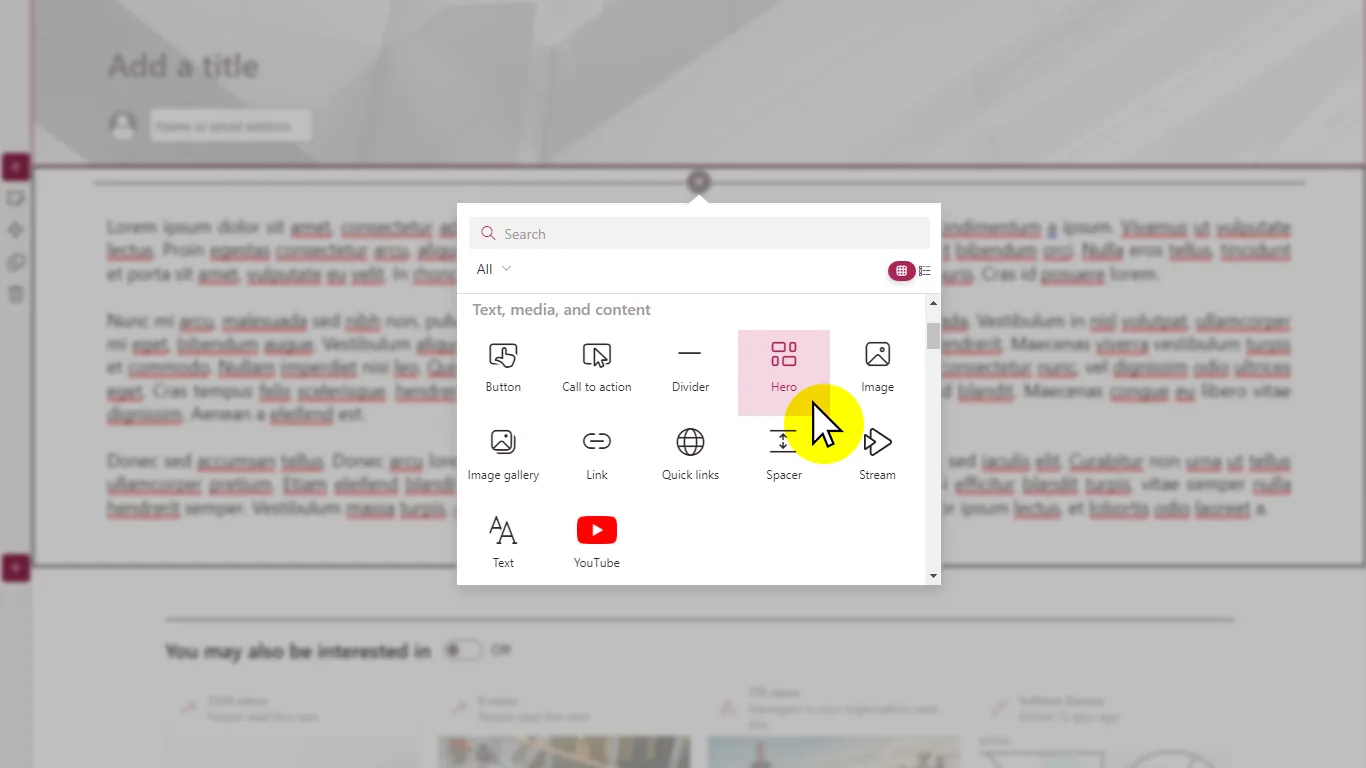
graphic OOTB webparts

Web parts can be defined as the basic components of SharePoint. Microsoft themselves describe them as “the building blocks of your page” with the ability to “add text, images, files, video, dynamic content and more.”  

Web parts are a significant part of the editing experience in SharePoint. Web parts can be arranged in different ways on a page. Content editors in SharePoint modern can also add new web parts, selecting from a number of web parts that come as standard with the platform.

Web parts can display SharePoint content but can also integrate feeds from other Microsoft 365 tools including Viva Engage / Yammer and Viva Connections.  Each web part also has extensive configuration options around elements such as what to display or link to, how items are sorted or filtered, and how they are displayed.  The combination of the sheer number of web parts and configuration options is one of the factors which enables SharePoint to be a highly flexible tool that can be used across multiple use cases.

What kind of SharePoint web parts are there?

There are currently around fifty SharePoint web parts that are available out of the box. These include everything from the ability to format calls to action or featuring a Power BI report to embedding a video or even a world clock. There isn’t enough space here to go into all the web parts that are available, but some of the most popular include:

  • Connectors: provides options to bring in different feeds from external services based on the connectors available.
  • Document library: displays a SharePoint document library.
  • Events: displays upcoming events with the ability to click through for more information for each event.
  • File viewer: the ability to embed a file such as a Word or PDF document to read within a page.
  • Hero: displays up to five items at the top of a page, usually on a home or landing page.
  • Highlighted content: a flexible web part that displays a dynamically generated list of content based on its type such as documents, videos or images, and other salient criteria.
  • List: displays a SharePoint list, again another very flexible way to display and manage information.
  • Microsoft Forms: embeds a Microsoft Form, and can be used for forms, polls and surveys.
  • News: displays news items with different formatting options.
  • People: displays details of a selected group of people, such as a team or key contacts, with links to individual profiles.
  • Quick links: the ability to display quick links to other pages, apps, external sites and more.
  • Yammer (Viva Engage): embed a personalised Viva Engage / Yammer feed on a page, for example to support a community.
Blog SharePoint webparts SP jpg

Standard SharePoint web parts and gaps in functionality

Despite the high number of web parts and the ability to configure them, in practice there are still some gaps in functionality and features that can be particularly frustrating for intranet teams and internal communicators who want to deploy a high value SharePoint intranet or site with strong adoption.

Sometimes these “gaps” relate to branding and design options around the look and feel of a web part being limited or not quite right. At other times, it might be that there simply isn’t a web part available out of the box that delivers particular functionality. For example, a popular intranet feature that is not available in SharePoint out of the box is the ability for users to add their own personal links to frequently used apps that can then be displayed on an intranet home page.

Sometimes there also might be no web part available that delivers content from a different external system or application, where there might need to be an integration, and there is no current connector.

What are custom SharePoint web parts?

When there is gap in functionality, organisations have the option to deploy a custom web part. A custom web part is one that has either been custom developed from scratch or has been modified from a standard SharePoint web part. A custom SharePoint web part therefore can be considered to be any web part that is not supplied by Microsoft as standard and has involved some degree of additional coding. Custom web parts are often designed to give you functionality and features that is very specifically suited to delivering a great intranet experience.

Custom web parts tend to fall into two types:

  • Those developed specifically for the needs of an individual organisation.
  • Those provided more generically by intranet software vendors that fil the gaps in SharePoint.

Here at Content Formula, we produce both types, regularly creating specific custom web parts as part of an intranet build, but also now delivering a standard set of custom web parts as part of our Lightspeed 365.

Blog SharePoint webparts LS jpg

What are the advantages and disadvantages of custom SharePoint web parts?

Custom web parts both have advantages and disadvantages. On the upside, they complement SharePoint and complete the gaps, adding value by:

  • Enabling “classic” intranet features that have been overlooked by Microsoft in SharePoint when its used straight out of the box.
  • Supporting richer options for internal communicators.
  • Delivering more engaging and flexible design options.
  • Supporting additional integrations not supported by out-of-the-box connectors that drive a more connected digital workplace experience.
  • Supporting specific business processes and automation, helping raise productivity and efficiency

The disadvantages of custom web parts include the additional cost involved. If you choose to develop your own individual custom web parts then this will involve development resources and effort; however, if you choose to purchase customised web parts that have already been developed by a vendor, they will be considerably cheaper than developing your own, following the usual rules around “buy vs build”.

The other disadvantage comes with customisation in general. Most IT functions want to limit custom development as much as possible because they create technical debt, makes upgrades harder and can require ongoing management. However, buying additional custom web parts from a vendor that are completely managed removes this issue.

How Lightspeed 365 adds most of the SharePoint web parts you need

Content Formula’s Lightspeed365 is a product from Content Formula that adds many of the custom web parts that you need for your intranet, effectively extending the value of SharePoint, and filling many of the gaps in functionality.  Lightspeed 365’s web parts are based on the work we’ve done across hundreds of projects over the years. These are easily added to your tenant and can then be added by your content editors just like all the other standard SharePoint web parts.

Because intranet and internal communication teams now have a more complete set of web parts to support a SharePoint Online intranet, it can prove to be highly cost effective, because it reduces the need to purchase a more expensive “in-a-box”  intranet solution.

Examples of some of the most popular Lightspeed 365 web parts include:

Navigation

Table of contents

  • Manually create and configure a navigable structure of the site’s pages or sections.​
  • Requires HTML coding knowledge to build the links​.
OOTB TOC Manual text link Edit
vs
LS TOC jpg

Table of contents

  • Automatically recognizes headings on the page to create chapter links, with customizable templates for the look and feel.​
  • Turn on the floating mode to follow users down the page and open closed sections.​
  • User friendly, straight forward and dynamic.
LS TOC transparentBG

Content roll-up

OOTB Icon News

News

  • Curates and displays news posts from your site or the entire organization.​
  • Configurable layouts include grid, list, and carousel.​
  • Supports audience targeting.​
  • Lacks configuration options e.g. Date published.
OOTB News Carousel
vs
LS NewsFeed jpg

News feed

  • Offers an enhanced presentation of news on the homepage.​
  • Multiple configuration options including ability to increase legibility of headlines.​
  • Site tags to show where content resides
LS NewsFeed carousel

Social & Communication

OOTB Icon People

People

  • Highlights selected individuals, showing their profile picture, job title, and contact information.​
  • People must be selected/added manually
OOTB People medium AddNew
vs
LS PeopleSearch jpg

People search

  • Allows users to search for colleagues using additional filters like skills, language and much more using Microsoft Entra ID content.​
LS PeopleDirectory jpg

People directory

  • A visually appealing search module enhancing the discoverability of personnel without leaving the page.
  • Display teams by department or location without the need to manually configure the page.​
LS People

Search

OOTB Icon Search

Microsoft search

  • The standard search box covers a wide scope of content and sends users to a search results page.​
  • Can be scoped to ‘current site’ or ‘hub site’ only
OOTB Search crop
vs
LS FloatingSearch jpg

Floating search

  • Place a search box anywhere on the page, which encourages finding specific content related to smaller topics like HR.​
LS FloatingSearch Suggestions

Navigation

OOTB Icon QuickLinks

Quick links

  • Provides a visually appealing way to link to internal or external resources.
  • Supports custom icons, images, and layout styles.​
  • It also supports audience targeting, enhancing the user experience and site navigation.​
OOTB QuickLinks light
vs
LS CardLinks jpg

Card links

  • Enhances on-page navigation by giving publishers a range of options beyond the standard Quick Links.​
  • With a selection of templates and configuration choices, Card Links allows for a tailored presentation of links.​
LS CardLinks transparentBG

Want to know more about SharePoint web parts? Get in touch!

Web parts are one of the elements that make SharePoint such a valuable and flexible platform. If you want to know more about using web parts, or want more information on our Lightspeed365 offering, then get in touch!

Ready for a faster, more engaging intranet?

YT thumb - Unlock SharePoint

Not sure where your intranet needs improving? Take our assessment to find out

30+ additional feature-packed web parts

Intranet designs & case studies
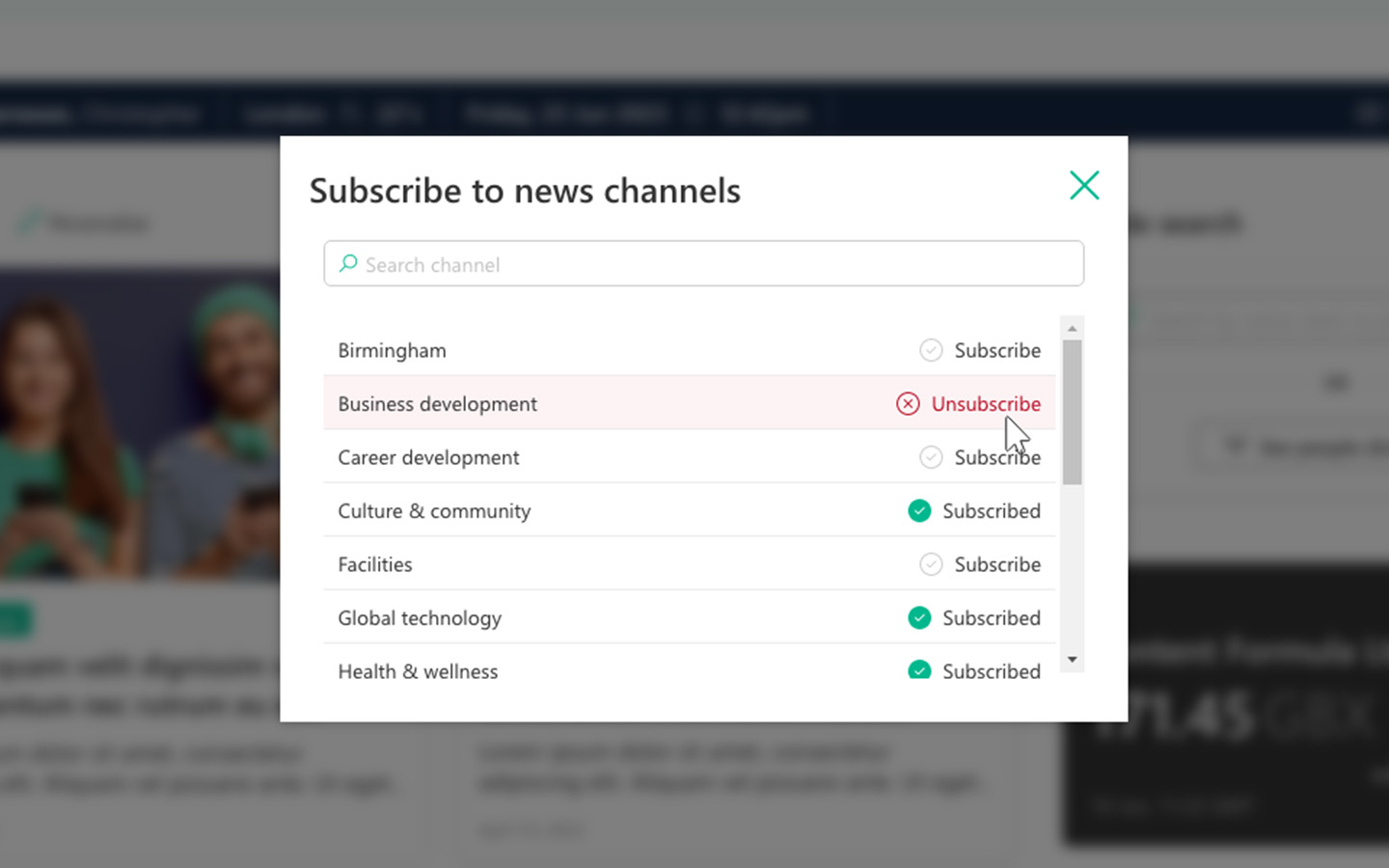
ieepr book cover

2025 ClearBox intranet report

Lightspeed365: Distinctively ahead in the digital workplace

Blog

Lightspeed365 adds useful functionality and design options to SharePoint that will appeal to organisations looking for some additional features without going for a full intranet in-a-box product.

The recently published ClearBox Intranet and Employee Experience Report 2024 shines a spotlight on Lightspeed365, revealing its standing as a leader in the digital workplace domain.

According to the report, Lightspeed365 sets itself apart in the digital workplace sector with its unique features. The platform’s user interface is lauded for its ease of use and intuitive design, fostering a positive user experience.

Its integration capabilities are a standout, allowing seamless interconnectivity with a wide range of external tools. Furthermore, Lightspeed365 excels in supporting robust internal communication and collaboration, key factors in enhancing employee engagement and productivity.

These distinct qualities underscore Lightspeed365’s leading position in the market, making it an ideal choice for modern organisations.

Designing an intranet homepage: seven must-have web parts

Blog

homepage screenshot

Intranet teams often ask us questions about how to design an intranet homepage and which web parts (widgets) or features they should include on it. Of course, there is no right or wrong answer; no two intranet home pages are the same, and depending on the needs of your users, the web parts to include will vary from organisation to organisation.  However, it’s also safe to say that there are some web parts that are extremely common to find on a homepage, with some appearing on the majority of intranets.

In this post we’re going to look at seven must-have web parts or features that appear on multiple homepages. To help illustrate these, we’ve included a screenshot (with dummy content) of a global intranet based on SharePoint Online.  Let’s explore seven of the key web parts or features that are featured on the intranet, and are likely to feature on your homepage too.

1. Personalised greeting

Many intranets now choose to display a personalised greeting at the top of the page. For example, in this screenshot “Good morning, Kelly” is displayed. This personal greeting has three main functions; firstly, it helps to make the intranet feel less formal and corporate, with a friendly greeting. Secondly, it confirms to the user that they are authenticated into the intranet and it recognises who they are, critical if a user is expecting some level of personalisation. Thirdly, it can also be a place for some hyper-local content that perhaps sits less well elsewhere – a link to the local weather forecast, for example.

7 must have web parts Personalised greeting

2. Hero area

Virtually every intranet homepage has a hero area which will display major news or campaign items – this should be a much sought after spot to promote and spotlight important content. This intranet contains four items, but other intranets can display five or six. In some intranets this has been displayed as a news carousel in the past.

Using attractive images in the hero area helps to draw attention to these pieces, but also gives some balance to the overall intranet design. In many organistions, the news or content presented in the hero area is relevant for all employees, although it can also be personalised to ensure relevance.

7 must have web parts Hero area

3. Personalised news feed

Personalisation is key to the success of an intranet in a global, large and complex organisation. A news feed for personalised news (“My news”) should aggregate items that are the result of content targeting based on user profile, but also include additional items subscribed to by a user. Subscriptions might be extra additional targeted content that a user wants to see – for example for another division or location – as well as topic-related items that are of interest. In the screenshot, labels on each story show their intended audience. Other metadata to consider displaying here can relate to engagement including the numbers of views, likes and comments of each news item.

7 must have web parts Personalised news feed

4. Other communication feed

Sometimes you’ll also want to display other kinds of news on your homepage that you want to distinguish from the more general items. In this example there is a “People focus” area with items that are more focused on highlighting the specific work of different teams. But in your organisation this may be product news, something relating to your values, more blogs and user-generated content, customer success stories or perhaps something else entirely.

7 must have web parts Other communication feeds

5. Links to apps and sites

A major use case for your intranet is as a convenient gateway to all the apps and sites that people need to access during the week to complete tasks and carry out their role. When intranet teams ask a user what they rely on their intranet for, this feature is always near the top of the list.

Including useful links is a must-have for any homepage. In this example there are links to “My tools” and also “My sites”. Ideally, users should be able to configure their own list of links, with the aid of a central directory of apps to choose from to help them, and existing default links to get people started, ideally personalised to different sections of the organisation to ensure relevance.

7 must have web parts Links to apps and sites

6. Content spotlights and promotions

Intranets are there to guide people to the most important content, so content spotlights and promotions that reflect priorities and campaigns are a common part of any homepage. These might be an organisational priority (COVID-19 updates) or be important because they are timely (Black Friday deals for employees).

7 must have web parts Content spotlights and promotions

7. Yammer / Viva Engage feed

Many intranet teams choose to include a feed from their social collaboration platform on their homepage. This could be a general personalised feed for users, or from a specific community, although the latter will usually be company-wide if appearing on a homepage.

Including a social feed helps to encourage adoption of the social platform, supports the role of the intranet as the “front door” to the wider digital workplace and also brings the employee voice into the homepage to balance more “top-down” internal communications messaging.  With a SharePoint intranet including a feed from Yammer (now being rebranded as Viva Engage) is super easy with web parts that are available out of the box.

7 must have web parts Yammer

Need help with your homepage or looking for web parts to help you build your intranet?

lightspeed screenshots 2

Lightspeed365
Features

Level-up and maximise the value of your SharePoint and Microsoft 365 intranet with Lightspeed365 features.

Read more about Lightspeed365 features

How Lightspeed Modules adds most of the web parts you need

Content Formula’s Lightspeed Modules is a product from Content Formula that adds many of the custom web parts that you need for your intranet, effectively extending the value of SharePoint, and filling many of the gaps in functionality.  Lightspeed’s web parts are based on the work we’ve done across hundreds of projects over the years. These are easily added to your tenant and can then be added by your content editors just like all the other standard SharePoint web parts

Because intranet and internal communication teams now have a more complete set of web parts to support a SharePoint Online intranet, it can prove to be highly cost effective, because it reduces the need to purchase a more expensive “in-a-box”  intranet solution.

Examples of some of the most popular Lightspeed web parts include:

  • A page tour, highlighting key intranet features for new staff.
  • Branding customiser, extending branding and theming options for SharePoint.
  • Share price, allowing teams to embed a stock price on the homepage.
  • App launcher, allowing users to personalise their own links to apps.
  • Tabs, allowing multiple web parts to be displayed in a tabbing format to save page real-estate.
  • Table of content to appear at the top of a page to support findability for long-read content.
  • Site provisioning, to embed the provisioning process for different Microsoft collaboration sites including Teams.
  • External social feeds from different sources.
  • Floating search, providing the ability to add a contextual search anywhere on a page.
  • Feedback, allowing structured feedback on the intranet and its content from any page.
  • Welcome bar, for personalised welcome messages to users to create a more engaging experience.
  • Noticeboard, for employee classified adverts and notices.
  • And more!

Want to know more about web parts? Get in touch!

Web parts are one of the elements that make SharePoint such a valuable and flexible platform. If you want to know more about using web parts, or want more information on our Lightspeed Modules offering, then get in touch!

Ready for a faster, more engaging intranet?

YT thumb - Unlock SharePoint

Not sure where your intranet needs improving? Take our assessment to find out

30+ additional feature-packed web parts

Intranet designs & case studies
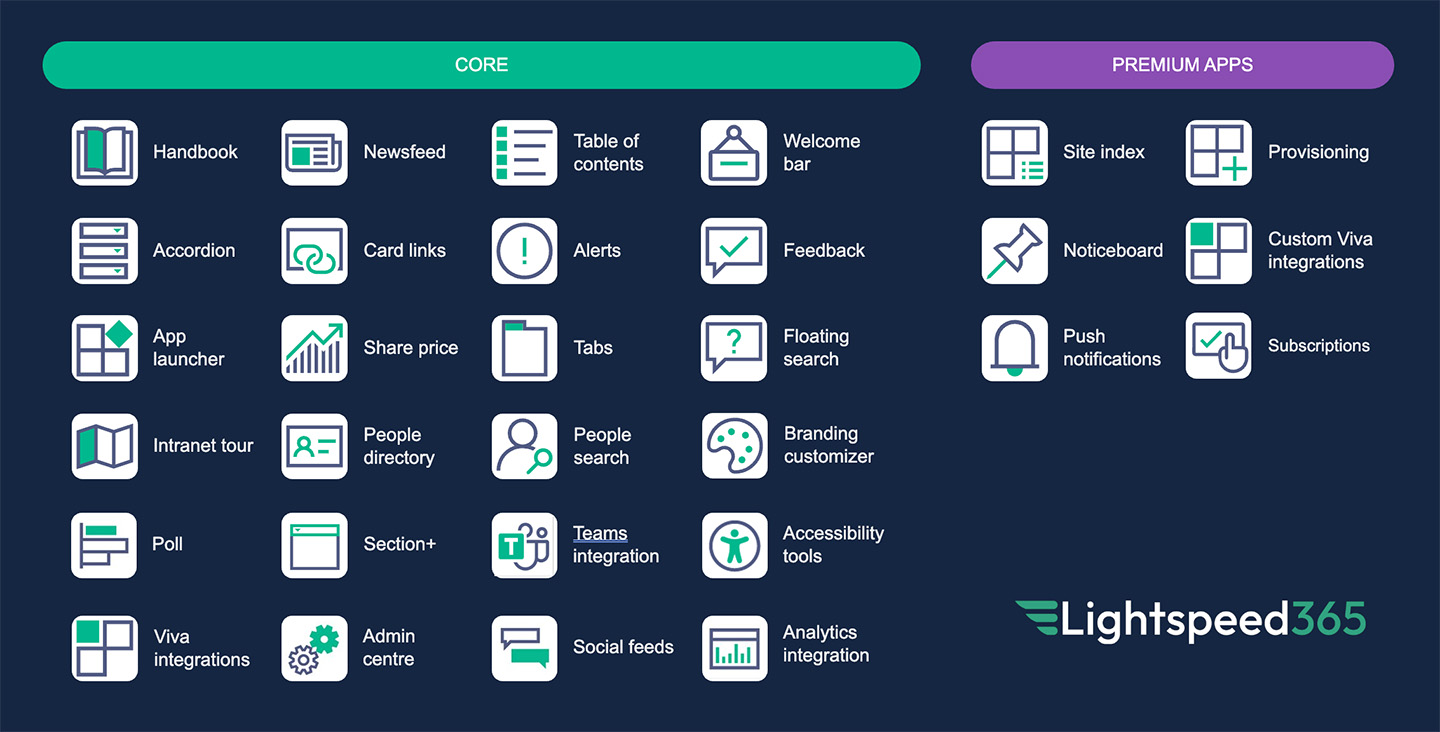
ieepr book cover

2025 ClearBox intranet report

Start your FREE Lightspeed365 trial!