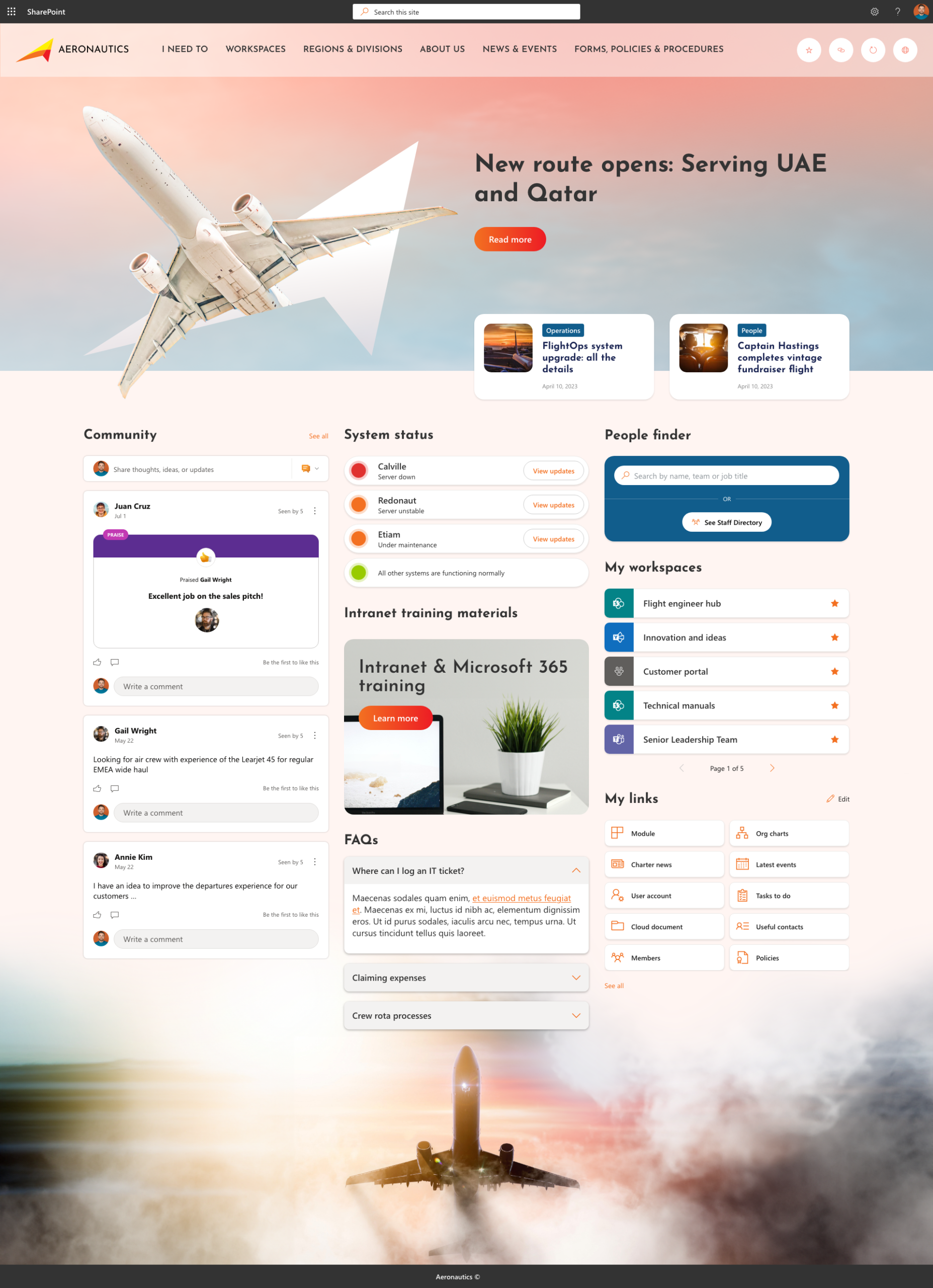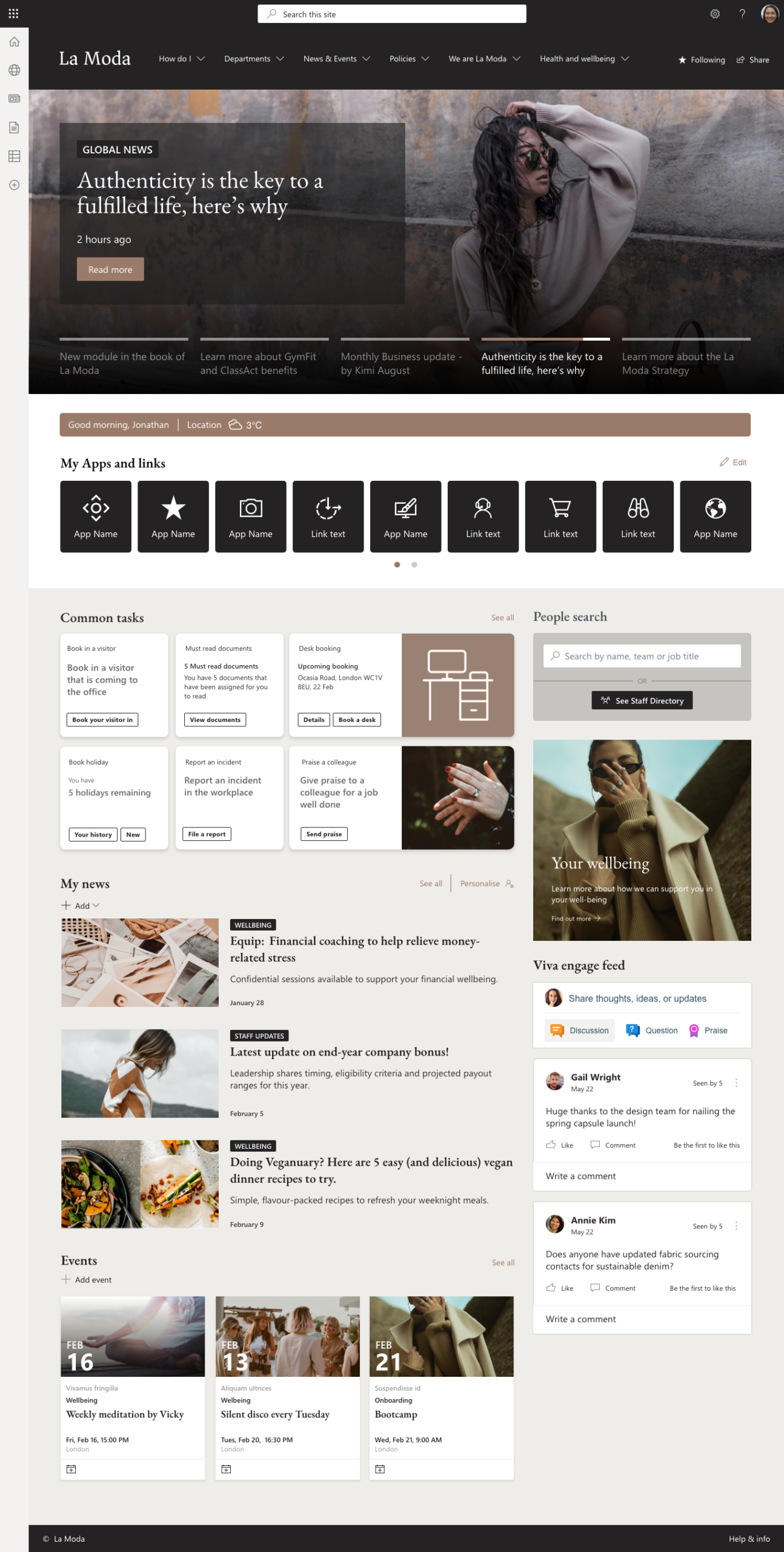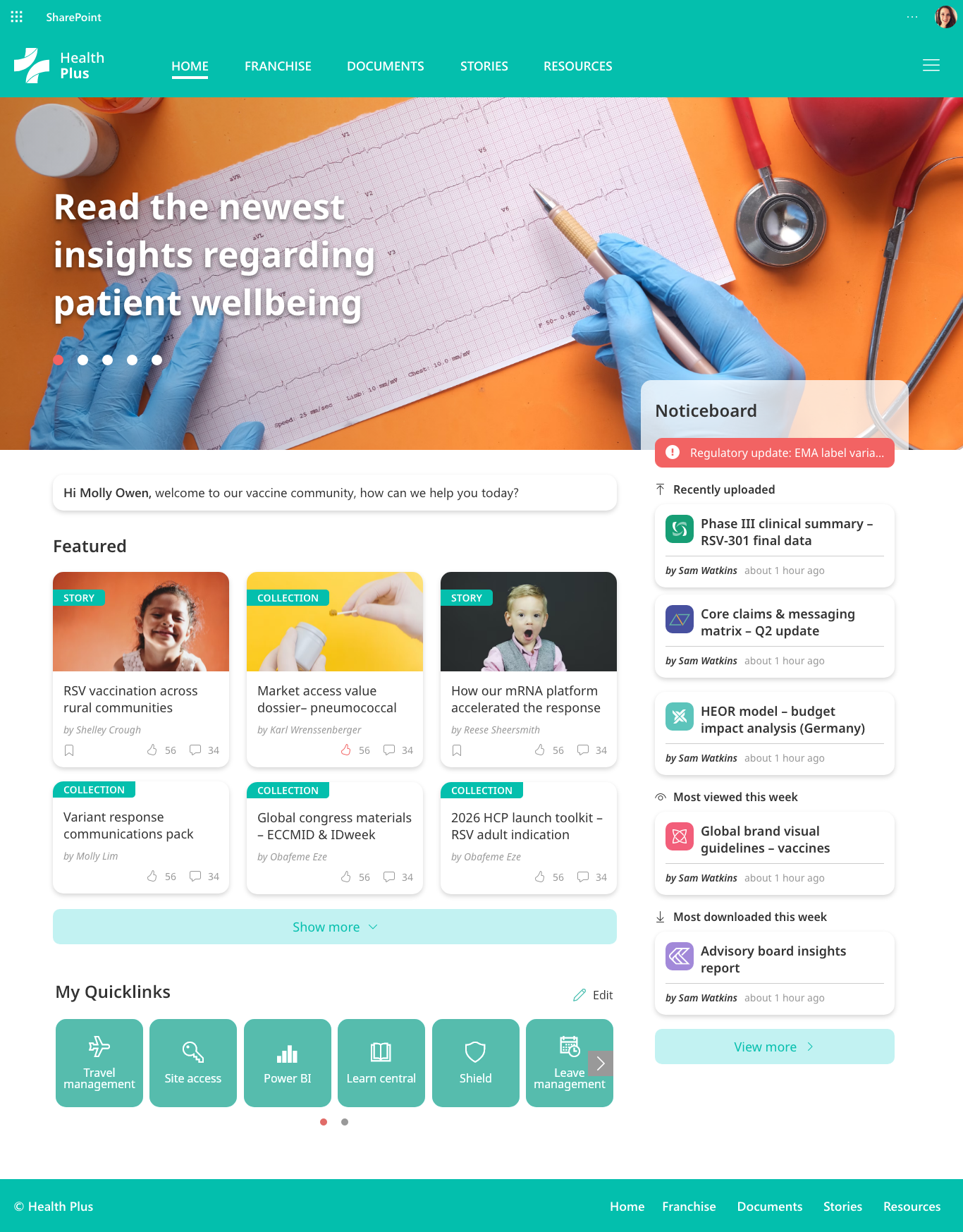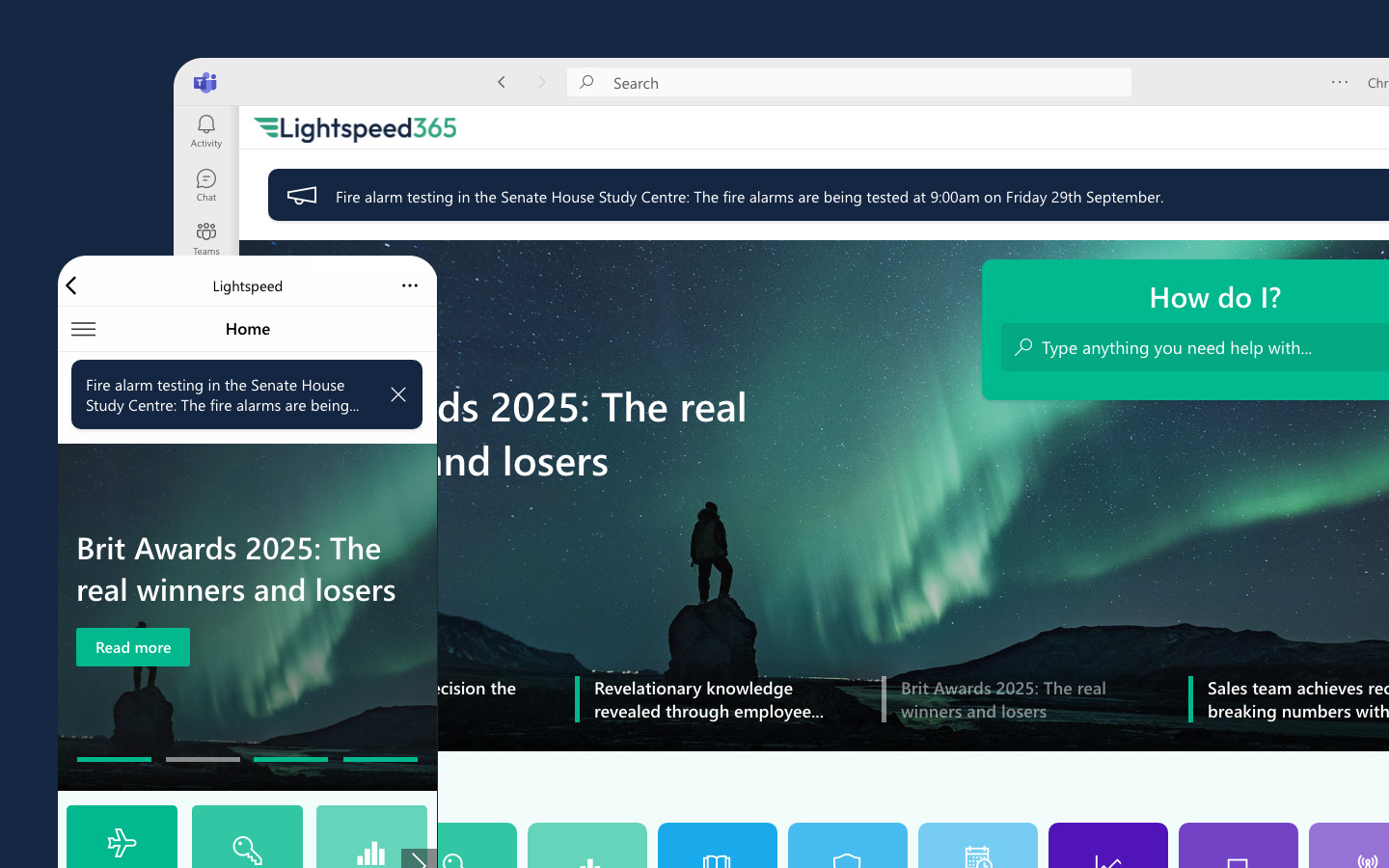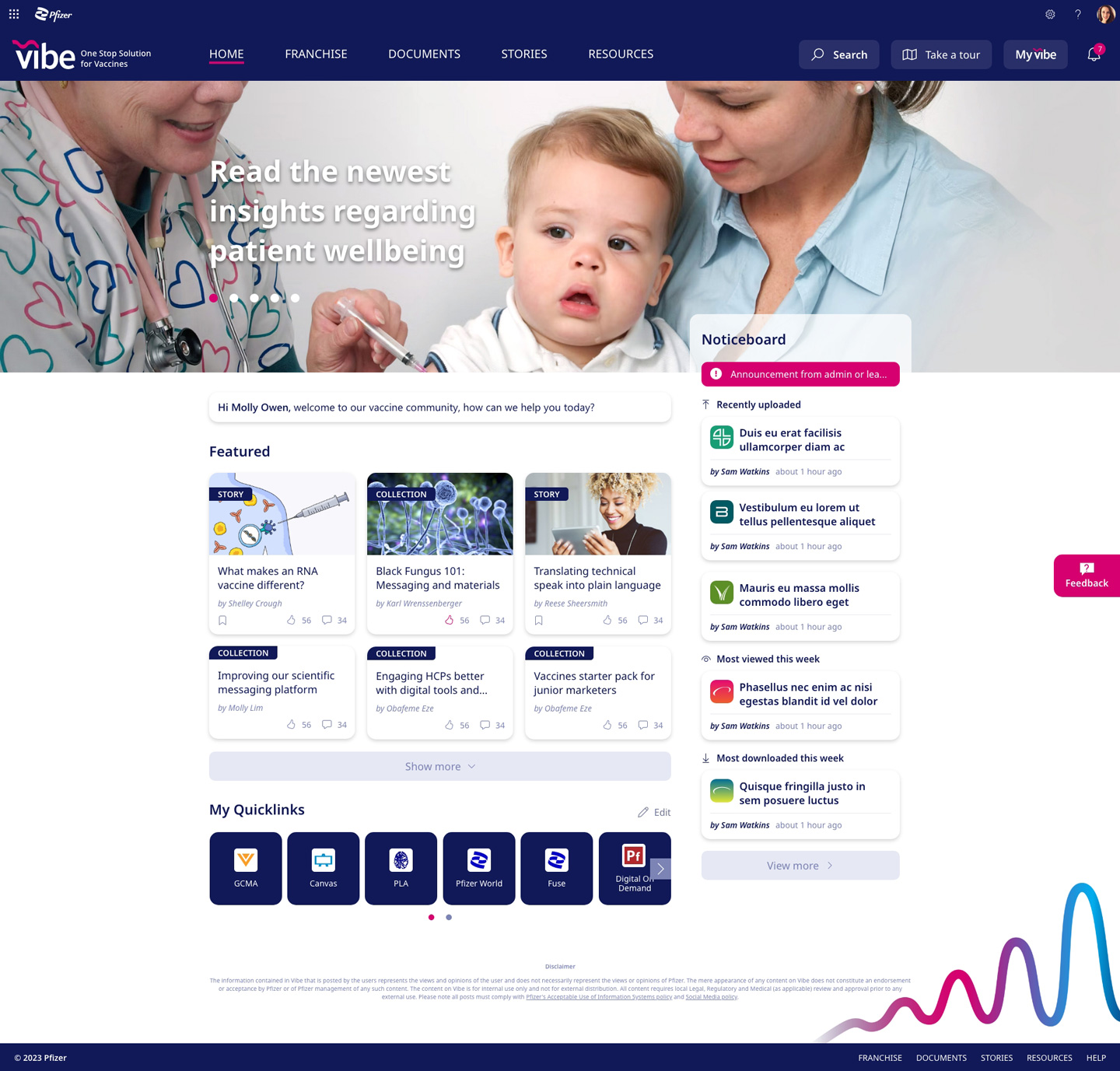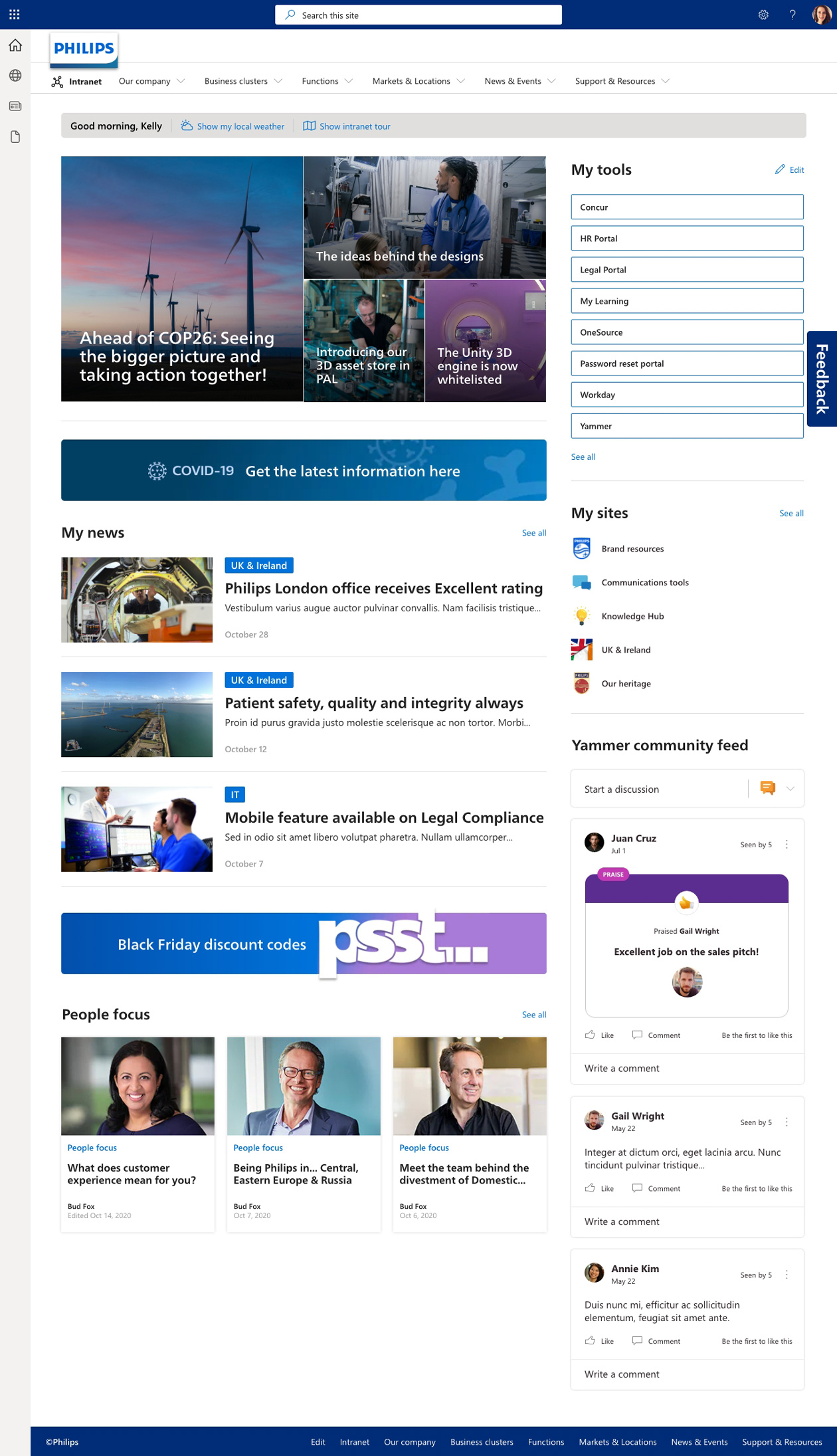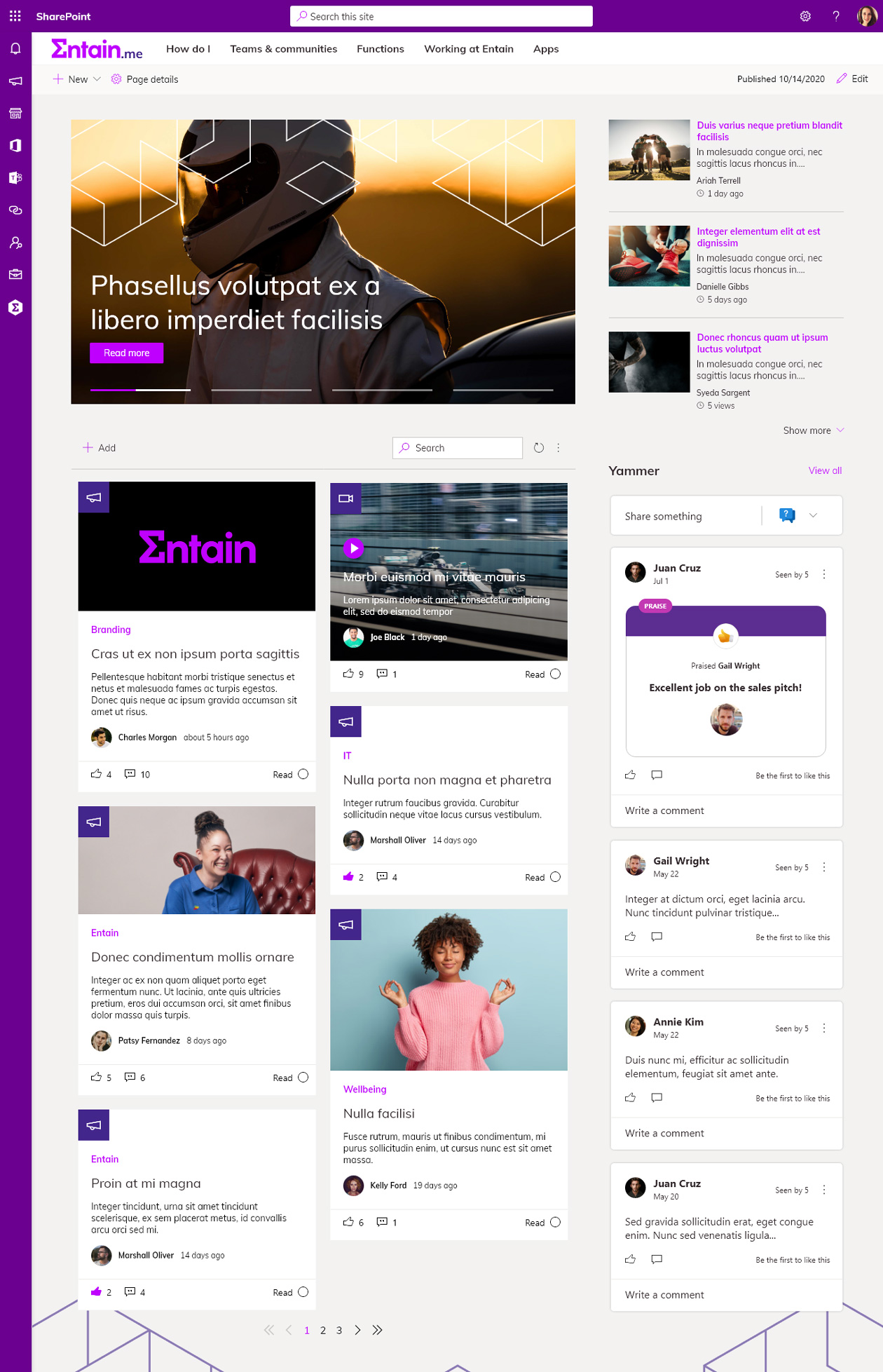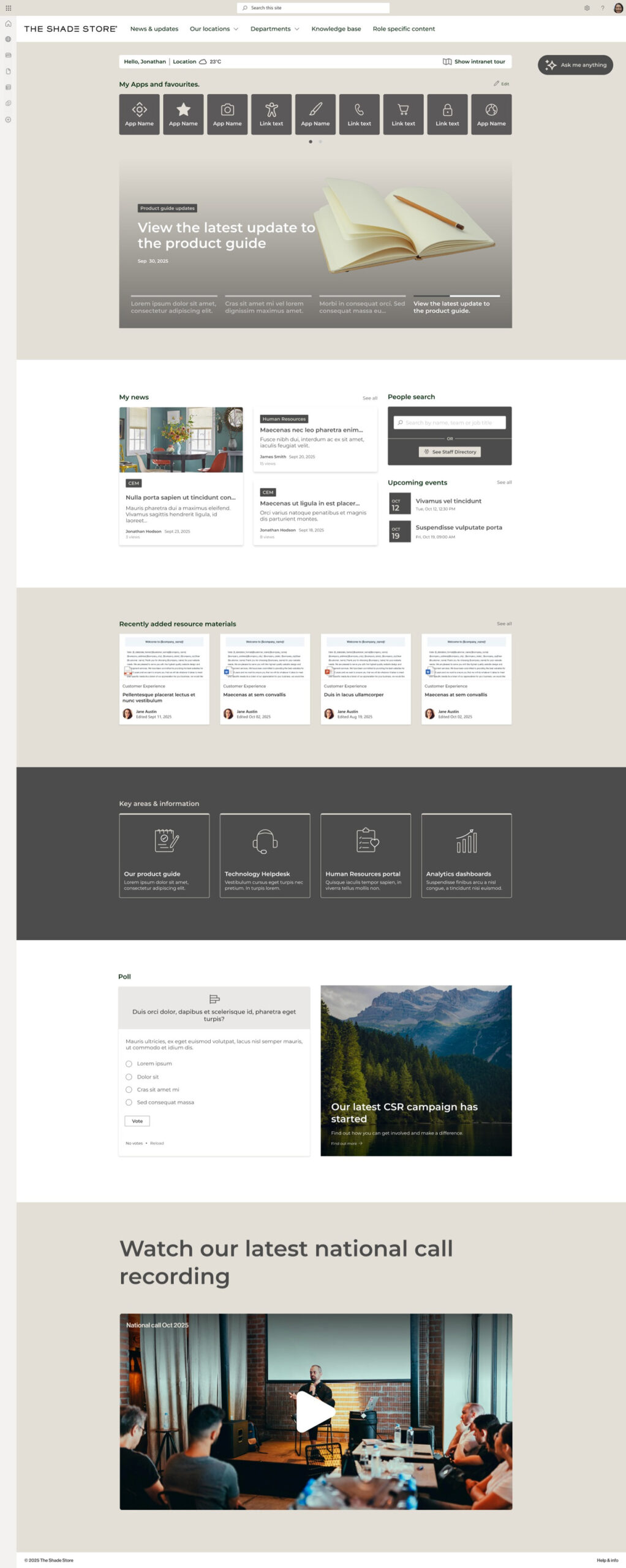
Eight SharePoint intranet trends for 2026

Blog

It’s been a busy 2025 for Lightspeed365 and Content Formula. We’ve been helping clients launch great new SharePoint intranets and also adding new features to Lightspeed365 that enhance and improve your intranet. It’s also that time of year when we start to think ahead and plan for what looks like it will be an even busier 2026.

If you’re planning a new intranet for 2026 or you’re looking at improving what you already have – for example increasing the adoption of your SharePoint intranet  –  it is important to consider some of the wider intranet trends with that are likely to occur.  These can provide valuable context to inform your project.

So, the Lightspeed365 team have got their heads together to consider some of the key SharePoint intranet themes that we think we’ll see in the coming year. Of course, making predictions is always a bit a risk – we could be completely wrong! But here’s our view of eight SharePoint intranet trends we’re likely to see in 2026.

1. Intranets assume more importance as “one source of truth”

Successful intranets establish themselves as the “one source of truth” with authoritative, up-to date and official content that is trusted by employees. Intranets that have overlapping, expired, confusing and erroneous content tend to suffer with poor adoption. We think that in 2026 intranets have a unique opportunity to establish and differentiate themselves as the one source of truth, driving both adoption and value.

The combination of AI-generated “slop”, AI hallucinations, and myriads of different repositories and applications across the enterprise, means that the role of a reliable and trusted source of information will be valued more and more, both by employee and stakeholders across the enterprise. Everyone wants one place where they can get reliable information quickly and easily. Intranets that can position themselves the “one source of truth” will succeed in the coming year.

2. Content governance on the intranet takes on extra importance in the age of AI

The introduction of generative AI has the potential to supercharge productivity, but at the moment many organisations are still trying to establish ROI. Indeed, recent research from MIT suggests 95% of AI projects fail to generate the expected value.   One of the reasons that AI fails to deliver is that there isn’t reliable content for it to generate meaningful answers or output – that old rule of “garbage in, garbage out” (sometimes expressed in stronger terms!) applies.

Having content governance in place is essential for maintaining reliable content – and is an essential ingredient for the success of any generative AI, chatbot or Microsoft Copilot project. Successful intranets already have robust content governance applied, and there is now an opportunity for that content to play a foundational role in AI success. In 2026 the content governance processes in place on your SharePoint intranet such as clear content ownership, automated reviews, and more will be extremely important – and an example of the value of the intranet in the age of AI.

3. AI agents start to impact intranet management and features

One of the big digital workplace themes of 2026 will be the rise of AI agents, which help to automate or partly automate different sets of tasks. Some AI capabilities that aren’t strictly agents are also being rebranded as agents.

The age of agentic AI is already being reflected in SharePoint and Microsoft 365. For example, the SharePoint knowledge agent helps to optimise content in a number of different ways, including helping get it ready for Copilot by generating appropriate metadata, fixing broken links and more. Microsoft have also announced the launch of Agent 365, a place to manage, control and orchestrate AI agents, both within Microsoft applications and third-party solutions too.

We suspect that AI agents will increasingly have an influence on intranet managers as well as content owners by improving content, helping optimise it for search, automating some content creation such as summaries, and more. We believe 2026 will be the year AI agents do some heavy lifting to ease the burden on busy intranet teams.

4. User search behaviour moves towards natural language queries and AI-powered answers

Strong findability is at the heart of a successful intranet; search and navigation continue to be critical intranet features. Intranet search has always been heavily influenced by employee experiences of searching the internet as consumers. “Why doesn’t intranet search work more like Google” is a sentiment continually expressed in user research, with employee expectations and search behaviour based on their interactions with the major search engines.

Currently internet search behaviour is changing dramatically. More people are using ChatGPT and other LLM-powered services to bypass traditional search results and find information and answers that is generated by AI. On 2026 we can expect this to influence employee expectations of intranet search with more use of chatbot interfaces, natural language terms, demand for AI-generated summaries and more. Intranet teams need to start thinking about how search may evolve accordingly in their SharePoint intranet – for example how Copilot is being used as a search tool and how it interfaces with the intranet.

5. Hyper-personalisation and subscription prove essential for intranet adoption

As well as influencing intranet search, experiences in the consumer space have also influenced the need to have robust and highly granular personalisation, content targeting and subscription features within intranets. Today mobile apps, websites, social media, AI services, and other digital channels offer highly personalised and configurable experiences. As a result, customers expect a personalised experience: as far back as 2021, McKinsey research suggests that 71% of customers expect personalisation from brands and over three quarters get frustrated when it isn’t offered.

Of course, personalisation, the ability to target content and experiences, and the ability to subscribe to news, have always been intranet features, but they have often been used only sparingly. But personalisation isn’t going away and the rise of AI means that more brands will be offering hyper-personalisation in the consumer world.

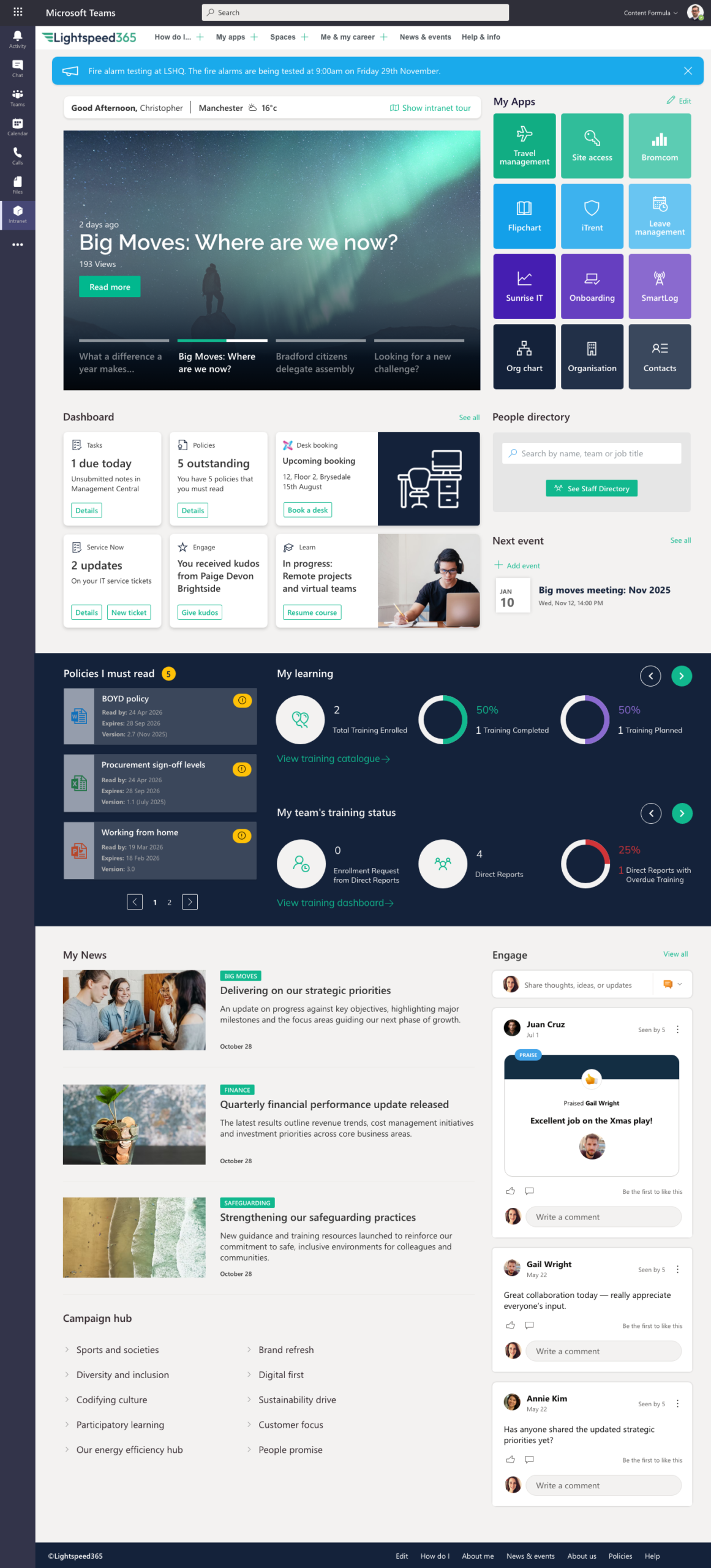
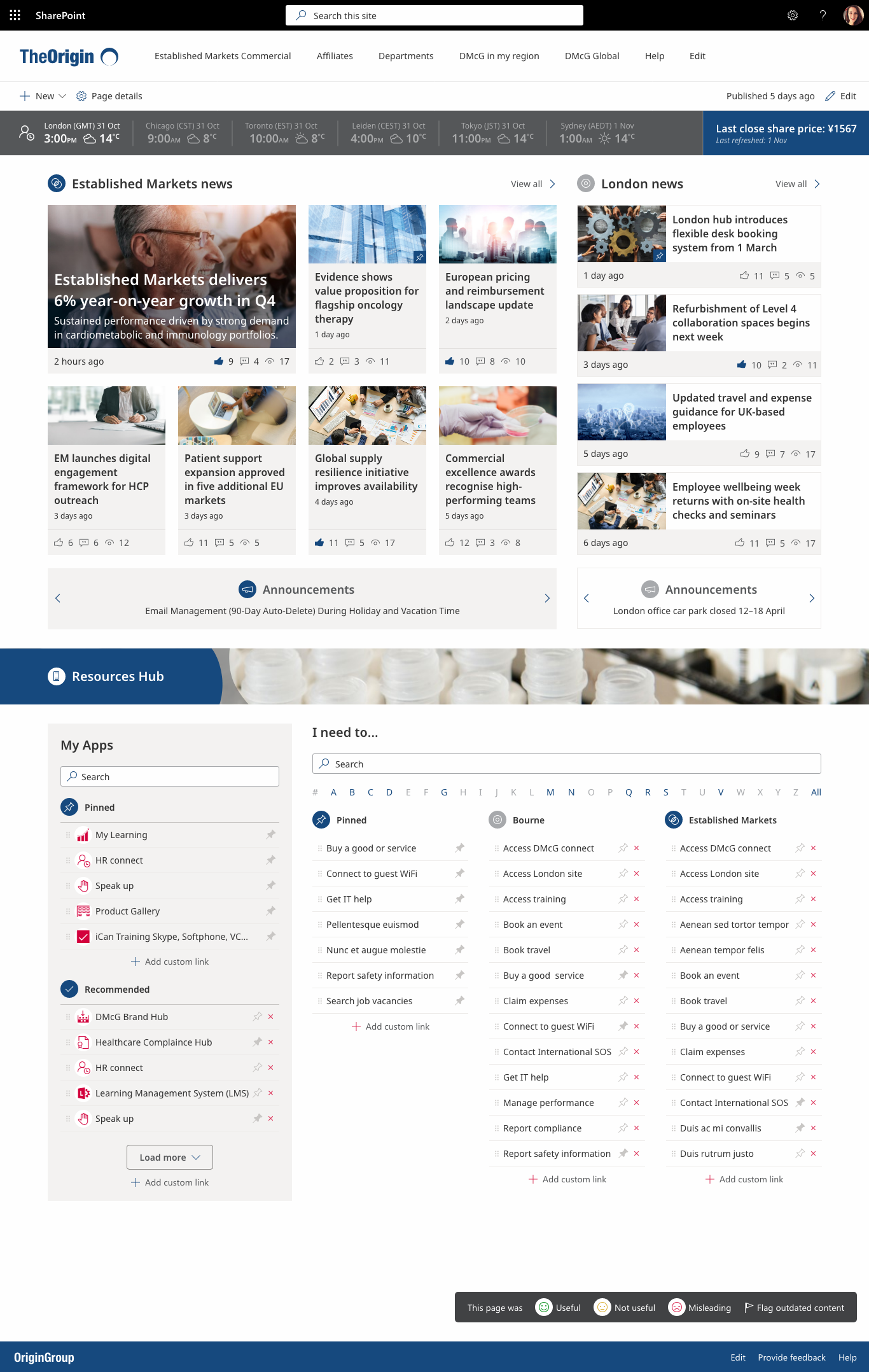
SharePoint supports some personalisation but does not do it well, and it is one of the areas where Lightspeed365 features step up to fill SharePoint’s gaps – for example, a friendly “welcome bar” with a personalised message and locally relevant information, a personalised app launcher, and news subscriptions. All these feature s have proved popular with Lightpeed365 customers, and we think will continue to be important in 2026.

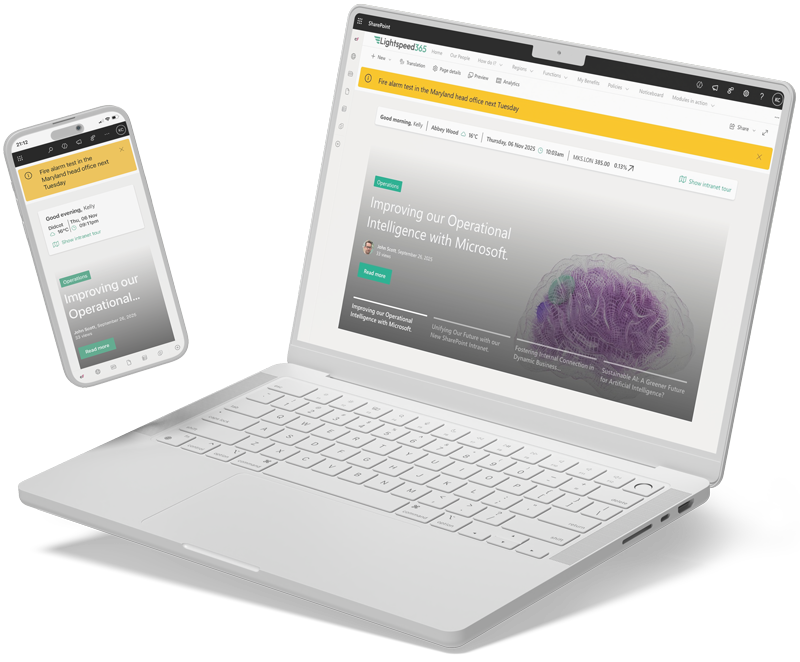
LS Welcome bar
Lightspeed365 includes a Welcome Bar – which communicates to employees that that can expect the intranet to be personalised

6. Intranet platforms increasingly support true omnichannel publishing

Many internal communicators have an ambition to deliver omnichannel or multichannel communications; this involves coordinating messaging and stories across different channels to maximise impact with different audiences and groups. But it is tricky – especially as there are so many channels in organisations – intranet, email, mobile app, Teams (or equivalent), Viva Engage, SMS and even face-to-face.

In the past two years more and more intranet solutions have started to facilitate omnichannel communications with tools that allow teams to coordinate their messages – for example with more flexible notifications. Microsoft has also released Viva Amplify, although this comes at a cost and is out of reach for some internal comms professionals.

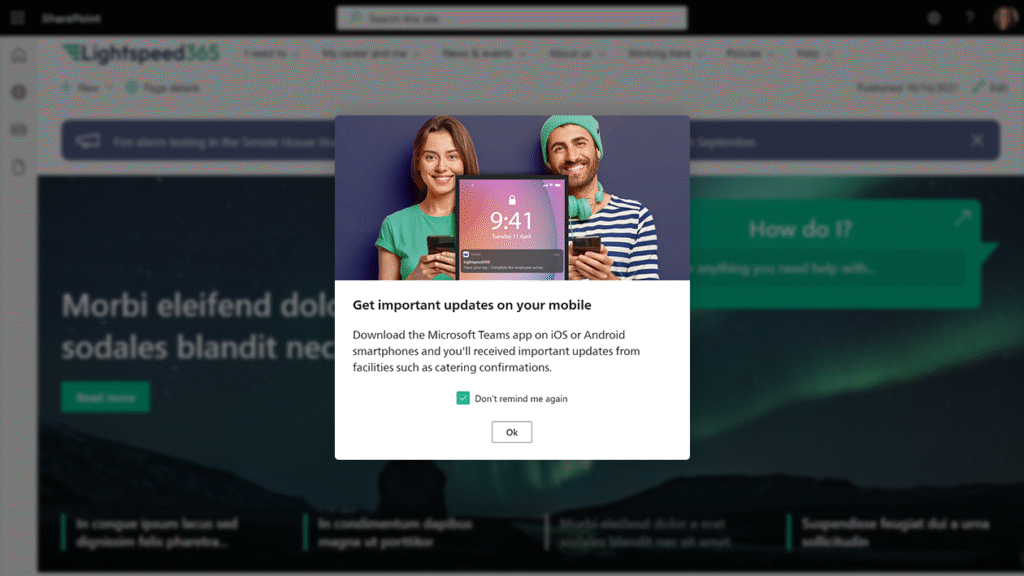
In 2026 we think that the ability to better coordinate communications and notifications will become an expectation for intranet software, ensuring that the intranet remains the main digital communication channel, but that messages can also be received wherever employees happen to be working. For example, Lightspeed365’s feature to enable push notifications from the intranet to the Teams mobile app, has proved to be an essential way to coordinate key messaging to both deskbound knowledge workers and frontline staff who access the intranet on a mobile device.

Intranet notification
Lightspeed365 includes the ability to reach employees with urgent notifications on mobile

7. Competition within the intranet market keeps on improving intranet products

There’s sometimes been an erroneous assumption that intranets are an anachronism and an outdated technology – a platform that is always on the edge of being replaced. That’s always been wrong and thirty years later intranets are still going strong. In fact, the intranet software market is in good health. Intranet products are evolving with AI features and investors are backing intranet software providers. All this means the intranet software market is a hot space with lots of competition,  investment in improving the products and even some mergers.

In 2026 this is going to continue as every intranet provider tries to jostle to improve their market share. This is great news for intranet teams who will see more choice and better software. It’s also keeping us on our toes! We continue to invest in Lightspeed365 and will deliver a continual pipeline of additional features in 2026, including:

  • better ways to present videos as part of a news feed
  • new ways to integrate user-generated content into SharePoint intranets
  • a new event management feature
  • and much more through the year.

Competition in the intranet software market has also led to the development of different options for all levels of budget. Here at Lightspeed365 we offer a product that does not replicate any SharePoint features – we just focus on what you need to deliver a world-class SharePoint intranet. This means Lightspeed365 comes at a reduced price and offers real value for money.

As we go through 2026, expect to see intranet products (including from our competitors) continue to improve, offer value for money, and provide real choice.

8. Despite investment in Microsoft 365, SharePoint alone still doesn’t cut it as an intranet

One of the reasons that organisations choose to invest in Microsoft 365 and SharePoint is the continual evolution of the platform. In recent years we’ve seen waves of innovation around employee experience, generative AI and currently AI agents.

Over the years SharePoint and also the Microsoft Viva set of tools have evolved to better support the core needs of intranets and also internal communicators. But – and perhaps surprisingly – SharePoint still does not support a world class intranet or employee experience platform straight out of the box. Despite the current exciting innovation path, there was nothing announced at the recent Microsoft Ignite event that means this will be any different in 2026. 

With SharePoint’s limitations, intranet products like Lightspeed365 have evolved to fill the gaps with a set of web parts and features that complement SharePoint to deliver what you need for a word class intranet. We know that Lightspeed 365 will continue to elevate SharePoint intranets in 2026

Planning your intranet for 2026

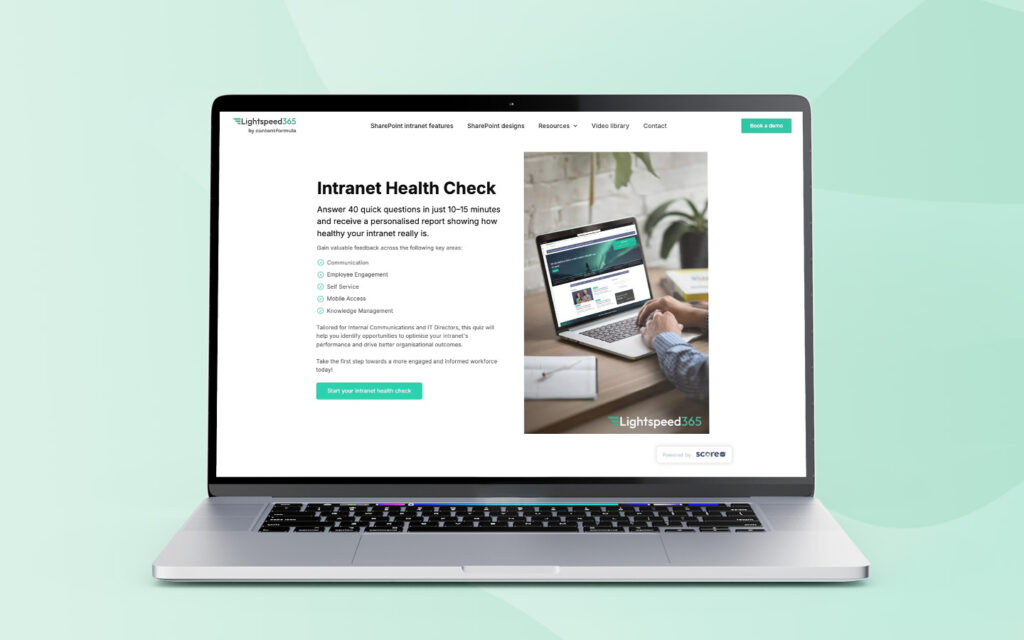
We hope you found our predictions useful to help you consider your plans for 2026. You may also find our intranet health check useful, which provides personalised insights based on a confidential, 15-minute self-assessment survey about your intranet.

And of course, whatever you do plan for 2026, all the Lightspeed365 and Content Formula team wish you a very merry Christmas and holiday season, as well as a happy and prosperous new year.

FAQs

What are some of the intranet trends for 2026?

Major intranet trends for 2026 include improved intranet products through competition in the intranet software market, an increased demand for personalisation, and also support for omnichannel publishing. However, most of the trends will be down to AI with the introduction of AI agents to help manage intranets, a demand for AI-powered intranet search, and reliable intranet content playing a role in supporting AI projects.

Are intranets still needed with the introduction of AI?

Yes, more than ever! For AI projects to succeed they need reliable, up to date and authoritative content so AI output is useful, accurate and trusted. Intranets excel at being the “one source of truth” so are essential to the success of AI. Intranets also still help employees to stay informed and get things done, as well as nurturing connection, community and culture.

Ready to fix intranet adoption?

Not sure where your intranet needs improving? Take our assessment to find out

30+ additional feature-packed web parts

Intranet designs & case studies
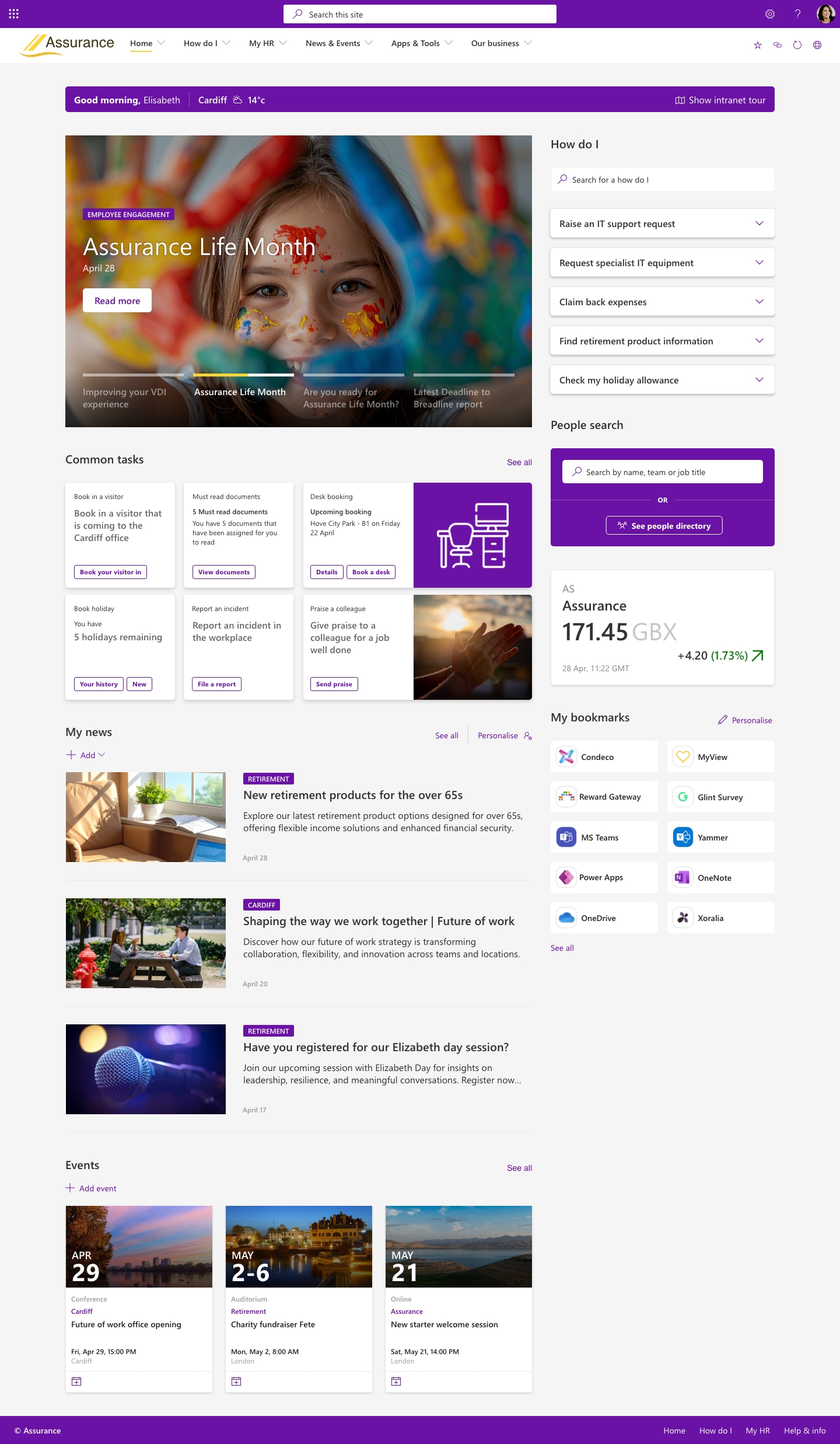
2025 ClearBox intranet report

Eight key reasons no one use the intranet

Blog

Welcome to your intranet

Does your intranet have low adoption? Have the number of users regularly visiting started to dwindle over the years? Don’t worry, you’re not alone. Good adoption is never guaranteed, and low intranet adoption is a common problem, remaining a perennial thorny issue for intranet teams.

Strong intranet adoption is important and helps generate value for the intranet. There’s not much point in an intranet that nobody uses. However, the good news is that there are usually several common reasons why an intranet suffers from low adoption, each of which can be dealt with in order to encourage more employees to visit the intranet.

In this article we cover eight common reasons nobody seems to be using your intranet and the “remedy” you can follow to reverse the trend in each case.

1. Employees no longer trust your intranet content

To do list

An intranet is only ever as valuable as its content, so when content is irrelevant, out of date or duplicated, then the intranet depreciates in value. And the more erroneous, outdated, and conflicting versions items that employees find, the more their overall trust in the intranet and its content will erode. This usually plays out in the following way:

  • Employees start to doubt the good content that is actually there
  • They no longer automatically go to the intranet as the “one source of truth”
  • Adoption gradually declines over time.

Remedy:

2. The intranet does not help employees get things done

Intranets generate value in many different areas, including:

  • Supporting productivity, by helping employees find that they need to support their work.
  • Reducing risk and supporting compliance though standardisation and transparency.
  • Keeping employees informed through internal communications.
  • Driving engagement by fostering a sense of connections and community.
  • And more!

All of these areas are equally imporant. However, when it comes to using an intranet, the main reason an employee will visit is to get things done and complete tasks in their busy working week. This is the essential “what’s-in-it-for-me” factor that underpins adoption for the majority of employees. If an intranet is solely focused on communications and engagement rather than supporting day-to-day work, then adoption can suffer.

Remedy:

3. The intranet has a poor user experience

Line chart of intranet performance over the years

Employees generally have positive experiences of technology outside work through the apps, websites, and social media channels they use every day as consumers. So, when the technology they use inside work fails to meet these standards or their expectations it is a problem.

A poor user experience leads to reduced adoption. Nobody wants an intranet that looks dated, is horribly clunky, or confusing and difficult to use. And they definitely do not want an intranet that has technical issues, for example with slow load page times or regular unplanned outages. Ultimately if the intranet experience is frustrating for users, then they will not use it.

Remedy:

4. The intranet hasn’t evolved over the years

Business worker shining a flashlight in the dark

Employee needs and expectations are in a constant state of change and flux – and intranets must constantly evolve to meet these needs to maintain adoption and value. Restructures. New acquisitions. New technology advances (hello AI). New products and services. New ways of working. New compliance needs. New tech experiences in the consumer world. All of these may trigger changes or additions to an intranet’s structure, content, and feature. An intranet that stands still and doesn’t evolve accordingly will effectively decline and lose adoption as the world moves on.

Remedy:

5. It is impossible to find anything

A core role of a successful intranet is to help people find the information they need to carry out their role; if it is impossible to find anything on your intranet, then it will inevitably stop getting used. Poor findability is more often a content issue than one with technology:

  • It might be that you have too much out-of-date content which means a lot of “noise” clogs up your search results.
  • Content may be spread across different repositories beyond your intranet and is not covered by the intranet search.
  • A poor intranet navigation will also contribute to poor findability.

Remedy:

6. The intranet is not easily accessible from the places people work

Intranet in MS Teams
Personalisation on your intranet can massively improve engagement.

Is your intranet easy to access from the systems, applications, and devices where employees spend most of their working day? If the intranet is an extra inconvenient step away to access from the flow of work, this can have a surprisingly significant impact on levels of adoption. For example:

  • Nany people work in Microsoft Teams all day and it is the centre of their digital employee experience, but the intranet might not be easily accessible from there.
  • Frontline employees may well only have access to a mobile device during the working day, but the intranet cannot be viewed from their mobile device.
  • If you are using Microsoft 365 and you don’t use a SharePoint intranet, then people may even have to use additional credentials to log into the intranet.

All of these three examples will negatively impact adoption.

Remedy:

7. Intranets are not personalised, so it is less relevant to employees

4 doors to Intranet, Email, MS Teams, Team sites

Organisations have incredibly diverse workforces with different needs and requirements. Consider a global or complex organisation with employees across different counties, locations, divisions, roles, brands, levels of hierarchy and years of tenure. Every individual has different professional interests and personal preferences.

When an intranet takes a one-size-fits-all approach it means that the content and experiences it delivers will be irrelevant or of no interest to sections of your workforce. People in the Paris office don’t want to hear about the news for the London office. Ultimately, if the intranet is not relevant then employees will not engage with it and adoption will dwindle.

Remedy:

8. Adoption is low and it’s going into a ‘death spiral’

In this article we’ve described a variety of factors that drive low adoption. Unfortunately, when adoption does start to decline, this in itself leads to a further fall in the numbers of people using the intranet. There may be a growing perception that nobody uses the intranet now, so it is not worth visiting there or adding content to it. Stakeholders may feel it is pointless to make improvements to their sites or pages within it. Alternatives such as SharePoint sites or other solutions spring up, further eroding adoption and confidence. 

Remedy:

How Lightspeed365 supports SharePoint intranet adoption

There’s one single key to increasing intranet adoption, but a product like Lightspeed365 can make a huge difference by:

  • Filling the critical gaps in SharePoint Online to make the intranet the essential place to complete tasks and get things done, for example the “app launcher” – often the killer app on the intranet.
  • Making the intranet more attractive, user-friendly and on-brand with additional design options and also elements such as the “intranet tour” to support new users
  • Providing additional features that can be easily integrated into a programme of continuous improvement.
  • Removing the barriers to usage and access, particularly by making your SharePoint intranet seamlessly available within Microsoft Teams.
  • Add features to personalise and configure the experience such as the “welcome message” with a personal greeting or the ability to subscribe to news topics, neither of which are available with SharePoint Online out of the box,
  • And more!

Need help with SharePoint intranet adoption? Get in touch!

Is your intranet suffering from low adoption? While the insights in this post may help, sometimes it is difficult to know just where to start. If you’d like to discuss how to reverse your low SharePoint intranet adoption trends, or would like more information about Lightspeed365, then get in touch!

Frequently asked questions

Ready to fix intranet adoption?

Not sure where your intranet needs improving? Take our assessment to find out

30+ additional feature-packed web parts

Intranet designs & case studies
2025 ClearBox intranet report

10 steps to build an engaging SharePoint intranet in weeks

Blog

Create an engaging SharePoint intranet in weeks

How do you create a great intranet an intranet in a compressed timeframe of a few weeks?

Usually, it’s best to take time to create a new SharePoint intranet, ensuring you get everything right, working on the content, and even launching in a phased approach. In the past SharePoint intranets projects used to take years, but these days six months is a decent length for a project to deliver an excellent intranet.

However, sometimes you have less of a choice, and you need to get an intranet live quickly, working to a rapid (and quite frankly ambitious) timetable of a few weeks. The reasons for a fast intranet implementation are various and might include:

  • The license for your old intranet is set to expire, or it has gone out of support
  • Your company is going through a new or recent merger, and you need a new “one company” intranet quickly
  • You have an ambitious leadership who loves doing things quickly or you’re an equally ambitious intranet team
  • You are strictly taking a Minimum Viable Product (MVAP) approach, and the scope means an implementation lasting weeks is realistic
  • And more!

Ten steps to launch your intranet

In this post we are going to explore ten steps to take to get your SharePoint intranet ready in weeks. These steps are not all sequential – in fact, some will need to run concurrently. You can also follow these steps for longer projects too, so this post will be useful for anyone planning an intranet project.

Ready? Let’s dive into the ten steps!

1. Understand your users and stakeholders

Never build an intranet on assumptions. An intranet helps employees get work done by providing the right information, overcoming pain points, improving processes and more. To design a successful intranet you need to have a thorough understanding of how employees work and the issues they face.

Always undertake a discovery phase that involves user research but also takes into account the strategic plans of key stakeholders from across the business so the internet aligns with their vision too.

When working at speed it is tempting to skip this research step, but it is important not too. However, there are pragmatic ways to undertake research more quickly, including using surveys, conducting group workshops, and leveraging previous research. You can also get local champions or communicators across the business to carry out interviews in parallel on your behalf.

Understanding your audience is key if you want to deliver something that adds value from day one

2. Defining your intranet strategy, scope, and requirements

Once you have your discovery data, it’s time to analyse it to find obvious trends, patterns, and needs. When you’re in a hurry AI can be great for analysing raw data at speed and scale.

It’s important to articulate a headline strategy to ensure you have direction, and everyone is on the same page. Given the need for speed, the strategy does not need to be a massive document. Start with a mission statement and a set of guiding principles. Ideally, you want to get key business stakeholders to buy into this, so consider holding a workshop to get their input and make any necessary tweaks to the strategy.

Ideally you also need to have a headline content and comms strategy for the intranet too. Ensure you involve internal comms and make sure the content strategy is part of or aligns with your intranet strategy.

At this time there is also some work to do to define basic requirements and features. Some of these will already be part of SharePoint but there will likely be additional capabilities you need Resources like the Lightspeed365 features list will be a useful reference point.

You’ll also need to define the scope for your launch. Which features and sites do you want to include on day one? With a rapid implementation you will almost certainly be working to a Minimum Viable Product (MVP) approach without full features. Consider carefully the balance with what is achievable in your timeframe and the value your “day one” intranet needs to support to drive adoption and create a good enough impression for employees to want to return to the intranet.

An MVP approach allows you to launch something early that is useful, but then gives you scope to add more utility over time

3. Confirm your technology choices

In this post we have assumed you are going to be using SharePoint for your new intranet. But there are choices to make about how you should use SharePoint. For example, just using SharePoint out of the box does not always deliver the required features you want.

There are effectively five options all of which have particular strengths and sometimes weaknesses to bear in mind:

  • SharePoint Online straight out of the box.
  • A custom-built SharePoint intranet.
  • SharePoint Online out of the box with limited customisation.
  • SharePoint Online enhanced by an in-a box product.
  • SharePoint Online plus a modular in-a-box product like Lightspeed365.

The tight timescale for your project, might mean you have already worked out the best option prior to the start, but there a variety of data inputs to consider in making any decision:

  • your intranet requirements for the MVP and beyond
  • budget
  • technical constraints
  • licensing constraint
  • views of stakeholders
  • and more!
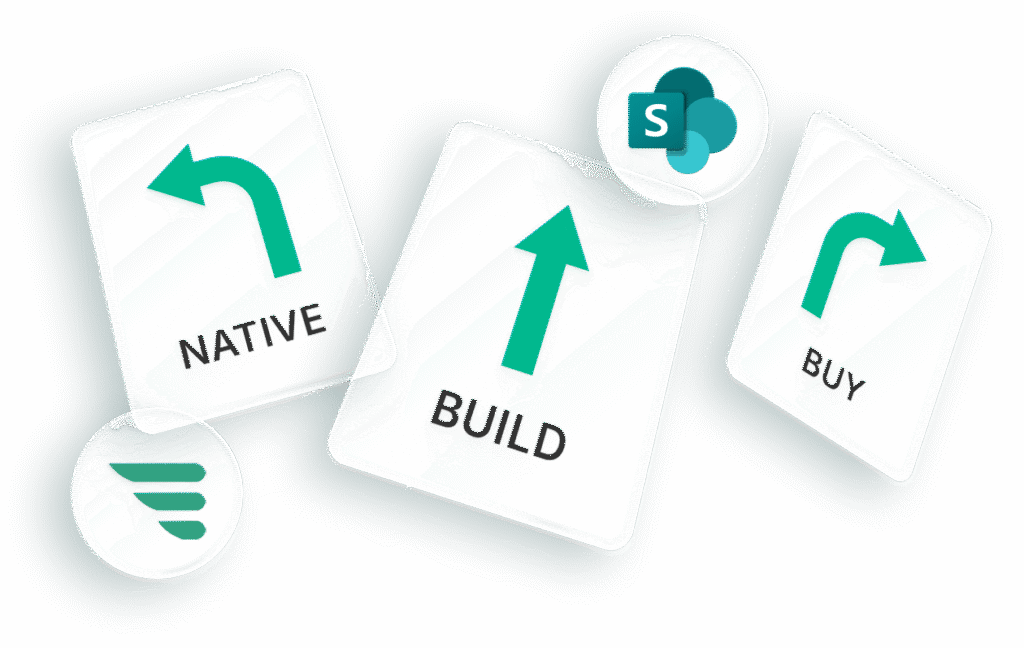
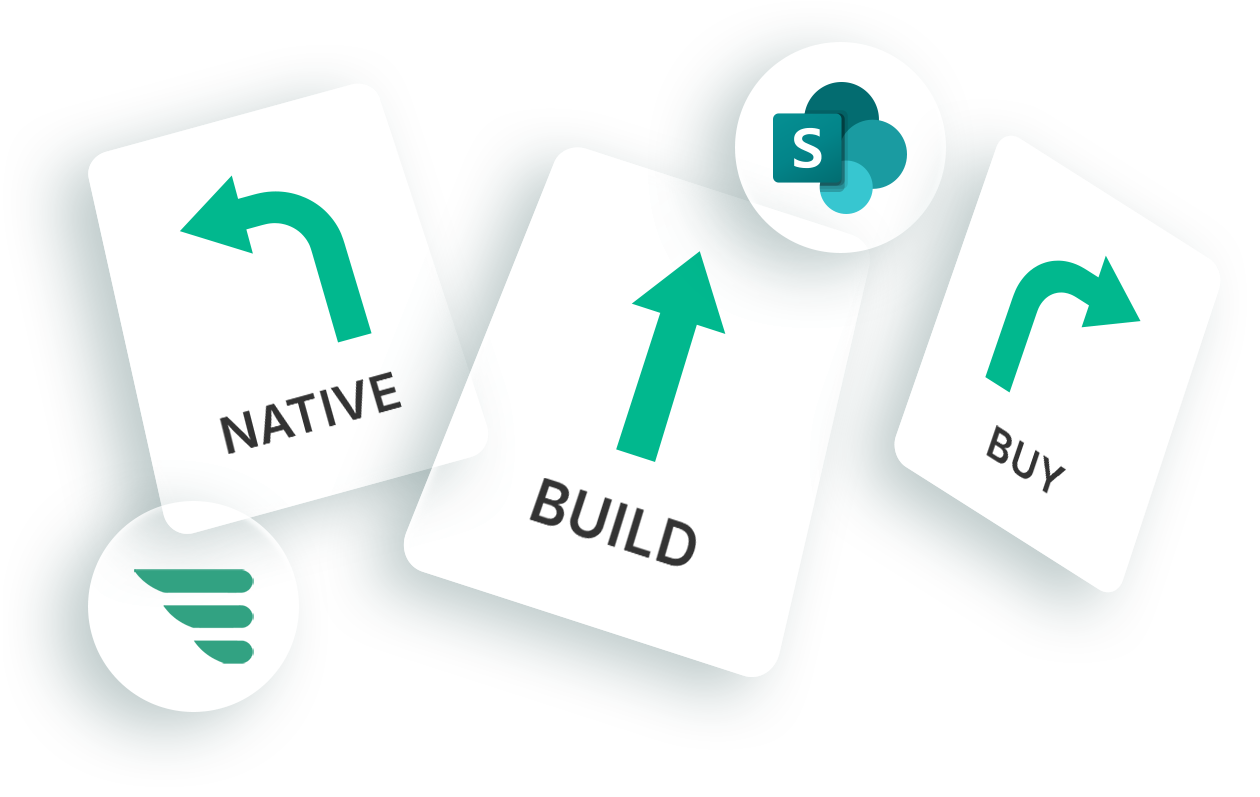
SharePoint native, build or buy
Choosing a native SharePoint approach or buying a turn-key product is the only way to launch quickly

4. Plan your project and identify your team and stakeholders

Once your plans are more concrete it’s time to fully plan out your project and identify your core project team and main stakeholders. It is likely that you will have already partly done this through your planning and engagement up to this point.

Intranets are an ensemble effort, and your team will certainly be cross-functional, perhaps involving HR, IT, and internal comms. There will be a core project team but also a wider community of site and content owners, publishers, and digital champions. You may also involve specialist teams like legal and brand. A RACI matrix is very useful in trying to work out who is involved and at what level.

Working out your project plan will involve different work streams (technology, content, adoption etc), some which will need to run in parallel. With time very tight, ensure the plan feels doable rather than aspirational.

5. Define and iterate your design and information architecture

As part of your project, you’ll need to work out a few key details that ideally will be workshopped, iterated, and tested with users and stakeholders. These include:

  • Designing the homepage
  • Working out the different content types such as news, people profiles, site landing pages, location pages and so on.
  • Working out SharePoint designs for each of the content types
  • The information architecture and navigation

The related site architecture and model (for example, using a “hub sites” approach).

Planning your pages and layouts before building will save you time in the long run

6. Set up your SharePoint environment

Armed with your information and basic site architecture you should then the proceed to set up your SharePoint environment, add different people and assign roles, and set up templates for each of the content types.

7. Migrate content and train content owners to defined standards

In the scope for your MVP intranet and also in defining your information architecture, you should now have an idea of the sites and content that will be included at launch. This content will be a mixture of:

  • Content migrated from your old intranet as is.
  • Content migrated that is then updated.
  • New content created from scratch.

You’ll need to work with individual site or content owners to define the content mix for their particular area. In an intranet project with a longer lead time it helps to do a detailed content audit with metrics to define this, but with a short time frame you may not have this luxury.

Migrating content form the legacy intranet can be done manually or potentially automatically if you have internal know-how. You’ll also need to train content authors on how to create and edit pages. As part of this, prepare training resources and publishing guidelines that can be accessed on a self-serve basis. Ensure you run any training sessions at the time content owners get access to the environment so they can use their new knowledge straight away before they forget what that have learned.

One pro-tip: the content stream always takes longer than you think, so it is always best to start early.

Providing quality training and assistance will speed up the content publishing process

8. Finalise and review content

Content owners will likely need some support and engagement as they finalise their content prior to launch. It also usually helps to have the central intranet team do a final review of content before the big day to make sure it is up to standard. You want the content to look good and be useful when you launch.

9. Launch with a splash

It’s time for the intranet launch. Make some noise about it so you can start with momentum and drive adoption. Typical tactics include using a network of voluntary digital champions to promote the use of the intranet to their peers, adding local context. If you are launching an intranet in weeks, you may have to recruit these early on at the beginning of the project.

Getting your CEO to endorse the intranet can also give it visibility. Some comms functions will also run a teaser campaign, although this is not always possible in a compressed time frame. In larger companies launches are often phased, but again that is less likely if you want to get this live within weeks.

Much sure you promote your new intranet before and after you launch

10. Build adoption and drive continuous improvement

Congratulations! You got the project over the line, launched the intranet, and probably now need a holiday! Unfortunately, the hard work actually begins now. Am intranet is never really done!

Always consider what happens after launch, especially as working to speed will mean your intranet is likely an MVP and will have additional features to launch or sites to migrate. Develop a plan based on metrics and user feedback, as well as your backlog, to drive continual improvement, increase adoption and generate value.

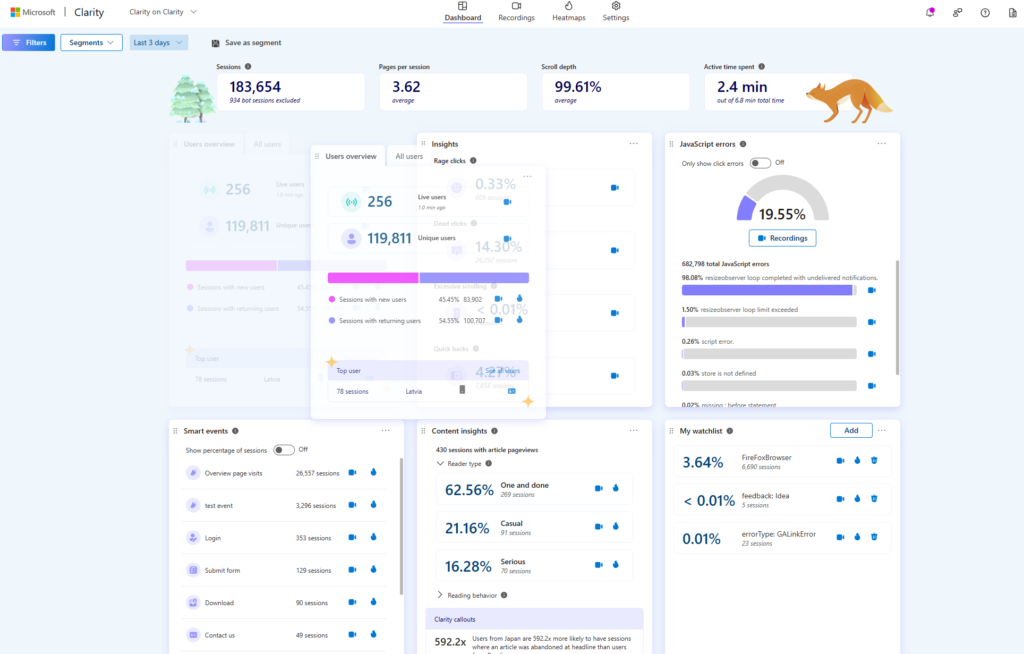
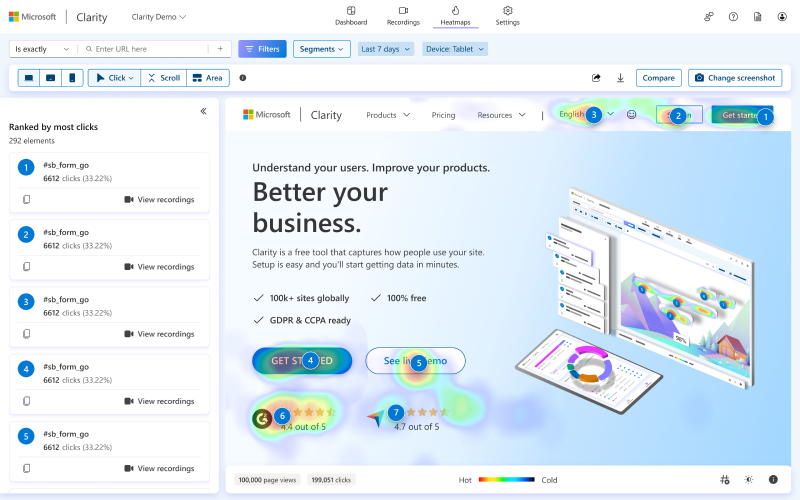
Post launch you can use Microsoft’s Clarity to track performance against your original objectives

Summary of the ten steps

Step
Explanation
One
Understand your users and stakeholders
Undertake research and discovery to inform your strategy and design
Two
Defining your intranet strategy, scope, and requirements
Use your discovery data to define a plan for your intranet, articulate the functional requirements, and establish the MVP scope
Three
Confirm your technology choices
Confirm if you’re going to use SharePoint with any customisation or additional project
Four
Plan your project and identify your team and stakeholders
Work out who will be involved and plan the different workstreams of your intranet
Five
Define and iterate your design, templates, and IA
Work out the essential detail of your intranet and iterate and test with users
Six
Set up your SharePoint environment
Set up the new site and provide access to admins and content contributors
Seven
Migrate content and train content owners to defined standards
Work out the approach to content, migrate any content from the legacy intranet, and train users to add new content
Eight
Finalise and review content
Review all the content ready for launch
Nine
Launch with a splash
Launch your intranet in a high-profile way to drive adoption and momentum
Ten
Build adoption and drive continuous improvement
The real hard work starts the day after launch

Frequently asked questions

Launching a SharePoint intranet in weeks

Launching an intranet in weeks is challenging but it can achievable if you follow the steps in this article. Using a product like Lightspeed365 in conjunction with SharePoint will definitely help. Why not organise a free demo?

Ready for a faster, more engaging intranet?

Not sure where your intranet needs improving? Take our assessment to find out

30+ additional feature-packed web parts

Intranet designs & case studies
2025 ClearBox intranet report

SharePoint build or buy

Blog

SharePoint native, build or buy

Native, build or buy? Things you must know before launching a new SharePoint intranet

SharePoint Online is a highly versatile communication and collaboration platform that is the base technology behind the majority of the world’s intranets. But before launching an intranet it is critical to explore some fundamental questions about how you are going to use SharePoint to actually power your intranet. One of the most basic is:

Should I use SharePoint completely out of the box (OOTB), customise SharePoint or enhance SharePoint using a product?

Of course, there is no right answer, and the best approach will depend very much on what you are trying to achieve, your budget, your project timetable, your technical and security requirements, ongoing resourcing and more.

When it comes to SharePoint intranets, one size does definitely not fit all. In some ways the beauty of SharePoint is typified by the fact that you actually have a choice in the matter.

In this post we’re going to explore the five major choices you have for your SharePoint intranet, and some of the relative strengths and weaknesses of each approach:

Let’s explore each option in turn.

1. SharePoint Online out of the box

What is it?

Using SharePoint Online straight out of the box without any customisation or additional intranet products.

Advantages:

There is obvious appeal to just using native SharePoint Online to drive your intranet, and it is often a popular option from an IT perspective:

Disadvantages:

However, there are some disadvantages in just using SharePoint alone that are important to consider:

2. Custom SharePoint intranet

What is it?

Customising SharePoint Online to deliver features, branding and integrations that will help deliver value for your intranet and increase adoption.

Advantages:

Sometimes if you have a particular intranet need that is not fully supported by SharePoint’s native functionality then customisation is still a valid option:

Disadvantages:

A customised intranet can come with a lot of baggage, and it is important to consider carefully the ramifications of going down that path:

3. Out of the box SharePoint Online with limited customisation

What is it?

This is a hybrid approach where an intranet is based mainly on SharePoint Online out of the box but add limited customisation to only essential areas, usually restricted to particular web parts or an area of the intranet.

Advantages:

Disadvantages:

4. SharePoint plus an in-a-box product

What is it?

There are a number of SharePoint intranet “in-a-box” products which sit alongside or on top of SharePoint and complete some of the gaps in functionality, have more flexible branding options, add templates, and introduce additional capabilities relating to communication, engagement, and productivity. These products vary in cost, extent, and maturity, but all add value. Invariably, they also rely on SharePoint.

Advantages:

Disadvantages:

5. SharePoint plus a modular in-a-box product like Lightspeed365

What is it?

There are a limited number of in-a-box products like Lightspeed365 that don’t offer a full platform but instead offer a more modular approach with a discrete number of features (web parts) that extend the number of web parts that SharePoint has to offer. These are tightly built around the gaps in SharePoint so provide everything you need to deliver a world-class intranet but avoids the unnecessary bells and whistles you don’t really need to pay for. This offers a far more cost-effective approach but does not compromise the ability to deliver a fully featured intranet.

Advantages:

Disadvantages:

Native, build or buy for my SharePoint intranet: Comparison table

Element
Out of the box
Custom
Limited custom
In a box product
Modular product
User experience
Good
Strong
Good / strong
Strong
Strong
Feature set
Incomplete
Complete
Incomplete / complete
Complete
Complete
Comms & engagement
Incomplete
Complete
Incomplete / complete
Complete
Complete
Branding options
Limited
Very flexible
Flexible
Flexible
Flexible
Implementation cost
Low
High
Medium
High
Low
Total cost of ownership
High
Very high
High
Medium
Low
Implementation speed (MVP)
Quick
Slow
Medium
Quick
Quick
Level of technical debt
None
High
Medium
None
None
Scalability
High
Medium
Medium
High
High
Maintenance effort
High
High
Medium
Low
Low
Technical knowledge required
High
High
High
Low
Low

Frequently asked questions

We choose the modular intranet-in-a-box approach for Lightspeed365 because we believe it offers the best combination of flexibility, cost effectiveness and reliability for the majority of organisations

Build or buy: Finding the right approach for you

When it comes to a SharePoint intranet, there is no right answer for the “build vs buy” question. It will depend on your own objectives, budget and more. In this post we have gone through some of the advantages and disadvantages. We may be a little biased, but using a modular product like Lightspeed365 provides an excellent balance between cost and a product that delivers the features you need for a world-class SharePoint intranet. Why not organise a free demo?

Ready for a faster, more engaging intranet?

Not sure where your intranet needs improving? Take our assessment to find out

30+ additional feature-packed web parts

Intranet designs & case studies
2025 ClearBox intranet report

Top 15 SharePoint web parts every intranet needs

Blog

What are SharePoint web parts and what are some examples?

SharePoint web parts are modular components used to display and organise content on a SharePoint page. They allow users to add features like news, document libraries, quick links, and lists without any coding. By combining different web parts, organisations can create modern intranet pages that are dynamic, engaging, and easy to update.

A key strength of a SharePoint intranet is its flexibility and versatility to craft experiences to meet the needs of your business and your employees. It’s possible to configure each individual site and even page to a highly granular level, while also still remaining on-brand and delivering a consistent look and feel. This is achieved through SharePoint web parts – the “building bricks” of SharePoint that can be assembled together at the page level to create a world-class intranet.

We often get asked which are the must-have SharePoint web parts that an intranet needs. While every intranet is different, there are some SharePoint web parts that deliver essential intranet features and capabilities. In this article we’re going to explore fifteen of the most essential web parts, illustrated with screenshots.

SharePoint web parts are building blocks which can be assembled together to deliver a SharePoint page. Each web part does something slightly different. It might deliver a block of text, display an image, or add a SharePoint capability such as a document library, set of links or even integrate feeds from other Microsoft tools like Viva Engage.

An editor can choose from a wide range of different SharePoint web parts to add to their page, rearrange them and then even configure each web part separately. From this detail they can then build up an engaging and useful intranet page.

Out-of-the-box SharePoint web parts vs additional web parts every intranet needs

Microsoft provide a wide range of modern SharePoint web parts that are available straight out of the box and ready to deploy. These are very useful, but they can only go so far. They fall short of all the web parts an intranet needs to be truly world-class, and meet the needs of employees, internal communicators, business functions and more.  These “missing” web parts limit an intranet’s design options and key capabilities.

Recognising that SharePoint out of the box is not enough we built Lightspeed365 to add a whole new set of additional SharePoint web parts that complement what already exists in SharePoint and give you all the features and design flexibility you need to deliver an excellent SharePoint intranet. These web parts all delivered within the same editing experience so content owners and admins can edit their page in the same way, but just have a greatly expanded set of web parts to choose from.

15 must-have SharePoint web parts

Let’s dive into our must-have web parts that every intranet needs. Below we explore both modern SharePoint out-of-the-box web parts and Lightspeed365 web parts.

1. Hero area

Intranets need to look modern, progressive and attractive to drive adoption. The Hero area is a pleasing web part available out of the box that is usually used at the top of a homepage or landing page to highlight key content. It does this in a highly visual way with the use of images, but it can also display videos. You can include up to five items in the Hero area, with different configuration and layout options.

2. News feed

News is an essential part of any intranet and is usually highlighted not only on the homepage but also within departmental or topic-based sites, for example displaying HR news. SharePoint does have out-of-the-box web parts that display news but these often fall short of what internal communication teams require. We built a News feed web part for Lightspeed365 that includes additional attractive ways and configuration options to present news, and also makes it easier to target news to different audiences, ticking the box for internal comms.

3. Card links

Intranets help users find the results they need, often providing links to both internal and external resources, Subsequently the Quick links web part is one of the most used on any intranet. However, for such a ubiquitous web part the display options are limited. The Lightspeed365 Card links web part provides a range of templates and configuration options to display your links in a clear and eye-catching way. It’s also possible to target links to different audiences.

4. Document library

Intranets are used as the one source of truth for reference content, while SharePoint is often used a document management solution in its own right. The Document library web part allows a site or page to display a SharePoint document library allowing users to share particular documents with users across the business. Different permissions can be applied to restrict access to particular files.

5. Events

The events web part enables communicators and different business teams to display information about upcoming events with all the information about each individual event that employees need. This useful web part can cover enterprise-wide events like town halls or more targeted events like a wellbeing session.

6. Highlighted content

The Highlighted content web part is one of the most useful out-of-the-box web parts in SharePoint Online because it allows you to highlight different types of content in a variety of different ways and is highly configurable. This means you can dynamically display the latest news, documents, videos, pages and more based on highly flexible criteria, or highlight fixed or single items if you prefer. It consistently proves to be a very useful way to guide users to the resources they need.

7. List

We love SharePoint lists! They are an excellent way store and display information that is frequently updated and needs to act as one source of truth.  You can also do sophisticated things with a list such as apply workflow, permissions and formatting to different parts of it. A List web part allows you to embed a List in a page meaning you could display information such as a list of offices, approved suppliers, external sources or internal first aiders, for example.

8. People directory

The People directory is always one of the most used parts of any intranet. The Lightspeed365 People directory web part provides a very useful way for users to search through the directory on any page that is deployed, with results linking through to Microsoft 365 profiles that display within the web part itself. This helps to drive a more consistent and uninterrupted user experience where an employee can search but stay on the page.

9. Microsoft Viva Engage

One of the strengths of a SharePoint intranet is its ability to seamlessly integrate other Microsoft 365 tools. The Viva Engage webpart allows you to embed a Viva Engage feed, meaning you can feature topic or community discussions in context with other related content and resources – for example for an employee resource group or Community of Practice. You can also embed a Viva Engage feed on your homepage, perhaps relaying personalised updates from an all-company group.

10. Page tour

A great way to support users and drive adoption is by providing a custom “page tour” that walks a user through key intranet functionality or a particular feature, ensuring it has context relating to your organisation and intranet. This is usually triggered when a new user logs in for the first time but it can also be made available on-demand. This highly useful and popular feature is not available out of the box, so we created a special web part within Lightspeed365.

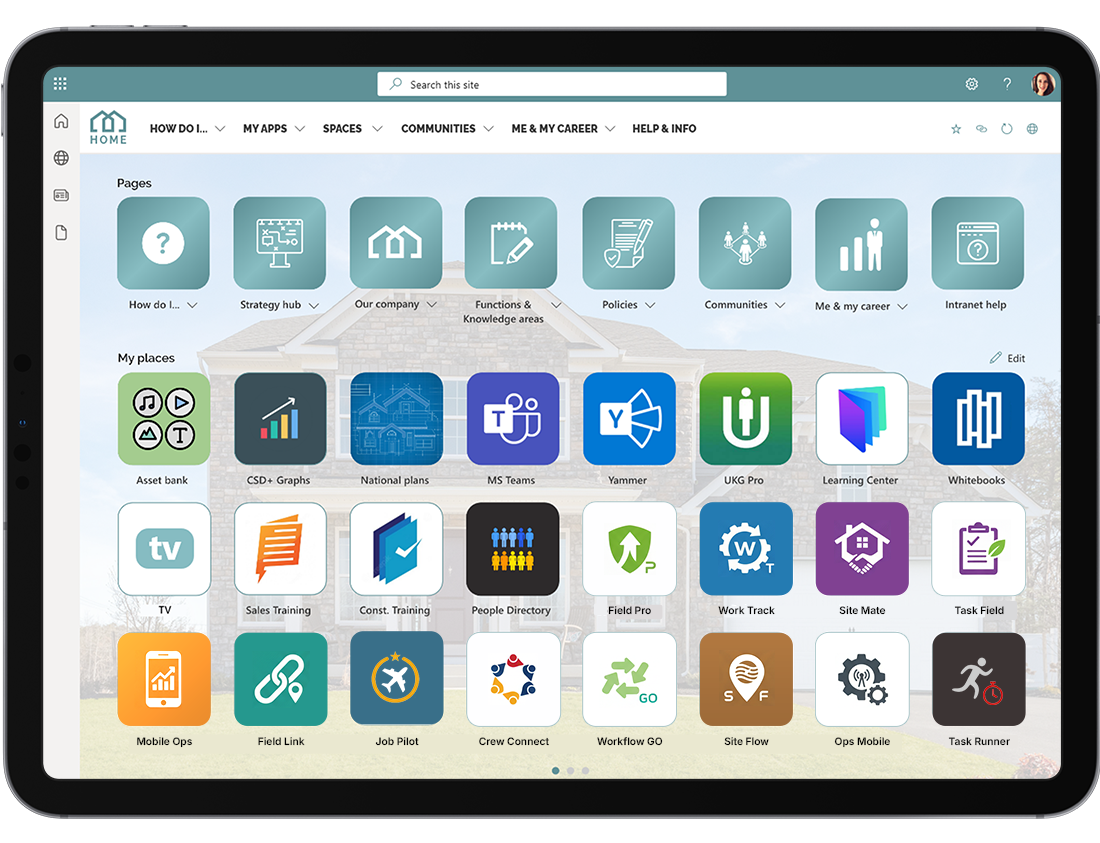
11. App launcher

Modern Intranets play an essential role as the entry point into the wider digital workplace and the multitude of apps that employees need to access in the working week. Providing a list of personalised icons on the intranet homepage where employees can reach all the apps they use is consistently one of the most popular user features and helps drive adoption. Surprisingly this is not available out of the box. Our Lightspeed365 App launcher web part delivers allows employees to configure the apps that matter to them and drive productivity.

12. Handbook

The Lightspeed365 Handbook feature is another handy web part that allows content owners to present pages within their site as a searchable index. This is perfect for presenting information such as a Handbook or a series of “How to” content together to help employees find what they need successfully and quickly.

13. Welcome bar

An engaging intranet provides a highly personalised experience for users to drive relevancy and make it feel like it is built for employees rather than just being a corporate tool. The Welcome bar web part is another popular Lightspeed365 feature. This delivers a personalised message but also additional local details like the weather. This not only signals the intranet is personalised to the individual, but also makes it more welcoming.

14. External social feeds

Many intranet teams choose to add their company’s external social feeds into their intranet homepage to help drive awareness of how they are going to market ad provide a more rounded view of communications. The External social feed feature in Lightspeed365 is a web part that allows you to integrate updates from major platforms like X and LinkedIn. It uses a third-party service called Juicer.

15. Accordion

One of the aims of additional Lightspeed365 web parts is to extend the options to present information in SharePoint in a useful and engaging way. The Accordion feature is yet another web part that enables intranet teams to present information such as FAQs in an efficient way via expandable and collapsable sections. This means you can present the content employees need to reference while ensuring a page stays tidy and is not overwhelming.

The essential SharePoint web parts for your intranet

Every intranet is different but there are some web parts that prove to be essential for the majority. If you’ d like to discuss SharePoint web parts or how Lightspeed365 features can extend the power of your SharePoint intranet, then get in touch!

Frequently asked questions

Ready for a faster, more engaging intranet?

Related articles

Not sure where your intranet needs improving? Take our assessment to find out

30+ additional feature-packed web parts

Intranet designs & case studies
2025 ClearBox intranet report

10 Microsoft SharePoint intranet templates & examples

Blog

Where can I find SharePoint site templates for intranets or communication sites?

You can find SharePoint site templates within Microsoft 365 or from trusted providers that offer pre-built designs for intranets, communication sites, and team collaboration. These templates include ready-made layouts, web parts, and sample content that can be customised to match your organisation’s needs. They help you set up SharePoint sites quickly while maintaining a consistent and professional design.

SharePoint templates

These templates go beyond simple layouts — they shape how people interact, share information, and stay connected across the organisation. The sections below explore the different types of SharePoint templates available and how tools like Lightspeed365 make them faster to deploy and easier to manage. 

You can’t control every page – so give your content owners the tools to get it right.

Well-designed Microsoft SharePoint site templates help your intranet stay usable, consistent, and on-brand—no matter who’s publishing. From HR policies to onboarding guides, these templates make it easy to create pages that look professional, follow best practice, and meet employee needs.

Intranet teams often struggle with how their SharePoint intranet should look and how to structure it effectively. Thankfully, there’s a wide variety of SharePoint templates available that can help. These include both SharePoint site templates and SharePoint page templates, each designed to support different intranet needs — from news and onboarding to directories and campaigns.

Whether you’re starting from scratch or refining an existing setup, SharePoint intranet templates give you a strong foundation, saving time, improving consistency, and helping content creators focus on what really matters. In this post, we’re going to:

  • explain what SharePoint templates are
  • explore the value of using SharePoint site and page templates in your intranet
  • share 10 of our favourite SharePoint intranet templates, all built using Lightspeed365

What is a Microsoft SharePoint intranet template?

A SharePoint template is essentially a pre-determined Microsoft SharePoint layout for a page or site that can be used as the starting point for creating a part of your page or site on your intranet.

SharePoint templates come in two main types:

  • SharePoint site templates that provide a shape of an overall site (a collection of pages that sit within your broader intranet)
  • SharePoint page templates that deliver a specific SharePoint page design.

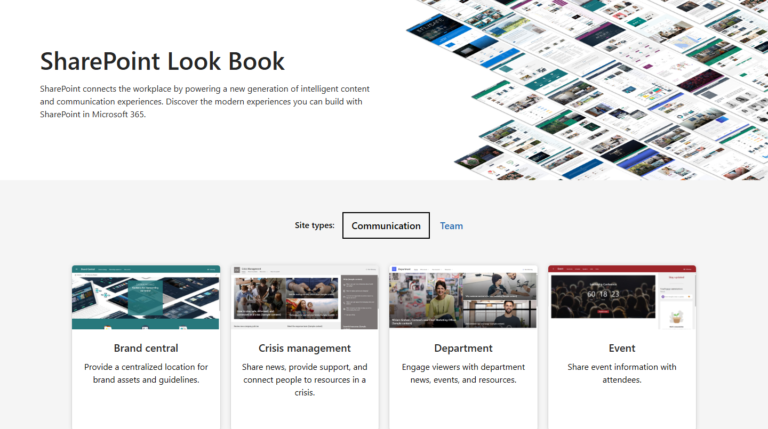
There are a number of different SharePoint templates that can be deployed directly from Microsoft, which are explored in the Microsoft SharePoint lookbook. However, you can also create your own SharePoint intranet design templates to use internally within your organisation, for example, across your publishing or content creator community.

SharePoint site template examples

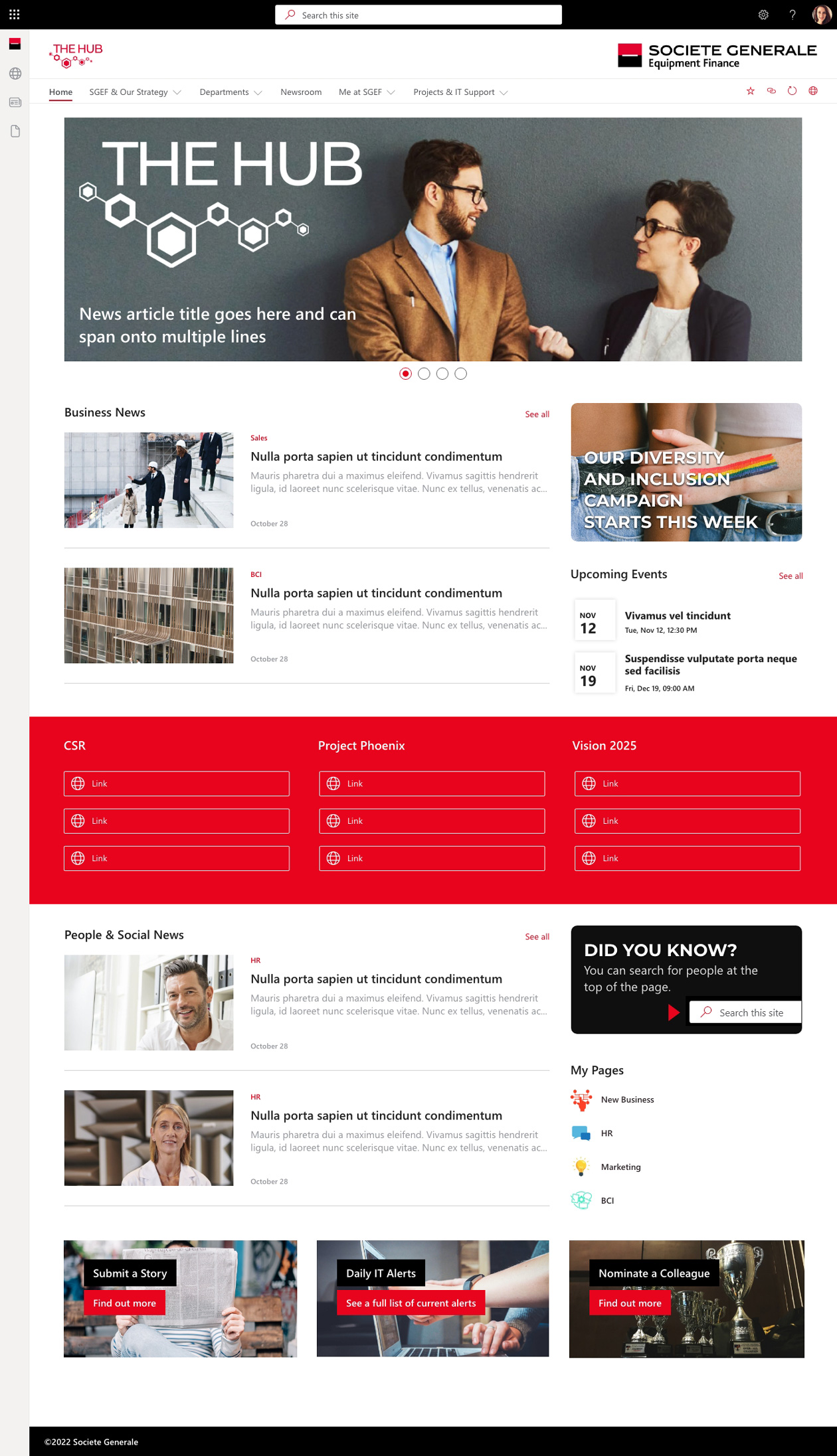
  1. SharePoint intranet homepage site template
  2. SharePoint employee engagement campaign site template
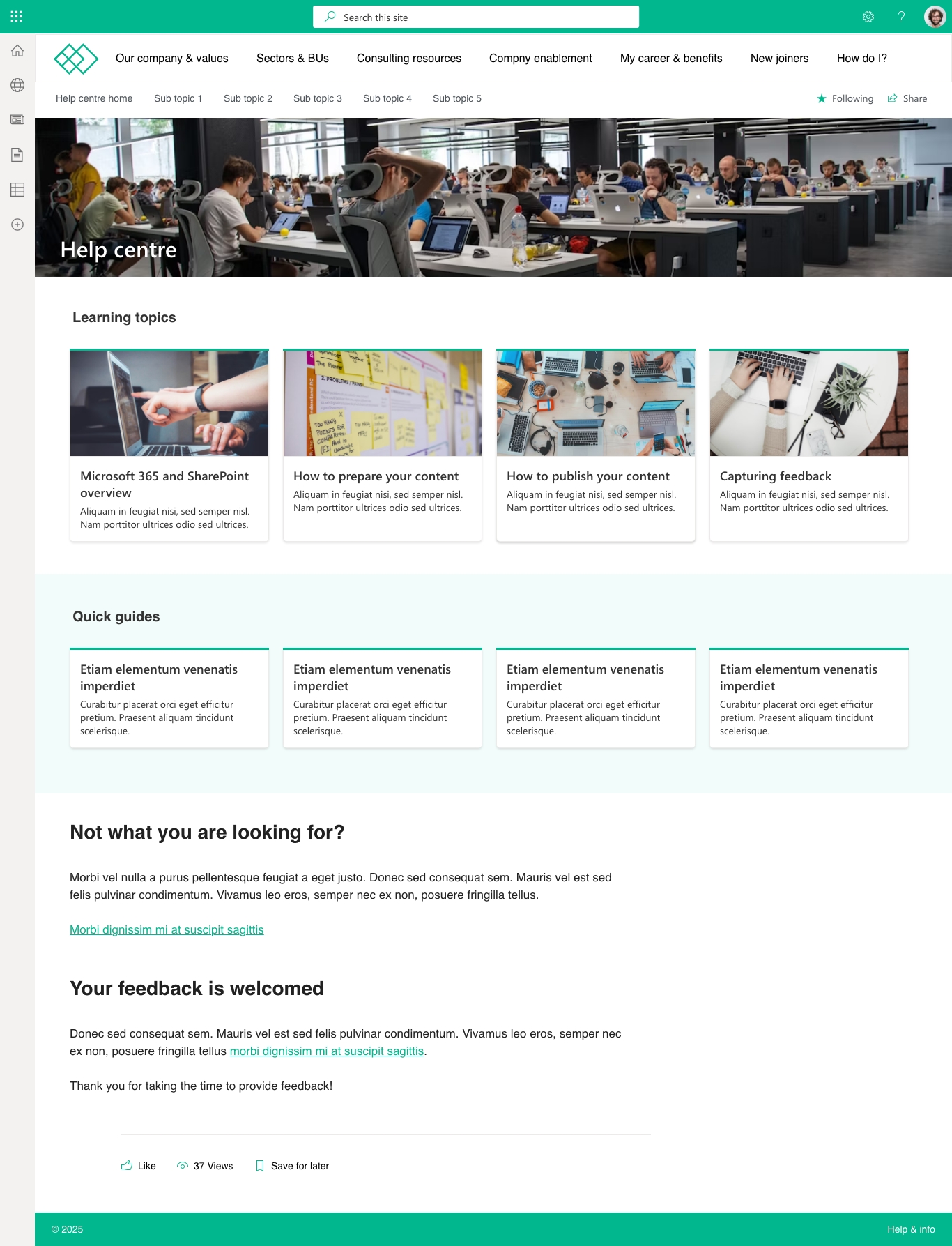
  3. SharePoint knowledge base site template
  4. SharePoint employee onboarding site template
  5. SharePoint employee benefits site template

Microsoft SharePoint intranet homepage site template

Make your intranet homepage a place employees return to—not just land on

Built with Lightspeed365: a dynamic, personalised homepage that brings news, tools, and updates together—without custom development.

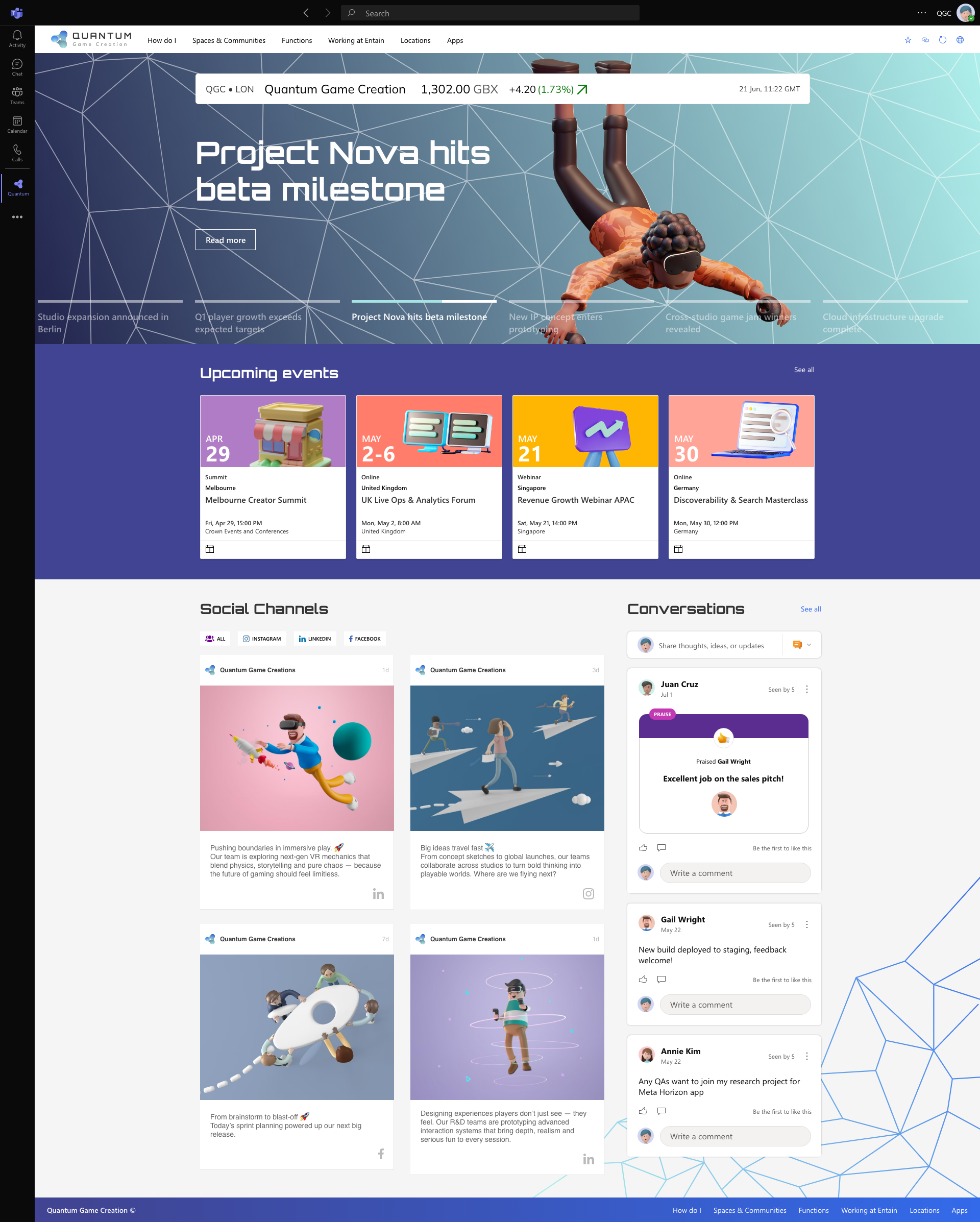
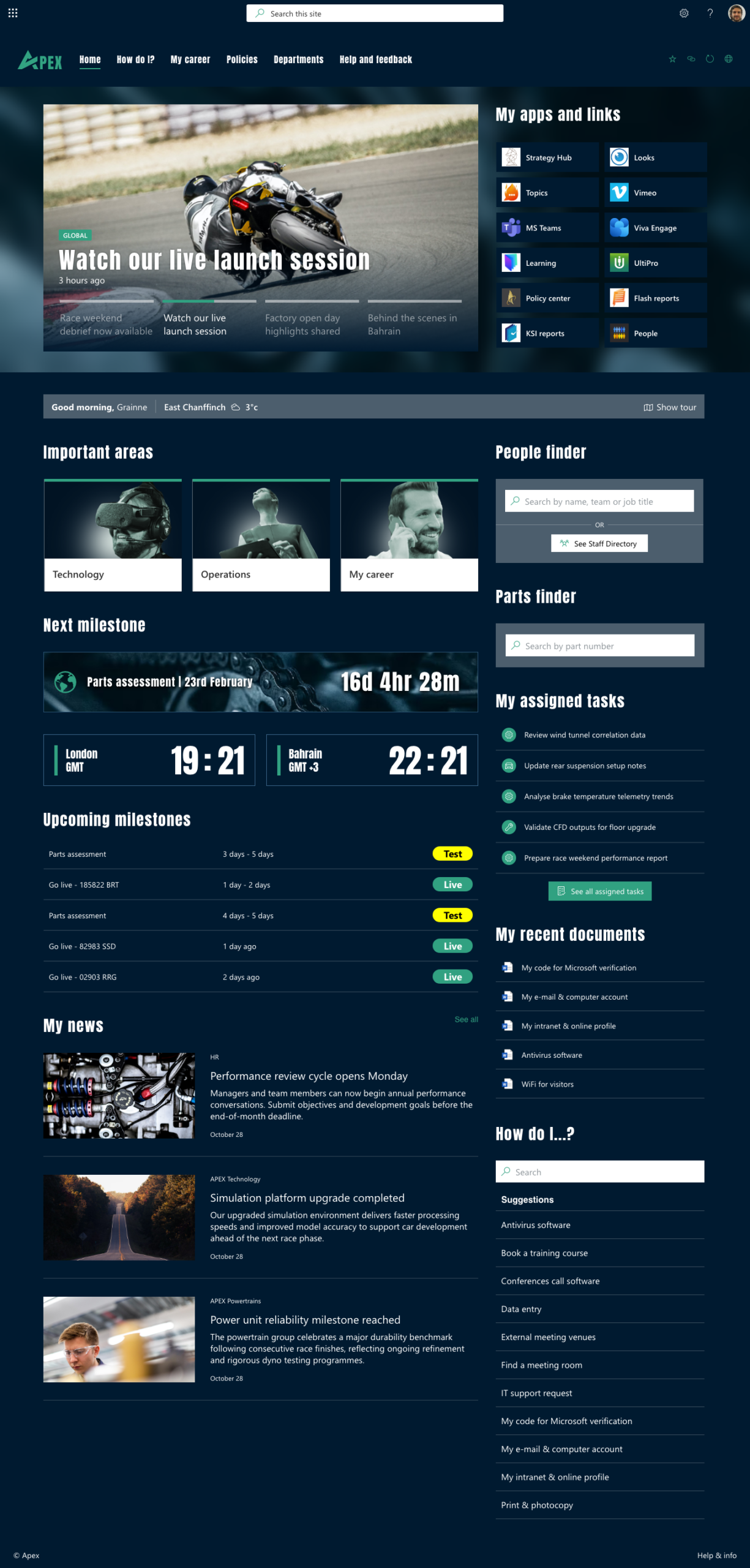
The main homepage of an intranet is arguably the most important. It needs to provide the right blend of features and content that is appropriate for the organisation, but also for the employees. This normally means a mixture of content types and links, ideally tailored to the needs and interests of different employee groups and types. Additional personalisation options give additional control to the employees.

SharePoint employee engagement campaign site template

Spark real involvement, not just awareness

Built with Lightspeed365: launch campaign pages that actually get noticed. Add eye-catching layouts, social feeds, and targeted updates—all without relying on IT.

Intranets are the ideal place to launch and keep employees updated on company initiatives. These can range from innovation drives to embedding brand values or peer recognition. The aim is to create engaging pages full of content, discussions and ideas that will engage your people and make them feel that they are part of the initiative.

If no one sees the campaign, it never happened. Lightspeed365 helps your message cut through—visually, socially, and fast.

Microsoft SharePoint knowledge base site template

Give employees fast, confident answers - without the email back-and-forth

Built with Lightspeed365: your single source of truth—visually clear, easy to navigate, and ready to go live in days.

Intranets are go-to places to access knowledge, establishing a single source of the truth. The Knowledge base SharePoint site template is an excellent way to present a collection of knowledge, such as a policy library, a list of “how do I” pages or even brand assets. While the top section provides details and context about the collection and also can highlight specific items within it, it’s the A-to-Z listing and search facility which often provides the most value.

What value does this SharePoint template bring?

  • This SharePoint page template is flexible and it can present any collection of knowledge or controlled documents; it is useful for any function that needs to provide a set of resources that employees need to reference.
  • The scoped search and browse facility provides strong findability, so it is very useful in connecting employees to the resources they need.
  • Content owners love this SharePoint template because it allows them to easily present a collection of resources in a user-friendly way.
  • The Knowledge base template uses Lightspeed365’s powerful handbook feature, which is not available out of the box with SharePoint.
  • Additional features like ‘Must read’ are powered by Xoralia controlled document management for SharePoint

When employees waste time hunting for answers, your productivity dips. Lightspeed365 puts key info where people can actually find it.

SharePoint employee onboarding site template (resources hub for new hires)

Give new starters everything they need to feel informed, welcomed, and ready to go.

Built with Lightspeed365: a warm, structured onboarding experience. No emails, no confusion, just everything in one place.

When new employees start working at an organisation, they often have a lot of questions about the way the organisation works, how it is structured and how to navigate its various knowledge areas. An onboarding area on the intranet is the ideal place for them to orient themselves and get answers to questions quickly. They can also be guided through common onboarding activities like registering for employee benefits and completing mandatory training.

First impressions matter. This template helps you make onboarding feel like a win - for new hires and comms teams alike.

SharePoint employee benefits site template

Turn your intranet into the go-to place for perks, support, and career growth

Built with Lightspeed365: an employee benefits hub that’s clear, inviting, and always up to date.

Employee benefits are typically of great interest to your people, so laying them out clearly on the intranet is a great way to add value to the platform and ensure you have frequent visitors. In some organisations, the benefits are financial or health-related, but others include career development opportunities.

If it’s buried in HR documents, no one’s using it. This benefits hub gets the visibility, and traffic, it deserves.

What about SharePoint page templates for your intranet?

SharePoint page templates are a little different to site templates, in that they are designed to be a single page and not a homepage of a site/section. Typically, they are found lower down in the information architecture/hierarchy.

Sharepoint page template

Lightspeed365 allows you to create beautiful, flexible and high-value SharePoint pages (and therefore accompanying SharePoint templates!) that really do make a difference.

Below, we share six essential SharePoint page templates for an intranet. Note that these templates include both out-of-the-box SharePoint web parts, but also some Lightspeed365 features:

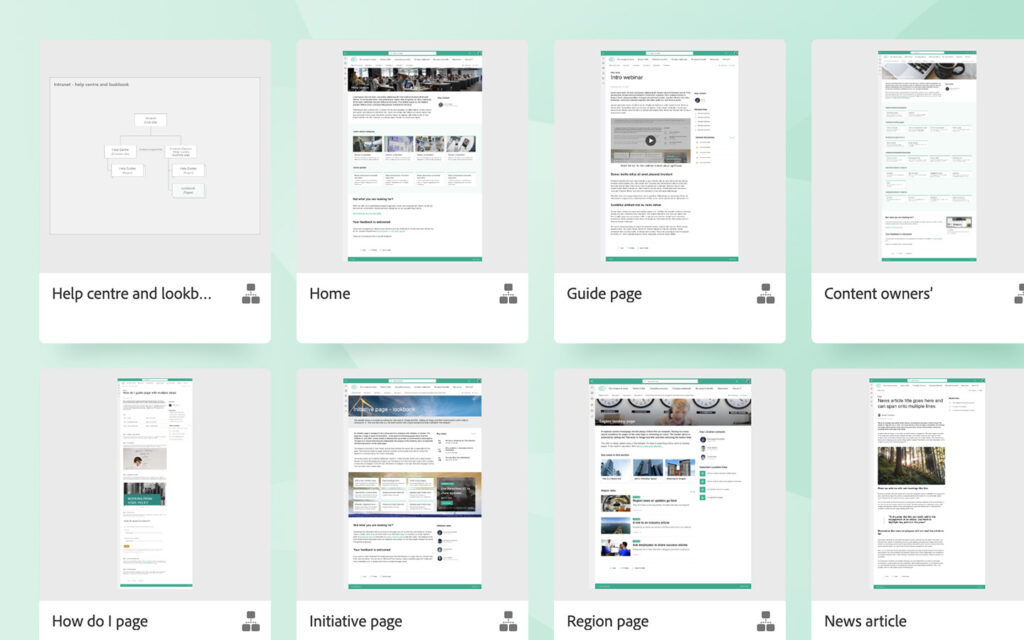
  1. News article SharePoint page template
  2. ‘How do I?’ guide SharePoint page template
  3. Department or location SharePoint page template
  4. Employee directory SharePoint page template
  5. Triage SharePoint page template

News article SharePoint page template

Make your stories unmissable—with layouts designed to engage, not just inform.

Internal communications is one of the fundamental jobs of an intranet. A news page will inevitably be one of the most used SharePoint page templates, helping to deliver and elevate news stories for your employees.

Built with Lightspeed365: news pages that look polished, drive clicks, and feel as professional as your external comms.

What value does this SharePoint template bring?

  • Brings consistency to news items across different areas of the intranet, encouraging familiarity, engagement and adoption.
  • Encourages the use of headlines to break up a story, helping make it more digestible and supporting clarity of message.
  • Provides flexibility to add elements such as images and quotes to make a news item more inviting and engaging.
  • Ultimately, this SharePoint template will encourage views and increase the impact and success of news items, in turn supporting wider internal communications goals and employee engagement objectives.

You worked hard on the message - don’t let the page design let it down.

'How do I?’ guide SharePoint page template

Cut down questions. Speed up action. Keep everyone moving in the right direction.

The How Do I SharePoint template provides instructions for employees on how to complete a task and get things done. A task can be simple or have multiple steps. Typically, the How Do I template is used to explain simple tasks, such as how to log an IT support ticket or claim expenses, or something more complex like applying for paternity leave.

Built with Lightspeed365: clear, step-by-step guides your people will actually use—instead of emailing HR or IT.

What value does this SharePoint template bring?

  • This SharePoint intranet template makes it easy for employees to follow each of the steps in completing a task and adds further detail with embedded documents, process diagrams and even forms to trigger workflow.
  • The template layout also includes a prominent contact display for users to get in touch if they have questions about the task or process.  
  • Ultimately, this SharePoint design template helps employees to get things done quickly and efficiently, in turn supporting productivity and encouraging standardisation in terms of processes.
  • It also saves time for IT, HR and other internal helpdesks, meaning employees don’t need to contact them asking how to achieve a task.

When people don’t know how to do something, they do nothing, do it wrong or send another email. This page solves that.

Department or location SharePoint page template

Pages that connect, inform, and stay consistent.

Most intranets have information about different departments or locations, particularly in large, global and complex businesses. This department or location SharePoint template provides information and news about a particular department, function, region, country or office and can either be aimed at people based in that department/location, or the rest of the business and be about that department/location. (It’s usually not best to mix both these use cases.)

Built with Lightspeed365: give every department or location a polished and up-to-date home, without chasing every content owner.

What value does this SharePoint template bring?

  • This versatile SharePoint page template provides useful targeted information about amenities and travel for both people located at a particular office or site, or those wanting to travel to it.
  • The template tends to provide a route to more detailed pages or sections, but can also provide news as well as links. It also includes key contacts at a particular location.
  • Because it is a template, it encourages and provides a consistent and complete set of information for each location, which is invariably extremely useful.
  • This SharePoint template has multiple benefits – helping support people who visit a site less frequently (more common in the age of hybrid working), supporting efficiency and productivity, and encouraging connections regardless of geography.

Consistency matters. This template helps every department and region present clear, reliable info—without reinventing the wheel.

Employee directory SharePoint page template

Help employees find the right person fast. Build connection and cut the wasted guesswork.

Intranets often help connect people to each other. The employee directory SharePoint template is an attractive and useful way to introduce members of a team or department to a wider audience, helping to encourage the right person to contact.

Built with Lightspeed365: a searchable, filterable people directory that makes connecting with colleagues easy—even in large or hybrid teams.

What value does this SharePoint template bring?

  • This SharePoint template ensures people can view team details divided appropriately into different areas with contact details prominent, as well as the ability to click through to individual profiles.
  • The search box supports findability, while additional links to other resources to the right also provide additional context about the team.
  • The people directory template could be part of a wider SharePoint site template for a department, team or location page or areas.
  • This flexible SharePoint design page template helps to encourage connection across an organisation, but also establishes the right person to contact, helping people get things done and waste less time.

When people can’t find the right contact, work slows down. This template makes your org chart usable.

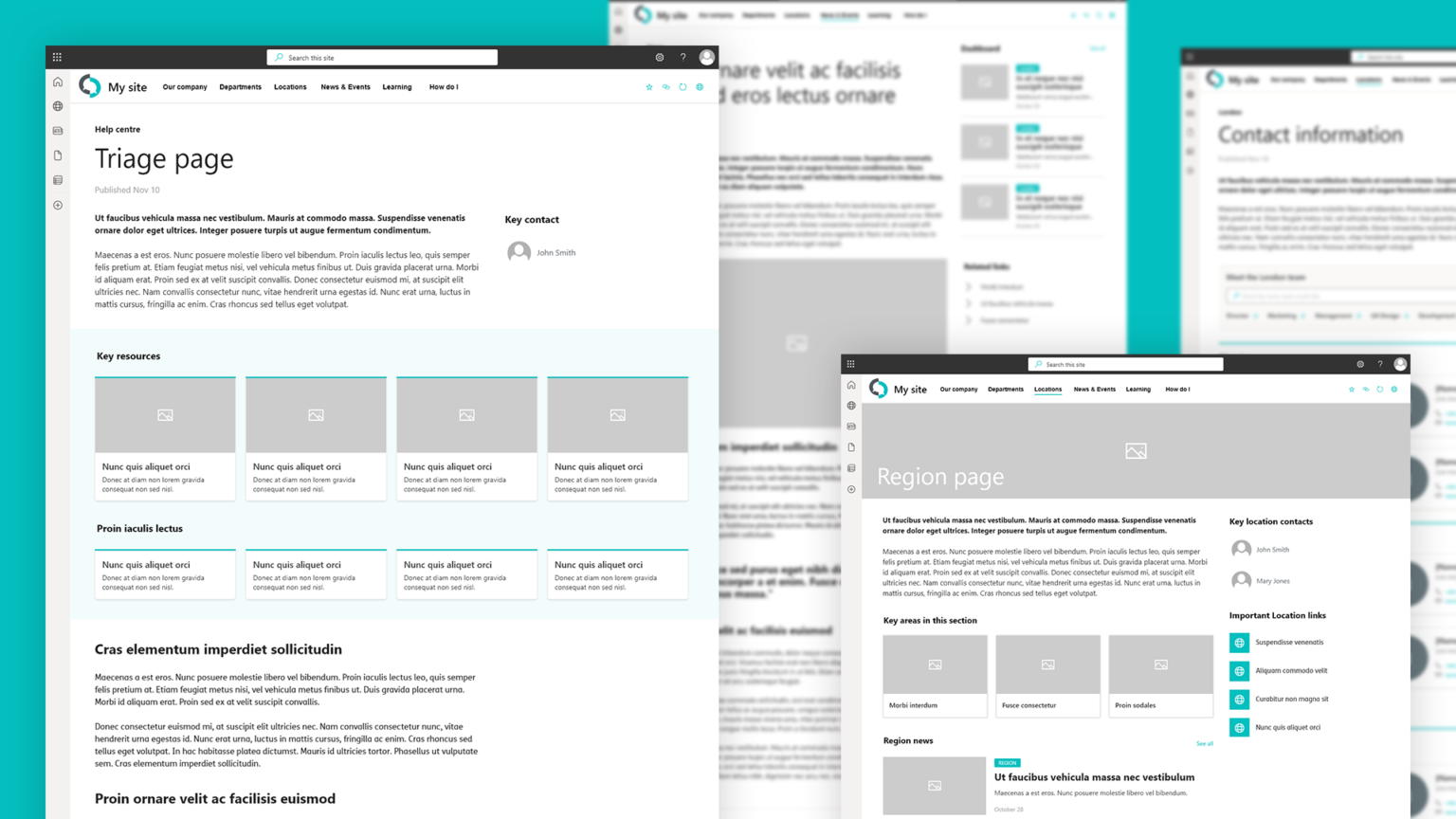
Triage SharePoint page template

Guide employees to the right content—without overwhelming them.

The Triage SharePoint page template provides a high-value design for your intranet. Some pages act as places to guide users to other important pieces of content based on their needs. The Triage template presents options on different pages in an attractive way, with images for each resource. These can then be arranged under different headings.

Built with Lightspeed365: turn complex information into clear next steps.

What value does this SharePoint template bring?

  • The Triage SharePoint design template is very versatile and can be used for initiatives, information resources on areas such as strategy, service hubs for HR or IT and more.
  • It provides a consistent and attractive way to guide users toward the resources they need, bringing structure and clarity to intranet content, while also increasing findability.
  • The SharePoint template not only helps employees find what they need, but also encourages content owners to think about content structure and how they can satisfy common user needs and support user journeys.  
  • At the bottom of the page, there is an opportunity to place an option for people who haven’t found what they are looking for.

Clarity beats clutter. This template helps you steer people to the right place - without making them guess.

What are the benefits of SharePoint site templates and SharePoint page templates?

SharePoint templates deliver value in a number of different ways.

Saving time
A SharePoint site template provides a significant starting point for creating a page or site, providing the right layout and web parts which can then be edited as appropriate. This can save large amounts of time and support the productivity of busy site editors and authors.
Inspiring ideas
SharePoint’s flexibility is a strength. However, having that much creativity can mean it is hard to know just exactly where to start, particularly for less experienced publishers. SharePoint templates provide an excellent source of inspiration for both seasoned intranet professionals and less confident users to achieve the ideal MS SharePoint site design.
Supporting your publishers
Using SharePoint intranet templates helps do some of the heavy lifting around SharePoint page design for your site admins, publishers and content creators who may not be professional communicators and are infrequent users of SharePoint. It gives them a starting point that also reflects your publishing standards and best practices.
Establishing consistency and content standards
Using Microsoft SharePoint intranet templates helps to enforce publishing and content standards across your intranet, establishing consistency in the look and feel and ensuring everything is on-brand. It also provides consistency in layout across different sites and content types, making it easier for users to find the right information and resources on any given page.
Make the best use of Lightspeed365 features
Many of our Lightspeed365 features increase the usability of native SharePoint, while also extending design and brand options. Many of the Lightspeed365 features have also been designed around key use cases. Using the right SharePoint intranet templates will ensure you’re making the best use of Lightspeed365’s rich library of additional web parts.

SharePoint homepage templates for your intranet

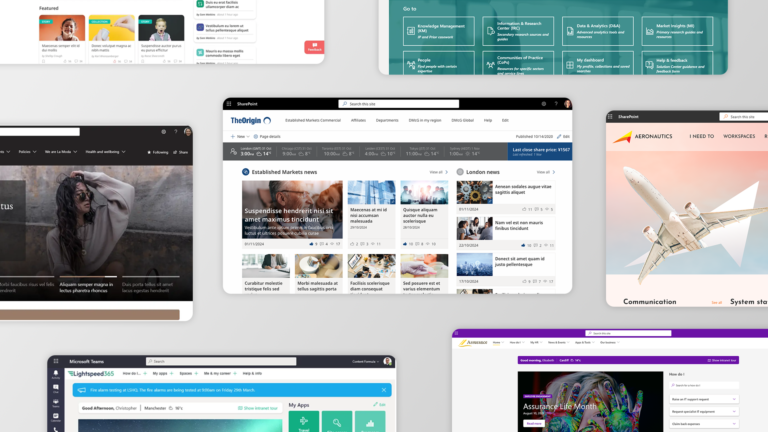
The most important page on your SharePoint intranet is the homepage. SharePoint intranet homepage templates can make a real difference in driving adoption and value. As these kinds of SharePoint templates can support intranet success, we’ve created a separate article with seven great SharePoint intranet site examples.  This article includes several SharePoint homepage templates for your intranet – from the “balanced intranet homepage” to the “social hub intranet homepage.”

The power of the SharePoint templates

SharePoint page templates and SharePoint site templates help to ensure your site is consistent, on-brand, attractive, usable and accessible.  If you want to see how you can use Lightspeed365 features in combination with SharePoint templates, then why not book a demo?

Frequently asked questions

Ready for a faster, more engaging intranet?

Related articles

Not sure where your intranet needs improving? Take our assessment to find out

30+ additional feature-packed web parts

Intranet designs & case studies

2025 ClearBox intranet report

Free intranet assessment to drive improvement

Blog

Assessing intranet
If you want to get to a certain point on your intranet journey, you need to know where you’re starting from. Our intranet health check helps you assess that.

How good is your intranet? What are its strengths and weaknesses? Where are the areas for improvement? What are your priorities to help drive adoption and increase value?

Our new Intranet Health Check assessment tool provides an excellent way for internal communicators, IT directors and intranet managers to get a quick assessment of their intranet maturity across a number of key areas and point to where improvements might need to be made.

You can use the Intranet Health Check to decide on where to focus efforts to drive continual improvement, as a data input to consider a new intranet, or just as a way to help kick-start thinking about how to make your intranet better.

In this article we’re explore why it is critical to keep on improving your intranet, why assessing your intranet is important, how the Intranet Health Check works, and the ways you can use it to ensure your intranet keeps delivering value.

Why it’s essential to keep on improving your intranet

Intranets are never done. There is always more work to do. Employee needs and organisational requirements continually change, and intranets need to evolve accordingly to:

Standing still with your intranet and not evolving or improving is never really an option. As the rest of the world moves on, it means your intranet will effectively fall behind, start to experience reduced adoption, and ultimately depreciate in value.

Intranets get better in different ways. Occasionally you might need to invest in an intranet product like Lightspeed365, but also often intranet teams sustain a programme of continual improvement with smaller, incremental changes. Over the years, we’ve also observed that continual improvement on the intranet tends to be the time when most value is added.   

Thankfully, SharePoint intranets and products like Lightspeed365 are great at supporting continual improvement because:

  • Most intranets are launched as a Minimum Viable Product (MVP) with improvements planned on the roadmap.
  • Intranets are essentially modular in nature, so it is easy to add new features and content areas, so intranets lend themselves well for incremental changes.
  • Microsoft continues to invest in SharePoint and also Microsoft 365 which usually means there are opportunities to make a SharePoint intranet better and better.
  • Intranet products such as Lightspeed365 also continue to evolve with new features, which can then easily be deployed.
  • Central intranet teams and related support departments tend to be tightly resourced, so incremental improvements tend to be easier to support rather than “big bang” intranet implementations.
  • Continual improvement also provides the opportunity to learn what works and what doesn’t over time.

Why assessing your intranet is an integral part of improvement

If you want to improve your intranet, it is essential to know where you are currently in terms of what works well, where there are gaps, which areas you’re less than mature in, where changes are need, and where there are opportunities to improve. If you want to get to a certain point on your intranet journey, you need to know where you’re starting from.

When it comes to improving your intranet, knowledge is power. You can’t improve an intranet based on assumptions, otherwise you might introduce features or prioritise changes that will add little value or have zero impact. Teams who successfully improve their intranet ensure they:

But keeping on top of all these areas can be challenging because:

  • Intranet teams often don’t have other examples of intranets to compare their own to, partly because other intranets are hidden behind the firewall.
  • Intranets cover a multitude of different areas so it can be difficult to assess performance over a number of different areas
  • Intranet teams and support functions are super-busy and there is not always the resourcing, bandwidth or headspace to do this successfully.
  • Intranet products and digital workplace continue to evolve at pace.
  • Everyone has a different view of what the intranet should do – and there can be a lot of noise and sometimes uniformed opinions across different stakeholders, making it harder to establish an objective view and clarity ging forward.

Recognising these issues, we created the Intranet Health Check in order to provide a quick, practical and informed way to assess your intranet maturity and its relative strengths and weaknesses. When combined with other data inputs such as a user survey, you can start to build up a strong picture of where you are with your intranet.

What areas do you need to assess an intranet on?

Intranets are very flexible in that they deliver value across a number of key areas and processes, so any assessment needs to take in these different areas of value. For example, it is possible for have an intranet that is excellent at supporting internal communications but has very poor mobile access or does little to support knowledge management.  

The five key areas of that we asses in the Intranet Health Check are:

Communication

Supporting internal communications and the effective flow of information, keeping employees informed to drive operations, reduce risk, support organisational goals and more.

Employee engagement

Helping employees feel connected to their organisation and nurturing a positive organisational culture.

Self-service

Allowing employees to complete common tasks, get things done and get answers themselves, relieving pressure on busy IT and HR helpdesks and other busy support teams.

Mobile access

Enabling mobile access to the intranet, supporting better frontline communications and engagement, as well as hybrid and remote work.

Knowledge management

Supporting knowledge sharing, providing access to experts, supporting learning, providing access to materials to support customer service, and more.
Lightspeed365 Intranet Health Check

How the Intranet Health Check Works

Lightspeed365’s Intranet Health Check is a self-assessment tool that provides insights into the performance and maturity of your intranet over five key intranet areas – Communication, Employee Engagement, Self-service, Mobile access and Knowledge management. All responses are completely confidential and will not be shared.

The assessment is derived from forty or so carefully curated questions relating to intranet features, adoption and management. We’ve designed the Intranet Health Check to be quick and easy to use, so most of the questions require either yes / no answers or choosing one out of three ratings. It should only take ten to fifteen minutes to complete.

Once you have completed the questions you will get an instant report showing how much your intranet scores out of 100 for each of the five key areas, plus some related commentary with useful insights. We will also email you a link the report which can be shared with others.

The Intranet Health Check is not designed to be a deeply scientific and hugely report into the positive and negative elements of every intranet platform, but more of a pragmatic, quick check into the health of your intranet that will provide real insights with minimal effort.

Six ways to use the Intranet Health Check

Use the results from the Intranet Health Check in the following ways:

1

Conversation starter

Kick off discussions or a brainstorm about the role and the future of your intranet. The results provide a great talking point
2

Strategy starting point

Use the Health Check as a useful data input to help work out the direction and plan for your intranet going forward.
3

Prioritise the roadmap

Use the results to consider the priorities for your roadmap for the short-, medium- and long-term.
4

Business case

Use the results as part of a business case for a new intranet solution or investment in new features.
5

Identify requirements

Use the results as a starting point to work out requirements for a new intranet solution.
6

Track progress

Track the success of your intranet over time or before and after an intranet implementation project by taking the Health Check at different points of time.

Ready to take the Intranet Health Check?

It’s free and will take you only fifteen minutes at most. If you’d like to discuss the Health Check or its results, then get in touch!

Ready for a faster, more engaging intranet?

Not sure where your intranet needs improving? Take our assessment to find out

30+ additional feature-packed web parts

Intranet designs & case studies

2025 ClearBox intranet report

Why Lightspeed365 is the best Origami Connect alternative

Blog

Intranets have now been around for thirty years, so the market for intranet software is now very mature. This means there are solutions to suit every budget and need, but it can feel a little overwhelming trying to figure out which product is the best fit for your organisation. In this post, we’re going to explore the merits of the Origami intranet product (previously called Origami Connect), and how Lightspeed365 provides a great Origami Connect alternative for organisations looking to get more from their SharePoint intranet.

The intranet software market is different to some other types of enterprise software because Microsoft SharePoint dominates intranet solutions. SharePoint is by far the most popular base technology for intranets. It is possible to use SharePoint Online straight out of the box to deliver your intranet, but often teams find it hard to set-up, costly to manage and that there are some major gaping holes in terms of functionality and features.

While some “in a box” intranet products are completely standalone, other solutions including Origami Connect and Lightspeed365 are designed to work alongside SharePoint. They increase the capabilities and ROI of your SharePoint intranet, usually by filling some of the gaps found in native SharePoint alone.

Origami Connect alternative

What is Origami (Origami Connect)?

Origami is a SharePoint add-on product that organisations with SharePoint intranets can use to extend the power of their SharePoint-based intranet.  The product is provided by Sharemuch Holdings, a company registered in Canada.

What do Origami and Lightspeed365 have in common?

Origami and Lightspeed365 have some things in common:

  • They are both products that enhance SharePoint intranets by extending the number of features (web parts) available, allowing you to work with all the existing SharePoint web parts and functionality.
  • Both tick most of the security and compliance boxes relating to SharePoint intranets, with all data kept within your Microsoft 365 tenant.
  • Both products are designed to plug the gaps in SharePoint and provide extra functionality and missing features, as well as support more flexibility around intranet design.
  • Both Lightspeed365 and Origami are designed to provide a cost-effective approach that helps you to deliver an enterprise intranet at significantly less cost than a fuller intranet “in-a-box” product.

Seven reasons to consider Lightspeed365 as an alternative to Origami

However, there are several differences between the products and the companies behind them, and it is critically important to select the product that’s best for your requirements. Below we outline some of the differences between the products and why Lightspeed365 represents an excellent alternative to Origami, and for some teams may well be the preferred choice.

More tools for internal communicators

Internal communications teams are often the product owners of a SharePoint intranet. They are also frequently frustrated by the limitations of SharePoint out of the box in supporting flexible internal communications, so they turn to intranet products like Origami and Lightspeed365 to provide more features.

Both Origami and Lightspeed365 have a number of additional web parts for internal communicators that extend options for presenting news, for example. However, Lightspeed365 specialises in supporting internal comms teams, with a number of specific features that are consistently requested by communicators, including:

  • Push communications: The ability to send push notifications to specific Teams channels including on mobile devices, an essential feature to support frontline communications.
  • Branding tools: The branding customer enhances your intranet’s look and feel, allowing you more flexibility to deploy specific colours and fonts, so your intranet can be more on-brand.
  • Subscriptions: The ability for users to subscribe to different news topics to create a more relevant and personalised intranet experience.

Note that these three popular intranet features are not available in Origami at the time of writing.

Lightspeed365 was built with Internal Comms teams in mind—no workaround required.

Popular employee-focused web parts that make a big difference

A successful intranet is firmly focused on the needs of users, and both Lightspeed365 and Origami have a number of features that are particularly popular with employees. These features can make a big difference to your intranet experience and provide a good foundation for adoption.

Origami has a number of additional engagement features including a “kudos” web part to promote shout-outs and also another to support discussion boards. At Lightspeed365 we believe these can be delivered successfully through Microsoft Viva Engage, and then embedded easily into a SharePoint page, so we try to focus on employee-focused web parts which will not duplicate core functionality.

For example:

  • Our highly popular Noticeboard feature allows employees to post classified adverts and announcements in a more fit-for-purpose format than Viva Engage.
  • Our accessibility tools enable employees to configure their display options around text-size, colour and contrast, to support a more inclusive and accessible intranet.
  • The App launcher is popular with employees as it gives them a useful daily work tool for accessing company apps and services
We focus on features your employees will actually use—no bloat, no duplication.

Deeper integration with the rest of the digital workplace

A SharePoint intranet provides excellent opportunities to integrate Microsoft 365 tools into the experience to drive value and adoption, creating a more integrated digital workplace. The features that come out of the box with SharePoint already support this, for example with Viva Engage web parts, but there are some limitations around flexibility.  Lightspeed365 has two powerful features that provide deeper integration with a M365-powered digital workplace:  

  • The Microsoft Viva Connections dashboard provides an opportunity to create a focused integrated dashboard, focused on task completion. Lightspeed365 comes with ready-built integrations and corresponding cards to give you a huge head start and minimise IT involvement.
  • Microsoft Teams integration allows you to access your intranet from a branded app that sits in your Microsoft Teams toolbar, offering easy employee access. The fact that the app can be branded makes a significant difference, above and beyond what is available with Viva Connections out of the box.

Note that Origami does not feature either of these features that support a more integrated digital workplace experience.

Out-of-the-box Viva Connections doesn’t cut it. Lightspeed365 closes the integration gap.

Intranet management tools

We’ve been working in close partnership with intranet teams for over two decades and the same pain points around managing intranets come up again and again. One major area where Lightspeed365 and Origami differ is that we have a number of dedicated tools which enable easier management and continual improvement of the intranet.

  • Site provisioning: This incredibly useful feature allows you to triage requests, create approval workflow and automatically provision SharePoint sites – as well as Teams and Viva Engage groups – to avoid site sprawl and effectively manage your intranet.
  • Admin centre: This feature enables you to fully manage all your Lightspeed365 features from a user-friendly dashboard that is embedded right within the intranet, but only visible to admins.
  • Intranet tour: This popular web part introduces the intranet to new users with a custom walk-through of features or introduces employees about updates – doing some of the heavy lifting to help promote the use of the intranet to new hires, as well as supporting overall adoption and continuous improvement.

Feedback: This feature helps collect user feedback to support improvement – unlike the three web parts mentioned above, a similar feature is available in Origami too.

No more SharePoint sprawl. Manage everything from a single intranet console.

Focus on findability and search

One of the key roles of an intranet is to help employees find that they need to get things done and stay informed. SharePoint and Microsoft search capabilities are advanced, but not perfect. Both Lightspeed365 and Origami recognise this and add some more capabilities to improve the search experience, with slightly different but overlapping capabilities. For example, Lightspeed365 has an advanced People Search web part that provides type-ahead capabilities to find colleagues from your employee directory.

Lightspeed365 also has a popular Floating Search web part that allows you to place a scoped search (with the parameters of the search defined) anywhere on any page, providing a prominent place to start searches from. Origami also has a similar web part to provide a more flexible search experience.

Type-ahead People Search. Scoped Search on every page. Done.

Backed by intranet knowhow and expertise

Selecting the right intranet product is not always just about meeting functional requirements. It is also essential to have the right vendor too. One of the strengths of Lightspeed365 is that is that it is created by Content Formula, an independent UK-based digital agency that has fully focused on the SharePoint and intranet space for nearly two decades.

With a long-term stable leadership team with deep business and technical knowledge, Lightspeed365 has been crafted by genuine intranet and SharePoint experts. We’ve lived and breathed SharePoint intranets for a LONG time and this is reflected in the product design and features, that are ruthlessly optimised around employee needs, user experience and reducing the pain associated with managing a SharePoint intranet.

Our stand-out track record with SharePoint intranets is also reflected in the appearance of Lightspeed365 as a leader in the ClearBox Intranet and Employee Experience Report, recognised by many as the definitive guide to intranet software. At the time of writing Origami has yet to feature in the ClearBox guide. 

Built by Content Formula, SharePoint experts since 2005.

Implementation support and additional professional services

Every organisation and its employees have different needs – that’s why no two intranets are quite the same. The flexibility of SharePoint and the additional features (web parts) that come with a product like Lightspeed365 or Origami make a real difference. However, we know that there are often also additional challenges that can often be required with an intranet project:

  • A slight tweaking of a web part that needs custom development
  • Technical and administrative challenges that require in-depth knowledge of SharePoint
  • Support on migrating content from an existing legacy system
  • Unexpected last-minute challenges and hurdles
  • And more!

One of the strengths of Lightspeed365 is that we can provide additional implementation and professional services backed by decades of real-world intranet experience and deep technical knowledge, to implement the world-class intranet that your employees and stakeholders want to see. The global experience of Content Formula – the owners and creators of Lightspeed365 – in the SharePoint intranet space is recognised within the industry and professional intranet community.

Need more assistance than just installing the product? Our consultants are ready to help.

Organise a free demo

The intranet software market is mature with a lot of choice, and that’s great news for intranet teams. If you are looking at a product like Origami then you should definitely check out Lightspeed365, which in our view, has several advantages. Why not organise a demo and experience Lightspeed365 for yourself?

Ready for a faster, more engaging intranet?

Not sure where your intranet needs improving? Take our assessment to find out

30+ additional feature-packed web parts

Intranet designs & case studies
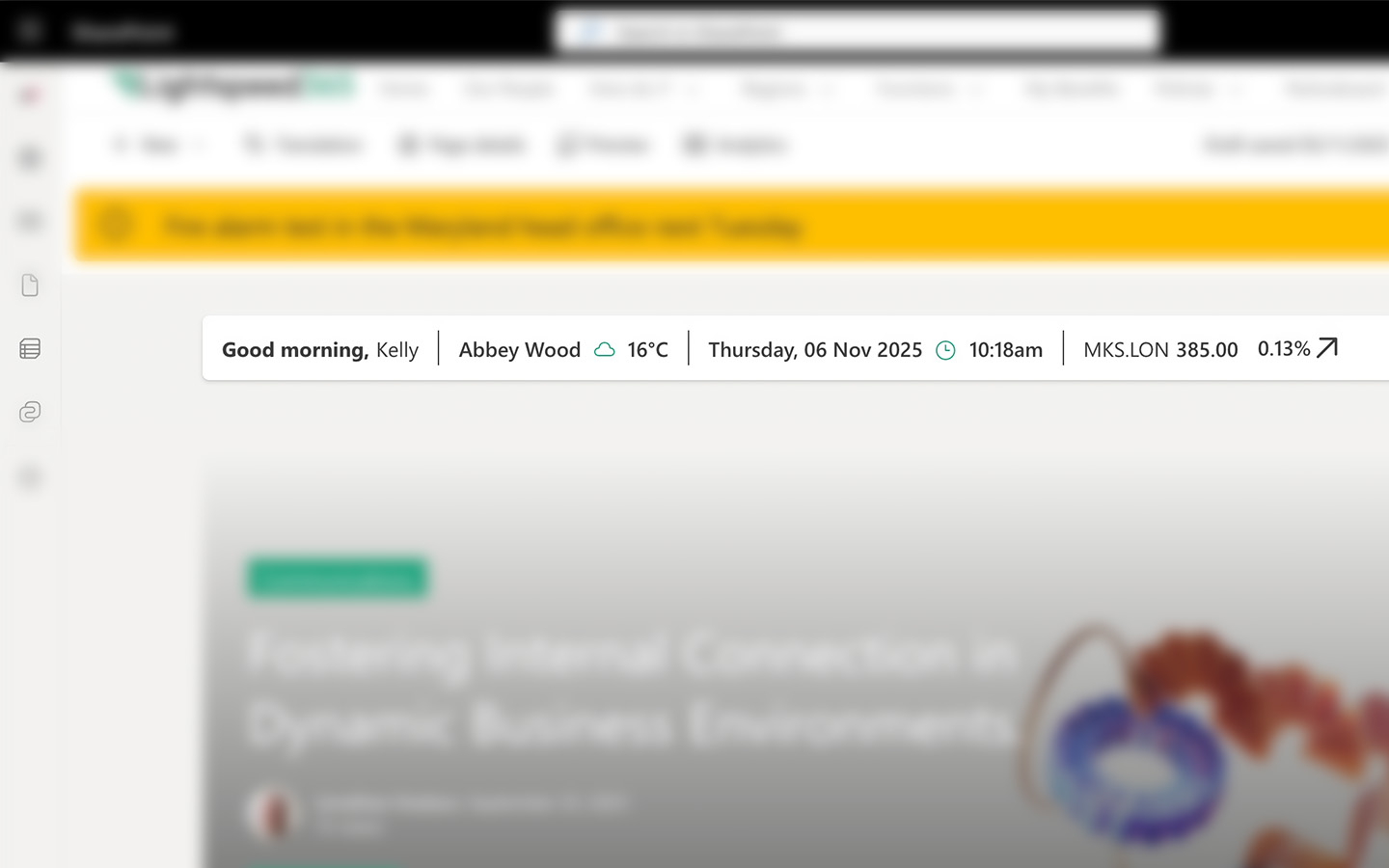
2025 ClearBox intranet report

25 intranet metrics to track success and improve

Blog

Track what matters. Improve what counts.

Intranet measurement best practices

When you are using intranet metrics there are some best practices to keep in mind:

As every intranet team knows, an intranet is never complete. Much of the value of the intranet is gained after it is launched and generated through continual improvement.

Thankfully intranets lend themselves very well to improvement because they are generally flexible, configurable and modular, so you can make changes and add content and features that make a difference, without having to completely change the intranet. SharePoint intranets in particular – and products like Lightspeed365 – also support improvement, with the easy ability to add a large library of different web parts (features).

Intranets are also measurable, so teams can take a data-driven approach to improvement. We are often asked what the best metrics to use for intranet improvement are? This is actually not as straightforward it seems because:

  • There are multiple ways to measure intranets relating to different areas, including adoption and usage, search, usability, content quality, engagement with content, productivity and time saved, performance and so on.
  • Different analytics packages and systems will allow you to measure some things effectively and not others.

In this post we’re going to explore 25 different types of metrics that you can use to track intranet success and drive improvement.

25 types of intranet metrics to consider

Ready to explore intranet metrics? Here’s our view of some of the ones you can use. And this list is not complete! We didn’t cover areas such as environmental footprint, readability of content and a raft of other measures.

Usage & Engagement Metrics

Understand how often people come to the intranet and how they interact with it.

Unique active users – daily, weekly, monthly

Adoption is an overused metric, but it is important. Many intranet teams like to record the number of unique, active users (with the criteria for “active” usually defined within your analytics package) who visit on a daily, weekly or monthly basis. This might be expressed as a percentage of users across your workforce, or as a percentage of those who have access to the intranet.

Page views

Page views can show you the most visited pages of your site, including news items. (See also reaches.)

Time on page and site

The time on a page or on the site within a session can be an indication of rising interest and engagement. However, it can also indicate that people are taking too long to find things and, on some pages, you may actually want to reduce the time spent on a page. Usually, an increase or decrease in the time on page or site needs some qualitative information to fully understand the reasons for it.

Bounce rate

A bounce rate shows the percentage of visitors who leave a single page without taking any action such as clicking on a link or interacting with content. It can be an indication of high or low engagement with a page, so a high bounce rate on your homepage might indicate people aren’t particularly engaging with your intranet overall.  Again, a high or low bounce rate may require context and qualitative information to explain it.

Mobile usage

If you have an intranet which is optimised for mobile and you have a high frontline proportion of staff, you may be wanting to track the proportion of users accessing the intranet using mobile devices if your analytics package indicates this.

Content engagement – shares, likes, comments and ratings

Depending on the reactions available on your intranet, there are different ways to measure content engagement at the page level including the number of likes and comments and sometimes shares. Some packages also have opportunities to rate a page out of five, for example.

Content and messaging reach

Many intranet metrics are also internal comms metrics, so views of different messages mean you can track the reach of different pieces of intranet content and news. This can be harder to calculate when the same content is distributed across multiple channels.

Intranet newsletter open rates

A keyway to drive intranet traffic is through an email newsletter – often weekly – which arounds up key recent stories and provides links back to the individual stories. Many internal communicators will want to measure open rates for the newsletter as well as the click-throughs to different intranet stories.

Calls to action conversation rate

Different pages will have certain calls to action (CTAs) on them such as clicking through a link, completing a form or perhaps signing up for an event. Tracking the conversion rate for calls to action can provide insights into how to best present calls to action for greater success, as well as reflect on the success of the intranet compared to using other digital channels such as email.

User satisfaction scores

Many intranet teams choose to conduct user surveys about the intranet to gauge levels of satisfaction with it and the value it brings. Running a “before” and “after” survey before a major upgrade or running an annual satisfaction survey can help track success.

Net Promoter Score

The NPS is a very popular way to measure user satisfaction with a particular application and is derived from users providing a score between 0 and 10 based on the likelihood they would recommend an intranet to a colleague. As a metric, it’s by no means perfect, but its widely used and easy to work out. 

Personalisation or subscription adoption

Most modern intranets have personalisation options, some of which might provide opportunities for users to personalise their experience. For example, Lightspeed365 features allow users to configure the apps including in their homepage apps launcher, as well as subscribe to topics of interest for news. Metrics can track the percentage of users who have actually gone out of their way to personalise their experience.

Content & Governance

Focus on quality, freshness, and how effectively your content is being produced and managed.

From first draft to governance check – track the full journey of your intranet content.

Content pipeline – published content

Depending on what you are trying to achieve with a new or improved intranet, some teams measure the volume of new content coming through and being published, particularly from a distributed or decentralised group of publishers. This might be a temporary measure if you have an initiative to introduce more evergreen, reference pages or a collection of “How Do I” instructional content. If you are encouraging distributed publishers or communicators to contribute news, then measurement might be ongoing, and part of your set of internal communications metrics.

User-generated content

Most intranets encourage user-generated content – this can come in many different forms including blogs, shout-outs to colleagues, even classified adverts which can be achieved through Lightspeed365’s Noticeboard feature.  User-generated content helps to balance out more corporate content, drives adoption and underpins engagement, so measuring the volume of contributions over time can be useful.

Content governance – various metrics

You may be introducing some content governance which might be leading to a reduction in out-of-date pages or an increase in items being updated to certain standards. You may be looking increase the number of pages which are being reviewed by a certain date or reduce pages which don’t have a recognised owner. Whatever you are hoping to achieve, appropriate metrics can help you to track the progress.

Usability testing

Usability testing comes in different shapes and sizes, but it is an essential part of improving your intranet. You might be comparing two different content approaches (A/B testing), the success rate of your navigation, and so on. It’s often carried out when improving a particular aspect of your intranet and as part of a project, but the metrics can contribute to overall improvement.

System Usability Score SUS

The System Usability Score (SUS) is a popular measure that is used to score a user’s perception of their experience in using a system and is based on ten questions that use the Likert scale. The score then gives you a number out of 100. This could be used to track an improvement in perceptions of user experience before and after some design changes, for example.

Search success

Search and findability are a critical part of any intranet so measuring search success can also be important. There are a range of different search metrics that can be used, for example relating to search relevancy, search frequency, the number of searches with zero returns, and so on.

Performance & Technical Health

Monitor the intranet’s stability, speed, and accessibility.

Just like a heartbeat, your intranet’s performance needs constant monitoring.

Intranet performance: page load times

There are a number of intranet metrics that relate more to technical areas and focus on performance. Average page load times are particularly important, as a very slow intranet can impact adoption and also shed a light on patterns of usage. They may also differ across your network and can be down to local connectivity issues.

Intranet performance: uptime

The uptime of your intranet is also an important measure, although this is usually seldom an issue as outages should be highly unusual.

Accessibility

The accessibility of your intranet and its content is critical. There are number of paid-for and free tools which can help you measure levels of accessibility, sometimes in relation to the WCAG 2 standards.

Intranet related queries

Keeping track of the intranet related queries which are logged is also a way to track issues an overall intranet performance. What you measure depends a little on how you log queries – either via the IT helpdesk or ticketing system, directly to the intranet team, via feedback to content owners etc., or a combination of all of these.

Business Impact Metrics

Go beyond usage to show the real-world effect on business operations and efficiency.

Real impact happens outside the intranet – in productivity, cost savings and efficiency.

Time saved

Intranets help drive efficiency. Some teams attempt to measure the time saved by an intranet, which can be shown as a way to demonstrate intranet value. This is quite difficult to track and in practice usually involves some guess work, but usually is derived through controlled testing relating to a particular task carried out (such as finding some HR information), users keeping diaries and recording their time, analysis of a particular business process, or estimates by users of time saved. Sometimes time saved will relate to the work specifically of intranet admins.

Reduced usage in a related system

Successful intranets can lead to efficiencies which then trigger the reduced usage of a related system. For example, more efficient internal communications should lead to fewer communications emails. Employee self-service information can also trigger fewer queries to the HR or IT helpdesk. Measuring these can be an effective way to track the real-world impact of intranets.

Reduced costs

Intranets can lead to reduced costs, for example the need for less resourcing due to improved processes or reduction in software costs due to the ability to sunset legacy tech or streamline the application landscape. Reducing costs is a great metric, when its genuinely reduced costs. However, estimating cost savings based on saved time is often unconvincing and does not really stand up to scrutiny.

Choose your intranet metrics wisely

Intranet metrics come in all shapes and sizes, and it is important to pick ones that you are going to act upon and areas that you are going to improve. You’ll also need to ensure you can measure them effectively based on the metrics package you have, and the information you have access to. Good luck on your intranet measurement journey!

Ready for a faster, more engaging intranet?

Not sure where your intranet needs improving? Take our assessment to find out

30+ additional feature-packed web parts

Intranet designs & case studies

2025 ClearBox intranet report

10 ways to improve SharePoint intranet adoption

Blog

As an Internal Comms Manager, there’s nothing worse than pouring effort into your SharePoint intranet only to find no one’s reading the news or engaging with the tools you provide. You’re not alone.

Intranet adoption has long been a preoccupation of intranet teams who spend both time and effort in improving adoption. It’s often said that adoption is not necessarily a good measure of the impact or value of a SharePoint intranet. This is true up to a point, but adoption is important in helping to deliver and sustain the value of an intranet. An intranet with good adoption means more internal communications with greater reach. It means more employees enjoying the productivity gains an intranet supports. Good adoption is also not just about the numbers of people using an intranet – it’s also about the way it is used. Conversely, an intranet with low adoption is in danger of not being taken seriously and is usually an indication of underlying issues. There is no single magic ingredient to increasing intranet adoption. Usually, intranet teams need to focus on a range of activities and tactics, most of which are a reflection of the fundamentals of good intranet management covering areas such as governance. In this post we explore ten ways to improve adoption which almost always work.

What is intranet adoption?

Intranet adoption can be regarded as the level and pattern of usage of your intranet.  It refers to not only the numbers and proportion of users that are interacting and engaging with your intranet and its content, but also the way they are using it. Adoption covers areas such as number of visits, views of content, uptake of features, reactions to content, contributions of user-generated content and more. Good adoption is not just about maximising the numbers, but also ensuring the intranet is being used in a way that generates value.

Why is intranet adoption so important?

Up to 75% of employees report disengagement due to underperforming intranets.

Intranet teams often focus on adoption because generally the more people are using the intranet, then the more value it can generate in terms of supporting internal communications, delivering efficiencies, driving productivity, minimising risk and underpinning key organisational processes. Generally, if there is low adoption is usually means people are using email for communicating or adoption other systems, which may be less efficient and effective. Intranet teams will also be keen to show adoption to show the success of the team and argue the business case for further investment.

Ten ways to improve intranet adoption

Let’s explore some of the ways that intranet teams can improve intranet usage.

Ensure the intranet helps employees to get things done

Intranets deliver a range of different capabilities and support a number of core processes, such as internal communications. News and messaging are an extremely important part of any intranet, but the real reason most employees visit an intranet is to be able to complete tasks and get things done.  Getting the right balance between news content and reference content is essential to underpin adoption. There are several ways to ensure this happens:

  • Provide essential “how to” reference content on the intranet
  • Include easy access with links through to applications (see below for more on this)
  • Use specific integrations that help employees complete common tasks
  • Highlight these features and content on the homepage and in your navigation.

By making the intranet the essential place where employees get things done, you’ll not only drive good adoption but also increase the views of news too.

Lightspeed365 templates and integrations help you build action-oriented homepages, with launchers, how-to panels, and embedded tasks—no custom coding required.

Ensure the content is purposeful and up to date

The success of an intranet and its level of adoption will depend very much on its content. If employees regard content as not useful, neither authoritative nor up to date, then adoption will generally suffer. Most unsuccessful intranets have way too much out of date content that clogs up the search and generally erodes trust in the intranet as a useful and authoritative channel; many intranets that get replaced have reached this state.

Applying content governance to ensure that content has purpose, is up to date, findable and meets defined publication standards helps to support adoption. There are multiple ways to achieve this, including establishing clear ownership for each piece of content, using automation and workflow to ensure regular reviews of content, and establishing SharePoint intranet templates that help content owners create excellent pages.

Sharepoint intranet adoption - content up to date
Lightspeed365 gives content owners tools like pre-built templates, search tools, and usage analytics—making it easier for non-technical contributors to keep content fresh.

Avoid site sprawl

Another key aspect of intranet governance that supports good adoption is avoiding site sprawl. When you get too many pages and sites, an intranet gets cluttered and the experience can degrade rapidly with duplication of content, incomplete areas and more. Site sprawl that happens outside the intranet estate in terms of additional SharePoint sites or Team spaces that end up duplicating or being used for content sharing which should be on the intranet, also undermines intranet value.

The best way to avoid site sprawl is to have control over the site provisioning process so approval is required for any new site to avoid duplication or misuse. The Lightspeed365 Site Provisioning feature is an excellent way to avoid site sprawl, providing approval workflow and the automatic creation of any SharePoint site or intranet area, Teams space or Viva Engage group, as appropriate.

Sharepoint intranet adoption - avoid site sprawl
Site sprawl kills intranet usability. Lightspeed365 stops this at the source, with approval workflows that ensure every site or area has a clear purpose and owner.

Make your intranet accessible through Microsoft Teams

In Microsoft 365-powered digital workplaces, many employees spend much of their time working in Microsoft Teams. Making the intranet available through Teams where employees spend their working day is not only convenient for users but also helps drive adoption.

Making your intranet accessible through Teams can be carried out using Viva Connections. Even better, use the Lightspeed365 feature that helps you create a branded intranet app that sits within your Teams toolbar.  If you’re using the Viva Connections dashboard, we also have custom cards that can integrate other platforms to support task completion.

Intranet in MS Teams
Your users already live in Teams. With Lightspeed365, your intranet lives there too—branded, visible, and accessible in one click.

Make everything findable

One of the most common complaints about an intranet is that users cannot find anything or the search is not up to scratch. Having a strong search experience where people can find what they need quickly will drive trust in the intranet and support higher usage and adoption.

Improving search and making everything more findable usually involves multiple tactics from increased content governance to using metadata to improve search results and filtering options. Lightspeed365 features also actively supports better findability and an improved search experience, for example through:

  • A powerful people search and accompanying people directory
  • A popular “floating search” web part with attractive design options that can deploy a scoped search on any part of page
  • A site index that provides an invaluable directory of collaboration spaces.
Sharepoint intranet adoption - make everything findable
Lightspeed365 makes finding people easy – by name, department, skill and more.

Use personalisation to drive relevance

Workforces in most organisations are highly diverse. They have different needs in terms of the content they that need and want to see. A modern intranet should always deliver a personalised experience, so content is relevant and valuable; personalisation is now a cornerstone for having decent intranet adoption. SharePoint’s ability to use Entra ID data and leverage Microsoft 365 groups provides many opportunities to drive a more personalised experience to ensure good adoption.

Lightspeed365 features can also enhance a more personalised experience to support adoption, for example by providing subscription options so users can subscribe to the updates that they want to view. The Welcome bar feature also delivers a friendly personalised message to a user and includes useful contextual extras such as the local weather forecast.

Sharepoint intranet adoption - personalisation
Why show everyone everything? Lightspeed365 lets users subscribe to the content they care about—meaning fewer ‘I didn’t see that’ complaints.

Drive a programme of continual improvement

Improving intranet adoption is often based on a programme of continual improvement with a series of iterative changes and enhancements spread over the year.  When employees can see and sense that an intranet keeps on getting better and better, then they will continue to want to use it, especially if it is meeting their emerging needs.

SharePoint lends itself to a programme of continual improvement because it is modular in terms of it being easy to add a new content area, feature or integration. Lightspeed365 also supports continual improvement in a number of ways, including offering a new wide set of additional features (web parts) to continue to improve the intranet. The feedback feature also makes it easy for teams to gather input from users in order to identity and prioritise specific improvements.  

Sharepoint intranet adoption - continual improvement
Lightspeed365’s modular webparts and built-in feedback tools mean you can evolve your intranet every quarter without going back to IT.

Make the intranet homepage a personalised app launcher

One popular use of the intranet that almost always drives adoption is allowing the intranet to provide personalised bookmarks to key tools and applications, making it the entry point into the wider digital workplace. Believe us, making the intranet homepage a personalised app launcher really does work in driving adoption! Surprisingly, the ability to do this properly in SharePoint out of the box is missing.

Using the Lightspeed365 app launcher feature provides a convenient interface for employees to access the tools, apps and links they use every day. Users can personalise the apps they see, but intranet teams can also mandate certain apps to be included too. 

Imagine an intranet homepage that knows what each employee needs to access and surfaces it instantly. That’s what Lightspeed365 delivers.

Ensure the site is modern, eye-catching and easy to use

Intranet design is another important component of successful intranet adoption. Having a clean, modern and uncluttered design that is attractive but also ensures the intranet is easy to use is much more likely to get employees to come and use it. An intranet that is overwhelming, confusing and looks out of date is simply less likely to attract users, even if the content is useful. An intranet also must be accessible to those with disabilities – up to one in four employees can have disabilities, some of which are not always visible.

Ensuring there is a good design which also aligns with your corporate branding and is accessible is not always easy to achieve. Modern SharePoint is quite effective but it not enough; there are compromises you make in terms brand alignment, user experience and accessibility. We designed Lightspeed365 to bridge those gaps in SharePoint with a range of different features that ensure your intranet looks great, is accessible and better aligns with your corporate brand in order to sustain strong adoption. These features include:

  • The accordion, helping to improve the layout of different pages.
  • The Section+, enabling to use enhanced imagery as background to create eye-catching pages.
  • Branding tools, to extend your range of styling options to stay on-brand and even support sub-brands.
  • Accessibility tools to drive usability and underpin inclusivity.
  • And more!
Align every intranet page with your brand—even sub-brands. Lightspeed365 extends SharePoint’s styling options and improves accessibility out of the box.

Keep on working on adoption

Achieving good intranet adoption is never a given and is often an ongoing process. Creating the foundations of a powerful intranet provides the opportunity to drive excellent levels of adoption and value, but you still need to keep up the effort and let people know about the intranet and its benefits.

There are multiple ways to do this including ongoing change management and communications, leveraging local champions to act as ambassadors, using competitions and initiatives to invite participation, and ensuring intranet use and awareness is part of onboarding for new employees. Using these techniques should help you to improve and sustain great adoption on your SharePoint intranet.

Improving SharePoint intranet adoption

Improving the adoption of your intranet requires a lot of different tactics. We’ve covered some of the major ones in this article, so give them a try! An intranet solution such as Lightspeed365 can also make a significant difference in driving adoption. Why not arrange a free demo to see how it can help?

Lightspeed365 was built to solve these exact challenges—boosting SharePoint intranet adoption by making it more engaging, usable, and manageable.

Want to see it in action?

Ready for a faster, more engaging intranet?

Not sure where your intranet needs improving? Take our assessment to find out

30+ additional feature-packed web parts

Intranet designs & case studies
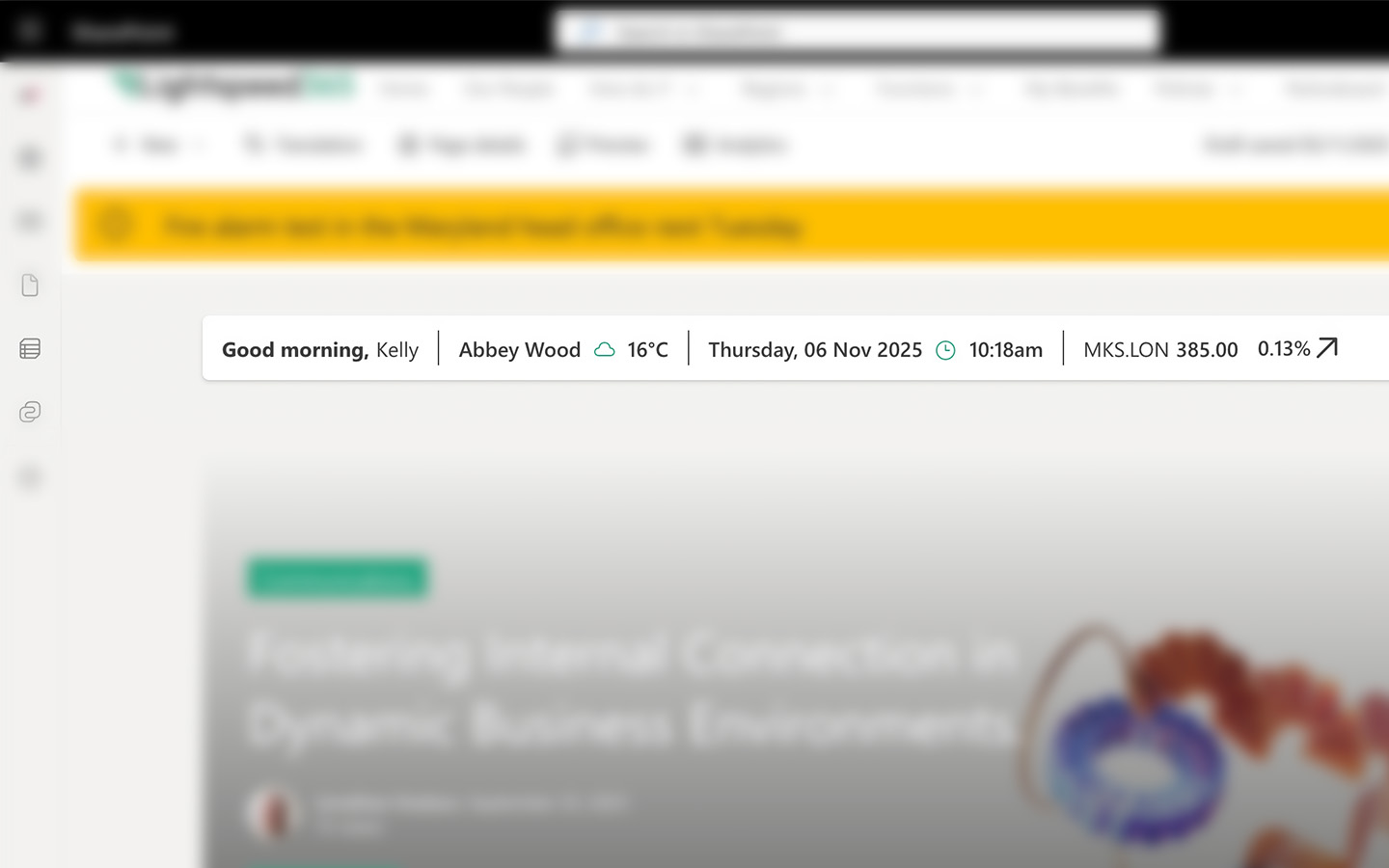
2025 ClearBox intranet report

Start your FREE Lightspeed365 trial!